Known Participant
April 24, 2017
Answered

Overprint Preview

  • April 24, 2017
  • 3 replies
  • 2676 views

Hi,

I'm working in a file where there is something on the top layer that is visible on screen, but when I turn on Overprint Preview, its not visible, nor is it visible sometimes when I export to PDF. If its helpful its white type that has disappeared. However, there are other layers that are white type that don't disappeared.

How do I make sure that layer is seen when exported to PDF and when Overprint Preview is on?

Thanks!
    This topic has been closed for replies.
    Correct answer Mike_Gondek10189183

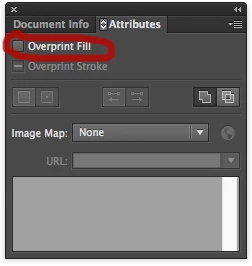
    Select the type and remove the overprint from the white type in the attributes window.

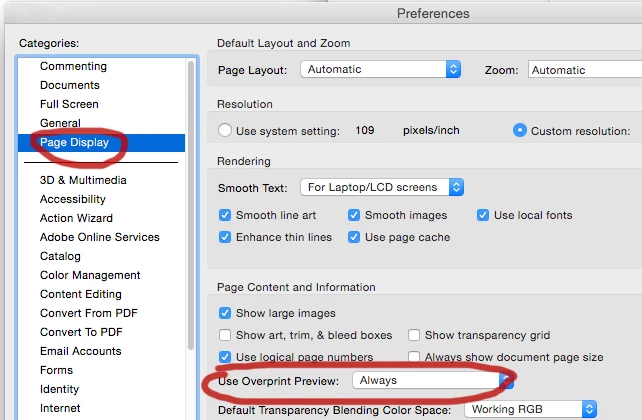
    In Acrobat by default overprint is off. I keep this on on my end. You unfortunately cannot make this setting stick per the file., as that is an appicaitopn setting.

    Setting overprints is the original way to trap in Illustrator, many are still slowly shifting over to use the multiply in transparency palette, so that the person approving the design will see the overprints/traps as you want them to appear.

    3 replies

    Mike_Gondek10189183
    Community Expert
    Mike_Gondek10189183Community ExpertCorrect answer
    Community Expert
    April 25, 2017

    Select the type and remove the overprint from the white type in the attributes window.

    In Acrobat by default overprint is off. I keep this on on my end. You unfortunately cannot make this setting stick per the file., as that is an appicaitopn setting.

    Setting overprints is the original way to trap in Illustrator, many are still slowly shifting over to use the multiply in transparency palette, so that the person approving the design will see the overprints/traps as you want them to appear.

    Known Participant
    April 27, 2017

    Thanks!

    Legend
    April 25, 2017

    There are very specific rules. Overprinted white must be invisible. Sometimes.

    Inspiring
    April 25, 2017

    Remove over print from your Whites that are dropping out ( Attributes > Overprint [ not over print preview, although you could release that as well ] ).