

Participant
February 27, 2017
Answered

page setup?

  • February 27, 2017
  • 1 reply
  • 1665 views

where do i find page setup in illustrator cc. i see document setup but not page setup????

    This topic has been closed for replies.
    Correct answer Barb Binder

    thank you so much for your reply.

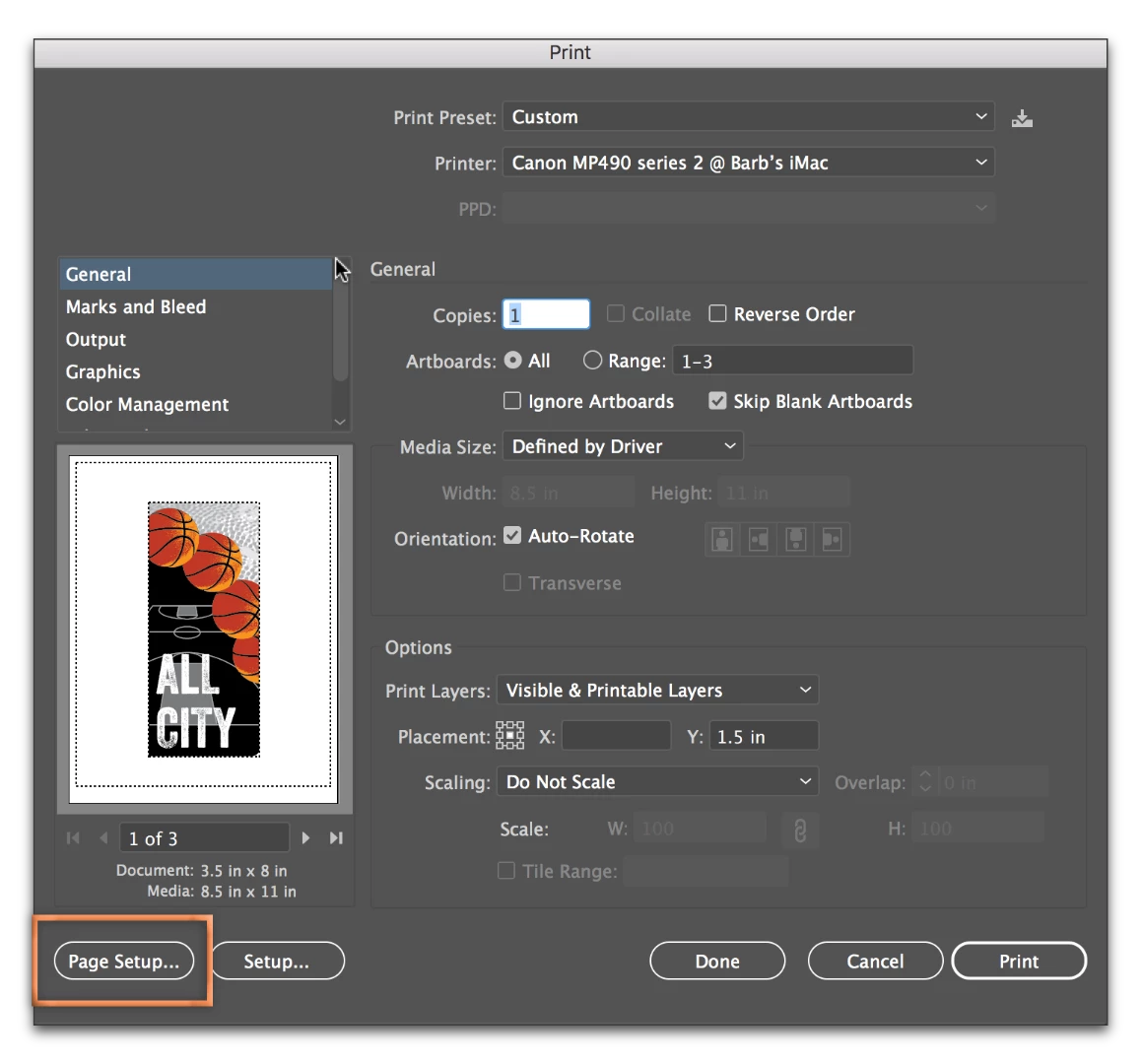
    what i am actually trying to do is locate "page setup"...it used to be right above document setup under file in illustrator.

    i need page setup in order to select the proper paper, sheet or rool, so i can print to our new large format printer.


    Aha! File > Print:
    1 reply

    Barb Binder
    Community Expert
    Community Expert
    February 27, 2017

    What feature are you trying to update? Are you trying to change the artboard size?

    ~Barb at Rocky Mountain Training
    Barb Binder
    Community Expert
    Community Expert
    February 27, 2017

    Thinking that you are trying to change the page size... you can go to File > Document Setup and click on Edit Artboards in the top right corner. Alternatively, you can get to the same place by selecting the Artboard tool in the Toolbox.

    Once in Artboard editing mode, you have options on the Control Panel at the top. You can see which artboard you are editing by glancing at the status bar in the lower left. You have addition options via the Artboard Options button outlined in magenta.

    Additional resources:

    How to use Artboards in Illustrator | Adobe Illustrator CC tutorials

    How to set up artboards in Illustrator

    ~Barb at Rocky Mountain Training
    Participant
    February 27, 2017

    thank you so much for your reply.

    what i am actually trying to do is locate "page setup"...it used to be right above document setup under file in illustrator.

    i need page setup in order to select the proper paper, sheet or rool, so i can print to our new large format printer.