
Participant
February 13, 2021
Answered

Panels not Minimizing in AI

  • February 13, 2021
  • 2 replies
  • 527 views

Hello,

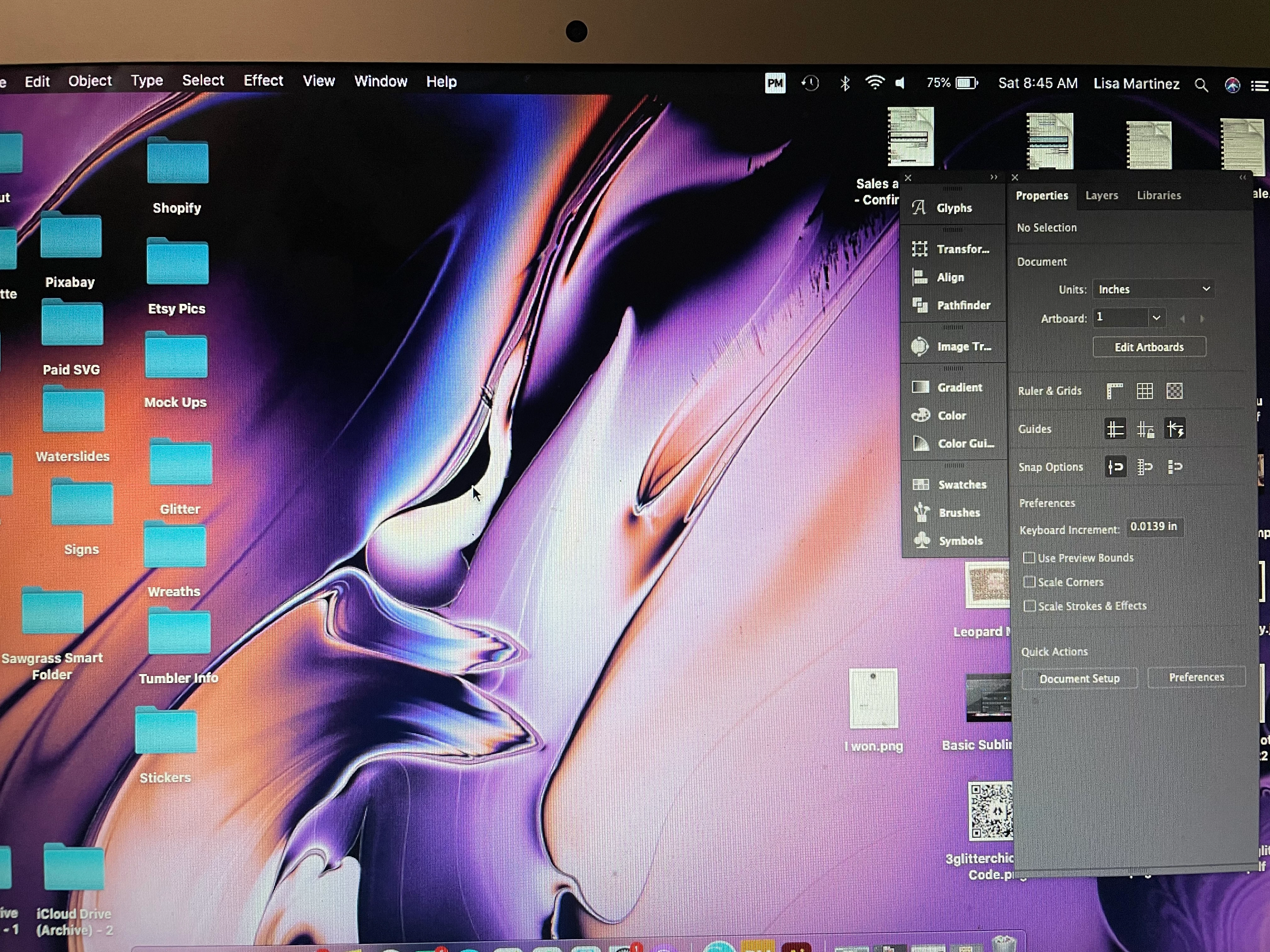
I am having issues with my panels in AI.  When I minimize AI they do not full collapse they are just left hanging on my desktop until I click on another program. 


I'm not sure what happen but before when I would minimize Illustration everything collaspsed together.  I have the Auto Collaspe function on and nothing.  Any tips on how to get this all to minimize together?


Below is what it looks like when i minimize. 
 

This topic has been closed for replies.
Correct answer Myra Ferguson

The panels auto collapse when they are docked. Even though they are placed on the right side about where they would be if they were docked, the bottom of the Properties panel shows that the adjustment bar visible. If it were docked, that handle wouldn't be available. You can reset your workspace to Essentials Classic to see it docked.

2 replies

Lisa830Author
Participant
February 13, 2021

Thank you so much...I new it was some type of setting but couldn't find it.


Myra Ferguson
Community Expert
Myra FergusonCommunity ExpertCorrect answer
Community Expert
February 13, 2021

The panels auto collapse when they are docked. Even though they are placed on the right side about where they would be if they were docked, the bottom of the Properties panel shows that the adjustment bar visible. If it were docked, that handle wouldn't be available. You can reset your workspace to Essentials Classic to see it docked.