
Participant
July 24, 2024
Answered

Pantalla negra y tardanza al guardar archivos de Illustrator

  • July 24, 2024
  • 4 replies
  • 1338 views

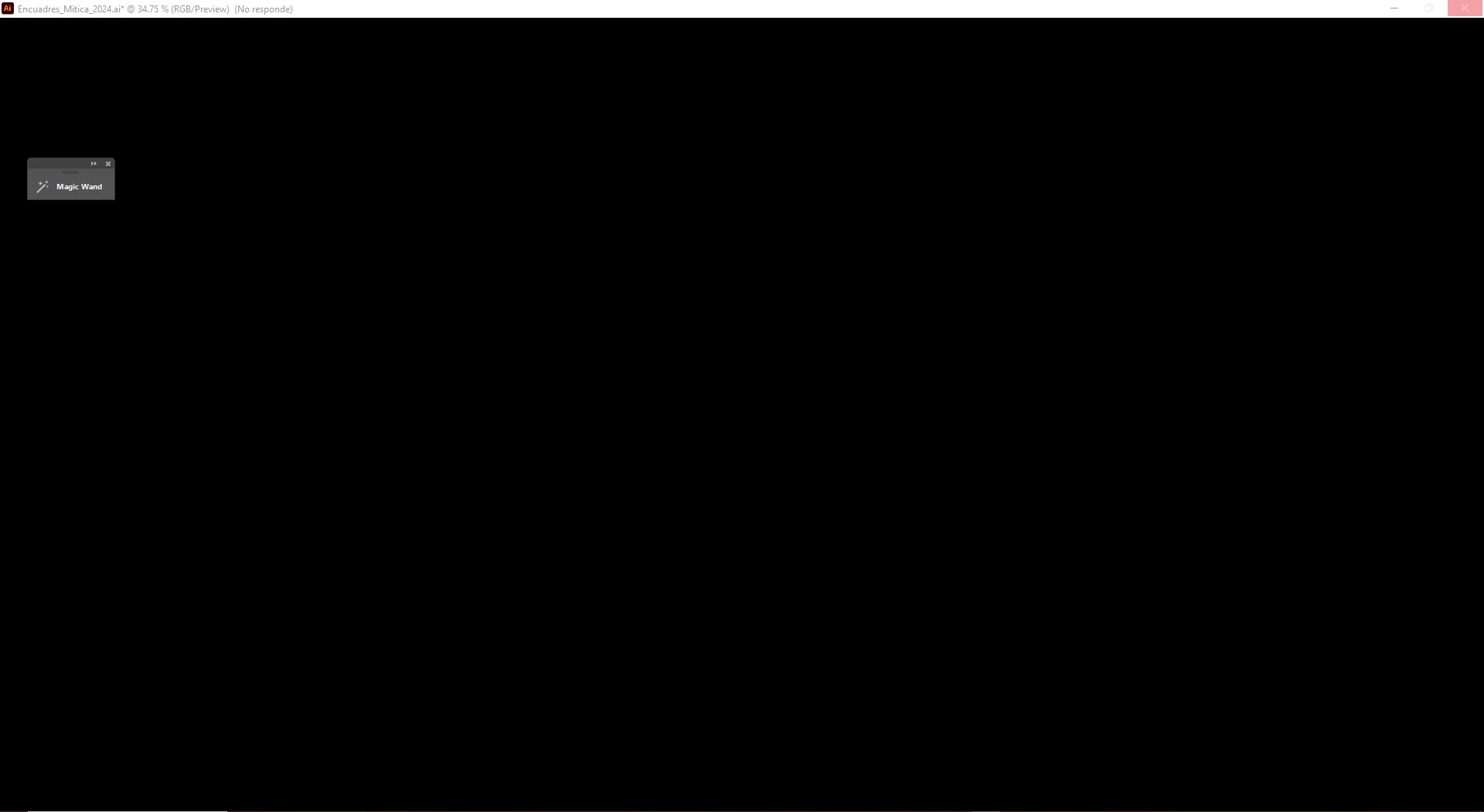
He estado teniendo un problema a la hora de guardar los archivos y no importa en la versión que tenga de Illustrator, ya que en cualquiera esto sucede, pero actualmente tengo la última versón del 28.6; la pantalla se pone totalmente negra y en la parte superior aparece (No responde), además, se tarda mucho en guardar, en varias ocasiones he tenido que cerrar el programa bruscamente porque se queda trabado. Esto pasa cada vez que guardo un archivo, no importa si tiene poco peso o mucho. 

Tengo una Microsoft Windows 10 con RAM de 64 e Illustrator se encuentra descargada en un disco con 953 GB libres. 
This topic has been closed for replies.
Correct answer Cligore

Hi!
I will check every point that you mention, but the one that I changed for the moment were the Preferences in Performance, it helped a lot! Thanks 

4 replies

Anshul_Saini
Community Manager
Community Manager
July 31, 2024

Hi @Cligore,


Thank you for reaching out and sharing your concerns. To help resolve the issue, could you please confirm if installing Illustrator on the C drive, preferably on an SSD, is an option? This may eliminate the black screen and delays you're experiencing.


Additionally, is this issue occurring with all files or only specific ones? Could you also let us know where you are saving these files (server, network drive, local HDD, external HDD)?


Looking forward to your response!


Best,

Anshul Saini

CligoreAuthor
Participant
August 22, 2024

Hi!
In this month I only changed the preferences and it helped a lot, but I will check the options that you tell me cause this didn't happened before.
I'm going to check the drives, but if I remember correctly every drive that I have is SSD.
The issue is in every file and they are saving in an external HDD. 

Monika Gause
Community Expert
Community Expert
July 25, 2024

Is a printer connected, turned on and set up correctly?

If you do not have a printer, use the PDF printer. On Windows it regularly happens that when updating Windows completely messes up your perfectly working printer settings. Illustrator saves information about the printer into the file and reads this information when opening the file. 

creative explorer
Community Expert
Community Expert
July 25, 2024

@Cligore OMG! The first thing that I thought was what my student experience...you have enough RAM, and space, but is the graphics card drivers are up-to-date? Outdated drivers can cause performance issues. Or maybe, your graphics card can't handle the new Illsutrator as it now has AI. 

I may start in 'Safe Mode' and see if you have the same issue. And hopfeully that pinpoints the issue.

Next, I would start to look at the Illsustrator Preferences, and turn off certain things like Animated Xoom, Real-Time Drawing and History States to the lowest setting.

And if all that fails, try uninstalling the software with the uninstaller, and re-install the software via adobe.com website with your log-ins

m
CligoreAuthorCorrect answer
Participant
August 11, 2024

Hi!
I will check every point that you mention, but the one that I changed for the moment were the Preferences in Performance, it helped a lot! Thanks 

kglad
Community Expert
Community Expert
July 25, 2024

in the future, to find the best place to post your message, use the list here, https://community.adobe.com/

p.s. i don't think the adobe website, and forums in particular, are easy to navigate, so don't spend a lot of time searching that forum list. do your best and we'll move the post (like this one has already been moved) if it helps you get responses.


<"moved from cc desktop bugs">