Participant
August 17, 2022
Question

Pantone Bridge printed book vs. Illustrator values

  • August 17, 2022
  • 2 replies
  • 214 views

I've seen other discussions, but they're old. So here we go:

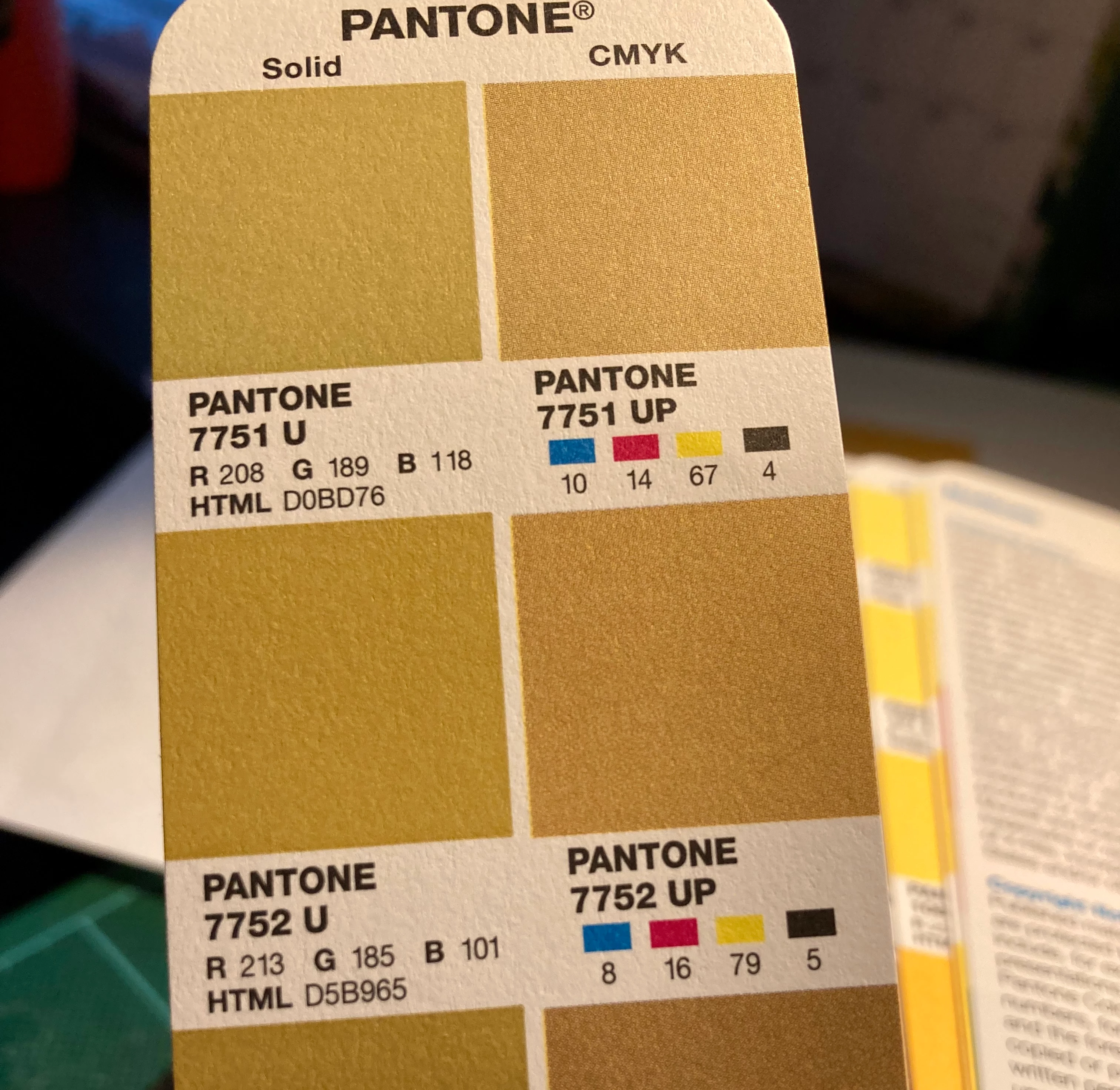
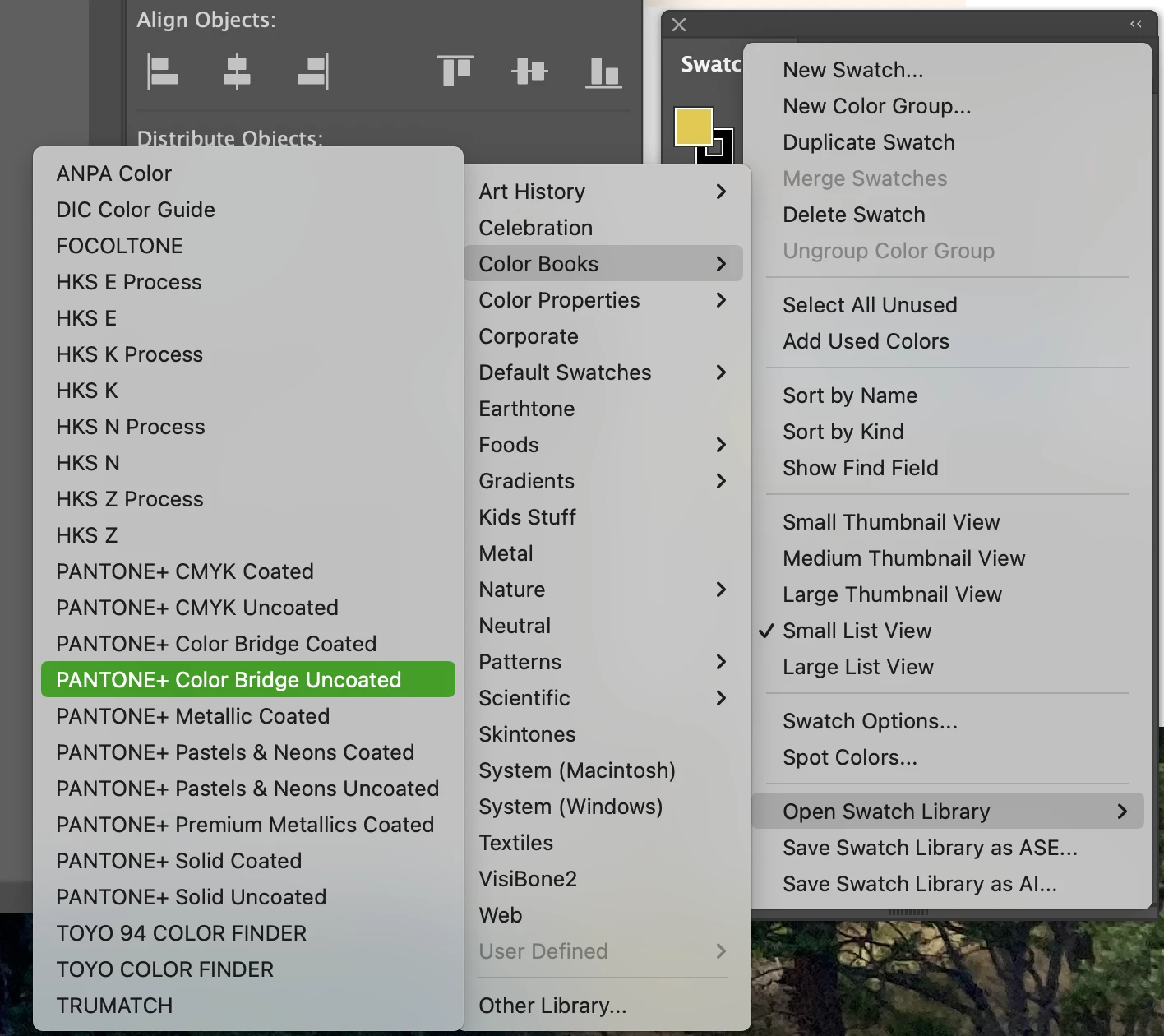
I bought a new set of Color Bridge guides from Pantone (physical books). When I compare the values with the Color Bridge selection in Illustrator, they are radically different.

PMS 7752 Pantone Bridge: 8/16/79/5

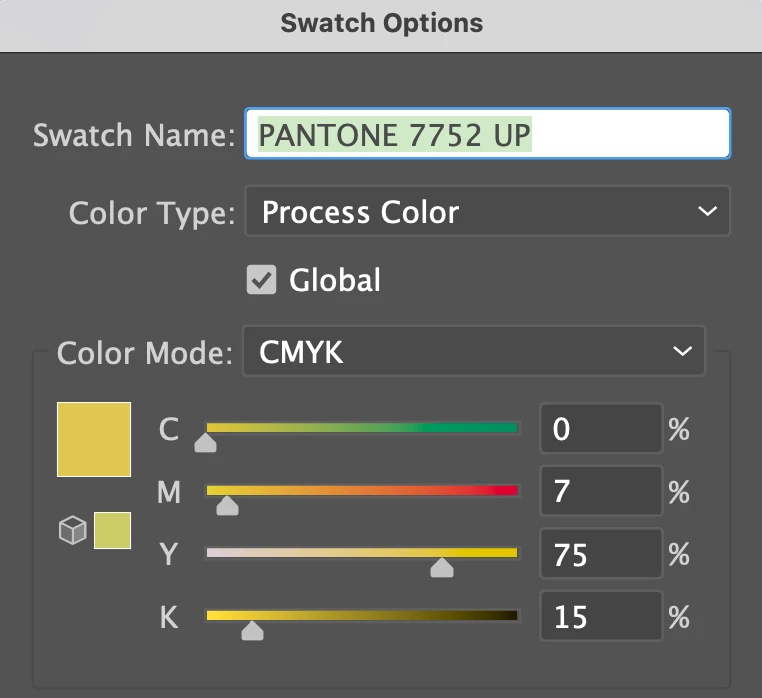
PMS 7752 Illustrator Bridge: 0/7/75/15

Since Adobe claims I'm opening the same book, only in Illustrator, I am at a loss to understand what's happening. Having a CMYK value is critical for me as a designer of printed material. I am not a happy camper after shelling out the big bucks for the Bridge book and paying subscription to Adobe for my design tools. If they are promoted as a thing, they should BE that thing. How can I get AI to be the same as Pantone? HELP!
This topic has been closed for replies.

2 replies

Dave Creamer of IDEAS
Community Expert
Community Expert
August 17, 2022

Did you get the Pantone guide or the Pantone Plus guide?

David Creamer: Community Expert (ACI and ACE 1995-2023)
lambiloon
Community Expert
Community Expert
August 17, 2022

Hi 

The Pantone+ Solid coated library in Illustrator does not contain CMYK values anymore.

It gives Lab values and it uses your color settings to simulate the color for you printing process.

That means that you will get different CMYK values when you choose newsprint or Japanese inks.


https://helpx.adobe.com/illustrator/kb/pantone-plus.html

Ali Sajjad / Graphic Design Trainer / Freelancer / Adobe Certified Professional
mcblytleAuthor
Participant
August 17, 2022

That’s not what I was asking. I specifically chose the Pantone Color Bridge book, which is Pantone’s recommendation of CMYK values.

Michele


Personal details deleted by moderator for privacy