


Pantone colors are printing blank when printing from Illustrator using Photoshop DSC.EPS
While trying to print artwork with spot colors from Adobe Illustrator the color in the 2nd channel will always print blank regardless of what print device or setting that is used. I have included the DSC EPS files as well as the AI files and the subsequent print of the file as a pdf. Whichever pantone color is placed in location 2 of the channels in Photoshop will print blank. This is a bug that has popped up since Pantone pulled it's colors from Adobe and the Pantone colors automatically are changed to black.
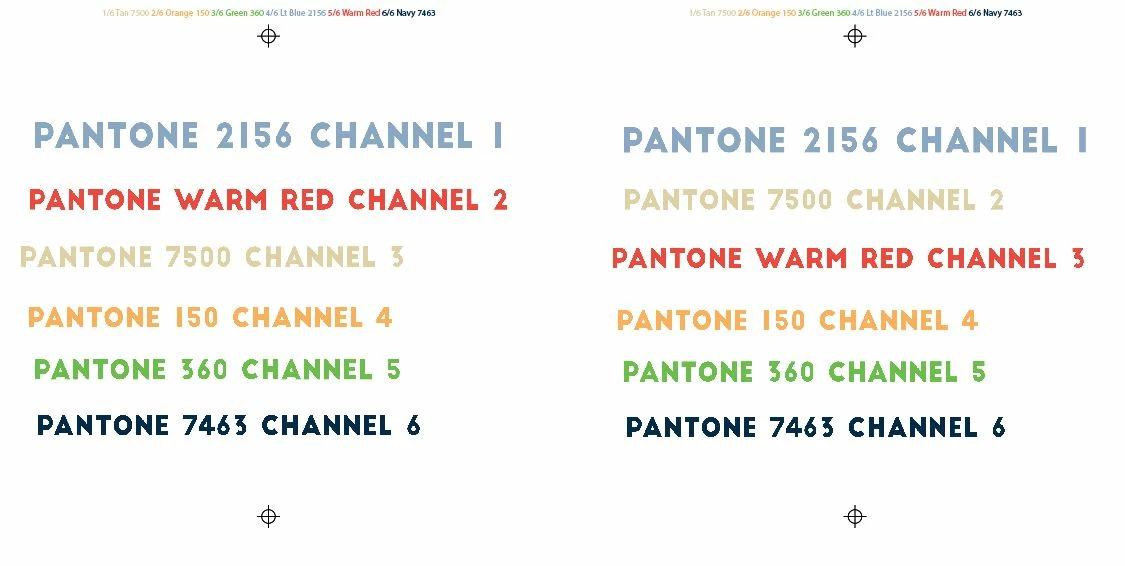
Below is how the Ai file looks:
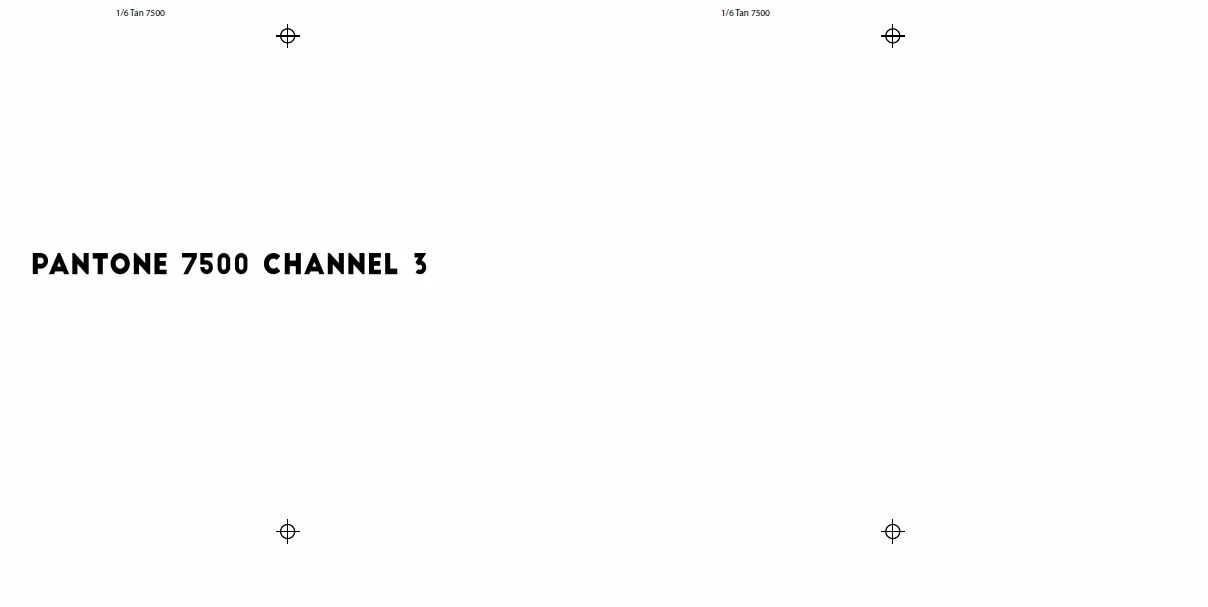
Below is how Pantone 7500 prints out. Notice how it prints blank with it placed in channel 2 of photoshop. Same file, same spots colors, just a different location in Photoshop.
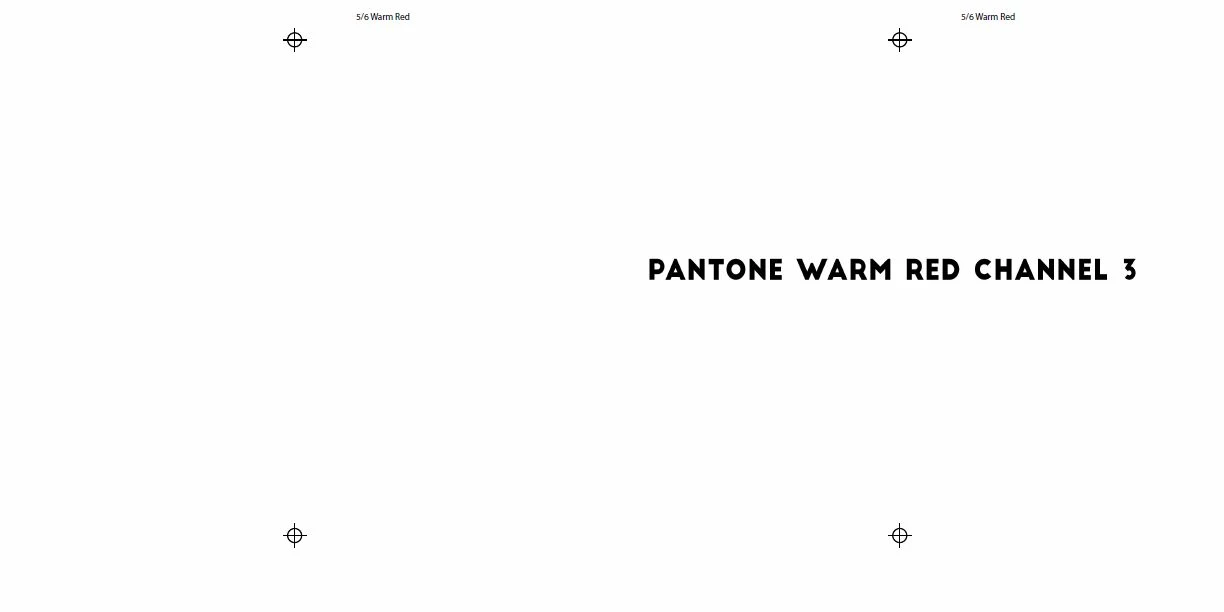
Below is how Pantone Warm Red prints out. Notice how it prints blank with it placed in channel 2 of photoshop. Same file, same spots colors, just a different location in Photoshop.
Below is how the channels look in Photoshop (warm red C prints blank in this case):
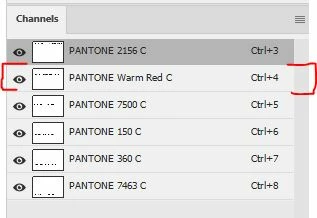
For some reason channel 2 is printing blank. It does not matter which color is placed there anything in channel 2 will not print.
Now here's the crazy part. I've had this happen to 8 different files I've opened recently, but the location that does not print changes for each of them. Sometimes it's channel 2, sometimes it's channel 6. The only fix has been to rebuild the file by making a new file and manually copying the channels over one by one, and (very important) you have to not use official Pantone color names or pantone pickers in Photoshop. It has to be named something not PANTONE and has to be a hex color.
I believe this bug has something to do with the conversion process of pantone colors being changed to black if you don't have the pantone colors installed as it's happening with existing files that used pantone colors via the color picker. If it was created with hex values the issue doesn't seem to happen. The big bummer part is just changing the pantone colors and names after Adobe makes the conversion does not work. You have to rebuild it from a new file or the bug will still keep happening. This means all old files using Pantones will have to be rebuilt in order to print them properly. There must be something saved in the channel info that is still saying it is/was a Pantone color even after changing it to a different color or name.
I've had 8 printers call me in the last two days that have been having this issue with screens printing blank for spot colors. This is going to become a massive issue if it's not fixed before they do the full update that will no longer have any of the pantone colors available.
EDIT: It won't let me attached the Ai file for some reason. But you can infer from the pdf and EPS files that are included. View the EPS files in Photoshop not Illustrator.
 AdChoices