
Known Participant
June 28, 2022
Answered

Part of illustration not accessible

  • June 28, 2022
  • 2 replies
  • 593 views

Hello Experts


I have a map I am working on and am opening an .ai image using an older version of AI.

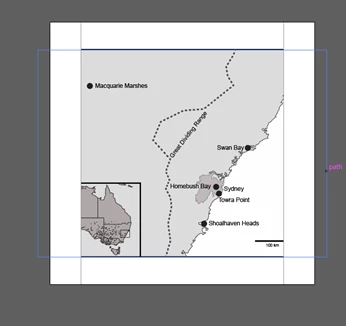
But what I see is not the full map. In the image below it should extend to the left and right of what is shown and I can select that region with the mouse and you can see the extended bits with the blue selection parimeter. But when I click on that blue parimeter AI says "No selection."


What is keeping me from accessing the full map?


Thanks!


This topic has been closed for replies.
Correct answer Monika Gause

It might just be a clipping mask. Check out the Layers panel.


Better: use the version it has been created in. Seriously.

2 replies

manal shanableh
Legend
June 28, 2022

can you send a screen shot for the layers?

are you sure there are o clipping masks?


when open new ai file with older versio you may face clipping mask issue, unlock all then select all and release clipping mask if any.

jdballouAuthor
Known Participant
June 28, 2022

There is a screen shot in my OP

manal shanableh
Legend
June 28, 2022

I mean a screen shot for layers panel, check the layers.

Monika Gause
Community Expert
Community Expert
June 28, 2022

When you are editing a file in an older version, you are acutally using the PDF part of the file. Editing is limited. The bad thing is: when you save the file, you cannot go back to the correct version with fukll editability. I hope you haven't saved yet.

jdballouAuthor
Known Participant
June 28, 2022

No - I kept the original version. But how do I edit the original to get access to those hidden parts?

Monika Gause
Community Expert
Monika GauseCommunity ExpertCorrect answer
Community Expert
June 28, 2022

It might just be a clipping mask. Check out the Layers panel.


Better: use the version it has been created in. Seriously.