You can vote for this option on Uservoice https://illustrator.uservoice.com/forums/333657-illustrator-desktop-feature-requests/suggestions/32146360--paste-on-selected-artboards
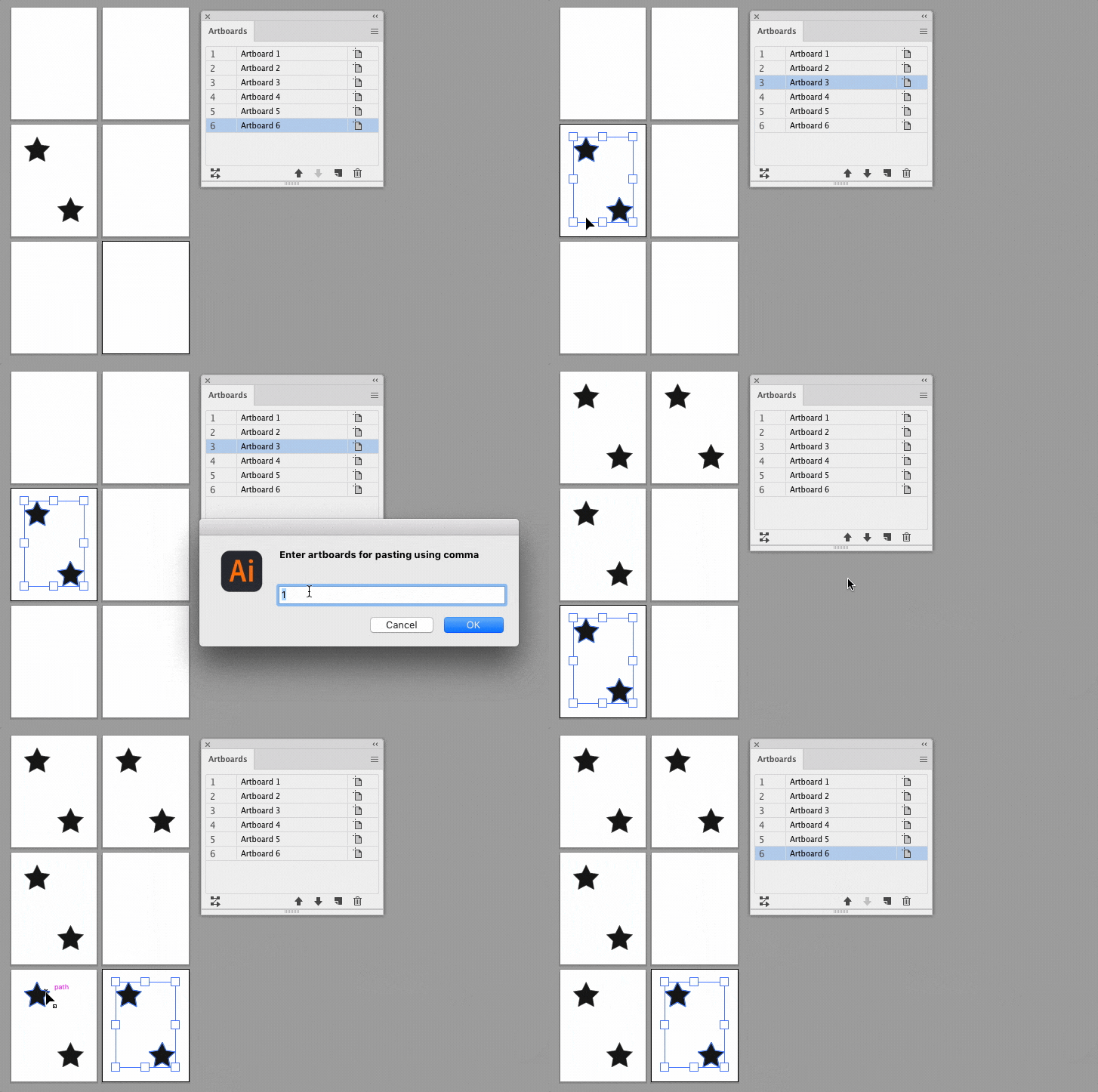
You may also find this code helpful. Of course here you will have to enter the artboard numbers manually. The script itself will copy the selected objects to the clipboard.
/*
  Copy selected artboard objects and paste to the same position on the listed artboards
  Author: Sergey Osokin, email: hi@sergosokin.ru
  Check other author's scripts: https://github.com/creold
  https://community.adobe.com/t5/illustrator-discussions/paste-on-selected-artboards-only/td-p/13160278
*/

//@target illustrator
app.preferences.setBooleanPreference('ShowExternalJSXWarning', false); // Fix drag and drop a .jsx file

// Main function
function main() {
  if (!selection.length || selection.typename === 'TextRange') return;
  var doc = app.activeDocument;
  var abs = prompt('Enter artboards for copy-paste via comma', '1');
  if (!abs.length) return;
  abs = abs.replace(/\s/g, '');
  app.executeMenuCommand('copy');
  var absList = abs.split(',');
  for (var i = 0; i < absList.length; i++) {
    doc.artboards.setActiveArtboardIndex(1 * absList[i] - 1);
    app.executeMenuCommand('pasteInPlace');
  }
}

// Run script
try {
  main();
} catch (e) {}





 AdChoices