

Participant
March 31, 2025
Question

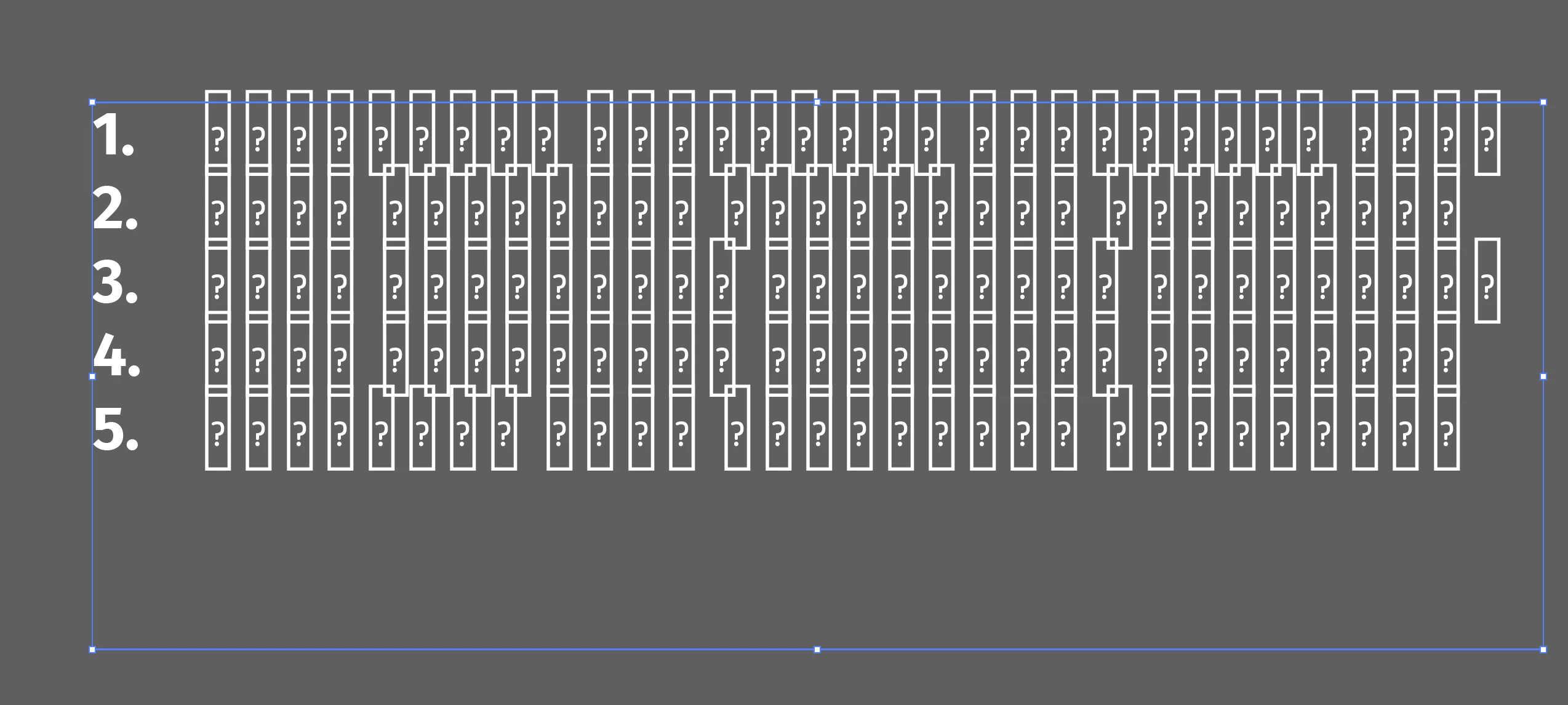
Pasted text in illustrator appeares as "[?]"
  • March 31, 2025
  • 1 reply
  • 221 views


Copying text from microsoft word and it pastes like this.

What can I do?

Also text is not in english if it helps.

1 reply

SuunsAuthor
Participant
March 31, 2025

EDIT: Apparently it is doing so whenever I try to use "ALL CAPS" option in Characters settings.

Weird thing is that it worked in the past

Harshika Verma
Community Manager
Community Manager
March 31, 2025

Hi there,


Sorry to hear you're unable to paste text in Illustrator. A few more details would be super helpful.


  • The version of Illustrator and the details of your operating system.
  • Is the issue happening with all files or with a specific file?
  • Is it happening with this specific text or any text that you copy & paste?
  • Could you please tell us the name of the font you're trying to copy from the Word file? 
  • Please also share the language of the text.


Also, please try pasting without formatting by using the shortcut keys (CMD+Option+Shift+V) on Mac and Ctrl+Shift+V on Windows or using the right-click option menu as shown in the screenshot below.


We will try our best to help.


Thanks,

Harshika

SuunsAuthor
Participant
March 31, 2025

Hello, thanks for the reply.

It appears that its not about the pasting but about "All Caps" option in illustrator.

If I remove all caps, the text is visible.


Details you inquired:

  • Operating system: MacOS Sequoia 15.3
  • Illustrator Version: Dunno how to check but presumably latest (auto update is on)
  • Issue happens with all files with this font
  • Any text that I copy with this font
  • Name of the font - FiraGO
  • Language of the text - Georgian (ქართული)


Again, FiraGo works very well with Georgian and all caps also worked in the past, if I remove all caps, the text is visible and all good, as soon as I turn it on it switches to (see picture)


Thanks in advance