
varxtis
Inspiring
December 11, 2019
Question

Path issue after using Pathfinder (minus front) on objects with rounded live corner

  • December 11, 2019
  • 1 reply
  • 2305 views

1. Sorry for ridiculously long subject. So many "Pathfinder" and "Live corner" subjects.

2. I apologize ahead attime if I am missuing object/shape.


Okay, so I make a hexegan, use live corners to round the corners, duplicate the objects/shape (Hexagon), move orginal (bottom of the two) down vertically, select both, pathfinder, and Minus front.

This is the result:
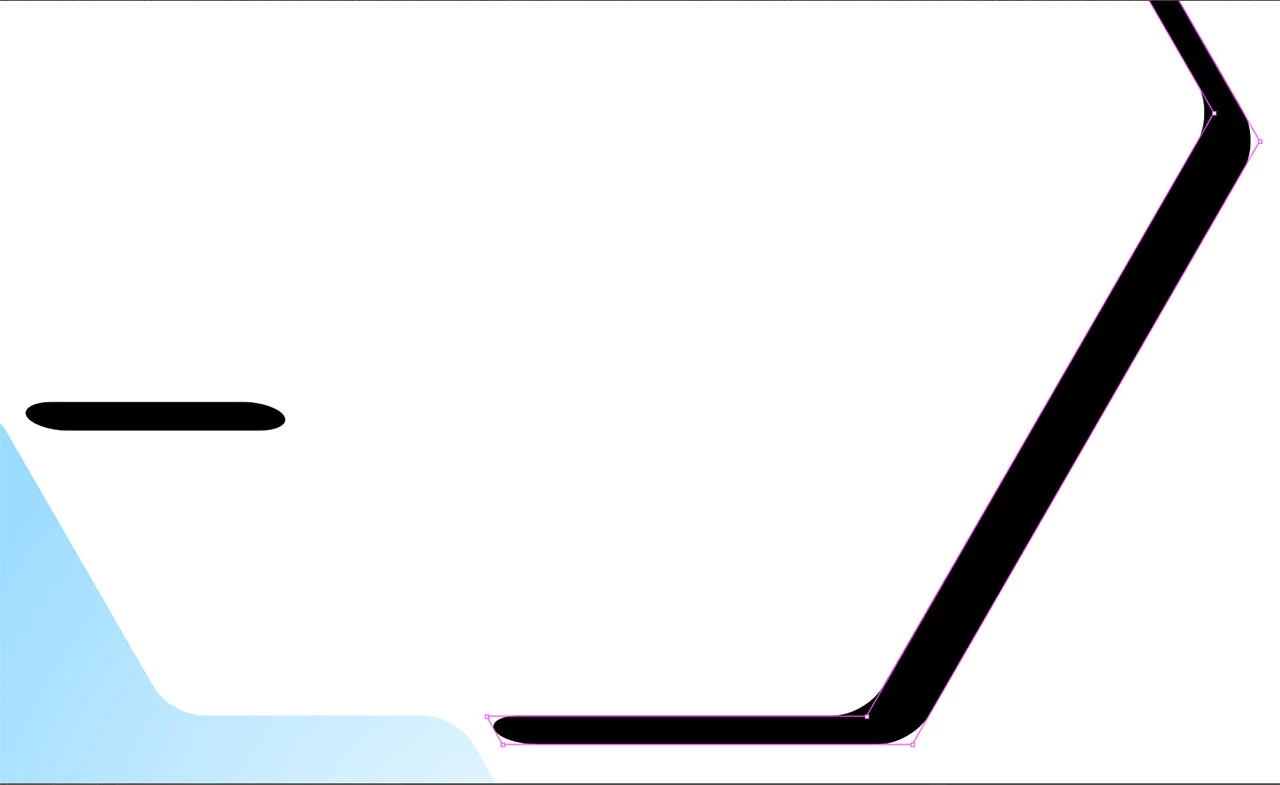
The black isn't turnend into a path (Object/shape?) and I cant edit the rounded ends. I've tried various "Make" and "Convert" meathods on both the layers before the pathfinder, and on the resulting shape thing

This topic has been closed for replies.

1 reply

barbara_a7746676
Community Expert
Community Expert
December 11, 2019

I am not able to replicate the problem. The result I get is a path and the round corners effect can be edited by double-clicking the round corners effect in the Appearance panel..

varxtis
varxtisAuthor
Inspiring
December 11, 2019

Ok, so... this whole thing was a fluke... I wans't doing anything wrong persay, and neither was the program. A fluke I'd still like to understand. When you use rounded corners, whether by Corner Widgets (which is what I use) or by the Rounded corner fx, it creates the look of rounded corners, but you don't get the additional anchors and handles to control it. When you use pathfinder "Minus front" using two shapes/objects that have rounded corners applied to them, its supposed to... whats the word... Well, It's supposed to create a cut out like this with a full path, including anchors and handles.


For some reason though, the document I was editing (I had created and worked on over the past month) glitched or something. Today, no matter what I did to produce the above results using the shapes/objects I had already previously made days ago, something I've done a number of times since making this file, the results ended up like this:


It retained the "rounded corners" effect instead of creating a shape path. This third image gives you a better Idea of why it was so infuriatingly toublesome:

The left end corner is supposed to be a round corner, with the top left edge being a not-quite-sharp angle.


OKAY... SO...

Here's my question. To resolve this in this instance I basically had to recreate everything. Not too bad, because theres not too many shapes/objects involved. But what if its a bigger project and this happens again? How do I take the results as in images 2 and 3, and make them like image 1? How do I make it so the corners actually have all the apporopriate anchors and handles?

Monika Gause
Community Expert
Community Expert
December 11, 2019

You haven't applied rounded corners with the widget. You have applied the effect. You will be able to see the effect in the apperance panel and that would also be the place to delete it from an object.