
Question
Path rendering problems
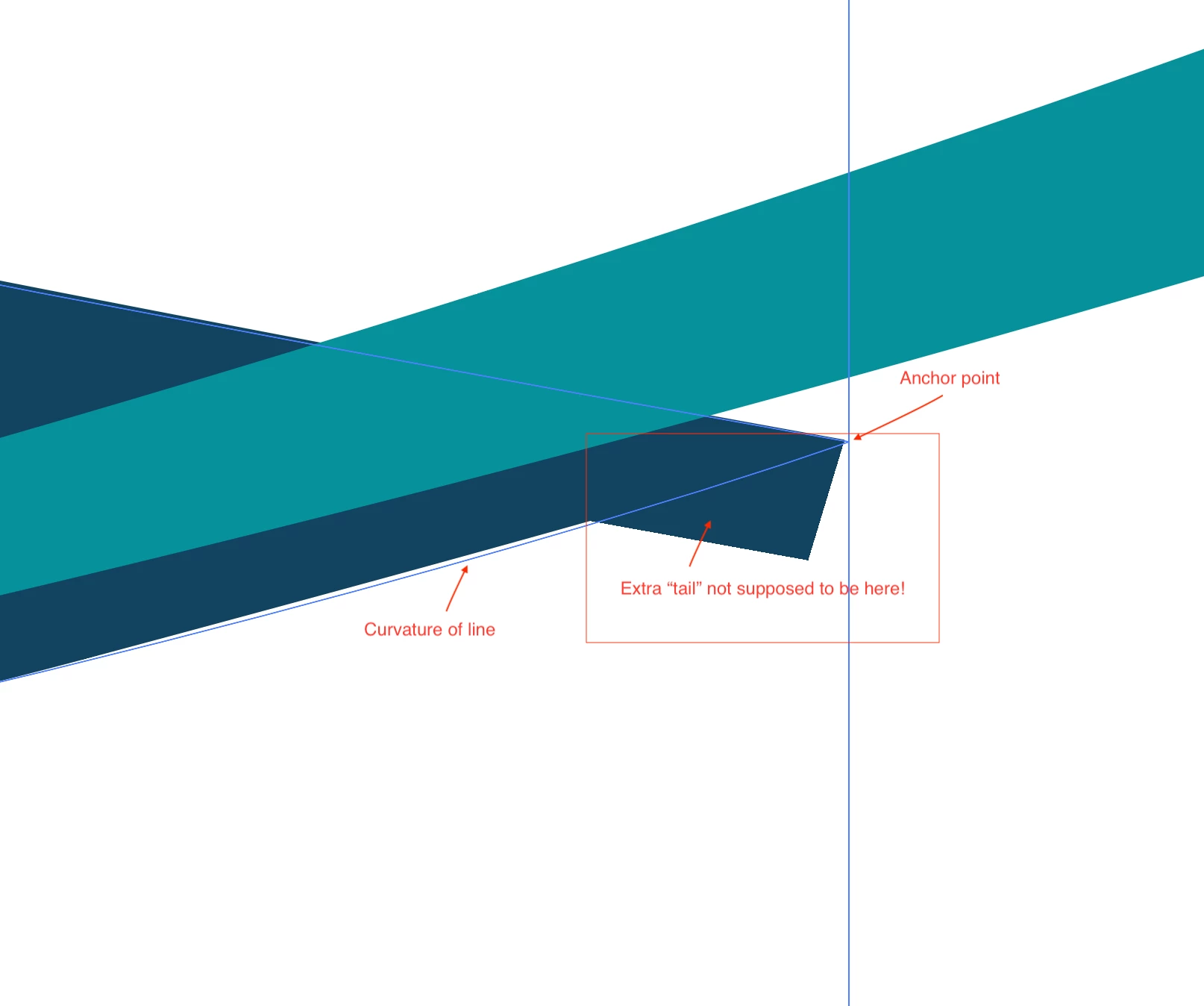
I have created a closed curved path, but the area at the anchor point does not render correctly. There is a section of blue color the sticks out beyond the curve. I have noticed this happening many times when I divide object with pathfinder. The curves have extended areas that I can not seem to get rid of unless I change the anchor point curvature. How do I get rid of this extra "tail" of color???? This has never happened to me until recently and I have used these features frequently in the past.
 AdChoices