
tjasak1993
Known Participant
April 30, 2020
Answered

Pathfidner over gradiented object

  • April 30, 2020
  • 2 replies
  • 932 views

Hi!


I would like to achieve this kind of look, here is a square with a gradient and white squares over:
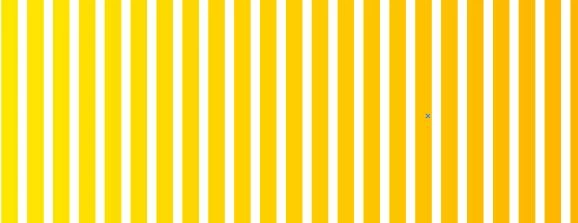
But when I apply pathfinder, each cut part gets a full gradient:

How to avoid that and achieve a shape like in the first picture?

Thank you for help!


This topic has been closed for replies.
Correct answer Mohammad.Harb

First, Group them ( ctrl + G) then add a new fill from the appearance panel ( window-> appearance) 

then apply the gradient on the new added fill

2 replies

Mohammad.Harb
Community Expert
Mohammad.HarbCommunity ExpertCorrect answer
Community Expert
May 1, 2020

First, Group them ( ctrl + G) then add a new fill from the appearance panel ( window-> appearance) 

then apply the gradient on the new added fill

tjasak1993
Known Participant
May 1, 2020

Hi!


thank you so much!

it worked 🙂

Monika Gause
Community Expert
Community Expert
April 30, 2020

Select them all and make a compound path.

tjasak1993
Known Participant
May 1, 2020

Hi!

thank you, 

but how about if I have a different shape, for example, circle shape? 

Then I get lines outside of the circle, that can not delete.


And if I do a clipping mask first for the lines, I can't make a clipping mask after.


Thank you!

Monika Gause
Community Expert
Community Expert
May 1, 2020

If you want to delete shapes outside the circle, use the shapebuilder tool.

https://helpx.adobe.com/illustrator/using/building-new-shapes-using-shape.html