Participant
March 15, 2023
Answered

Pathfinder - Ground Figure plan

  • March 15, 2023
  • 2 replies
  • 905 views

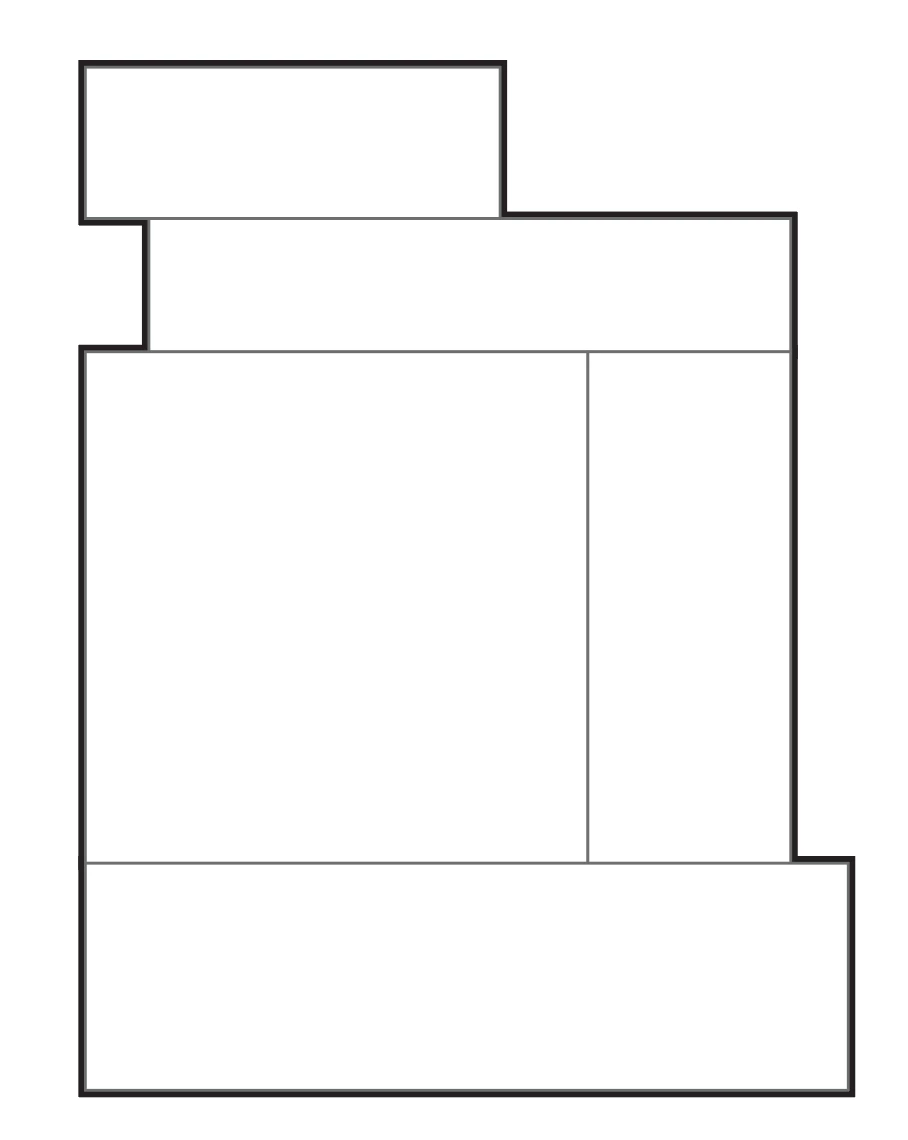
So im creating like far over 100 ground figure plans and am running into this weird problem with pathfinder. I want to join all building outlines to create a thick border while having a thin outline of the buildings. I join everything and sometimes pathfinder does it perfectly and sometimes pathfinder finds weird "outlines" (50|50). Is there a way to control it, or another way to create perfect outlines?

Thanks
This topic has been closed for replies.
Correct answer SJRiegel

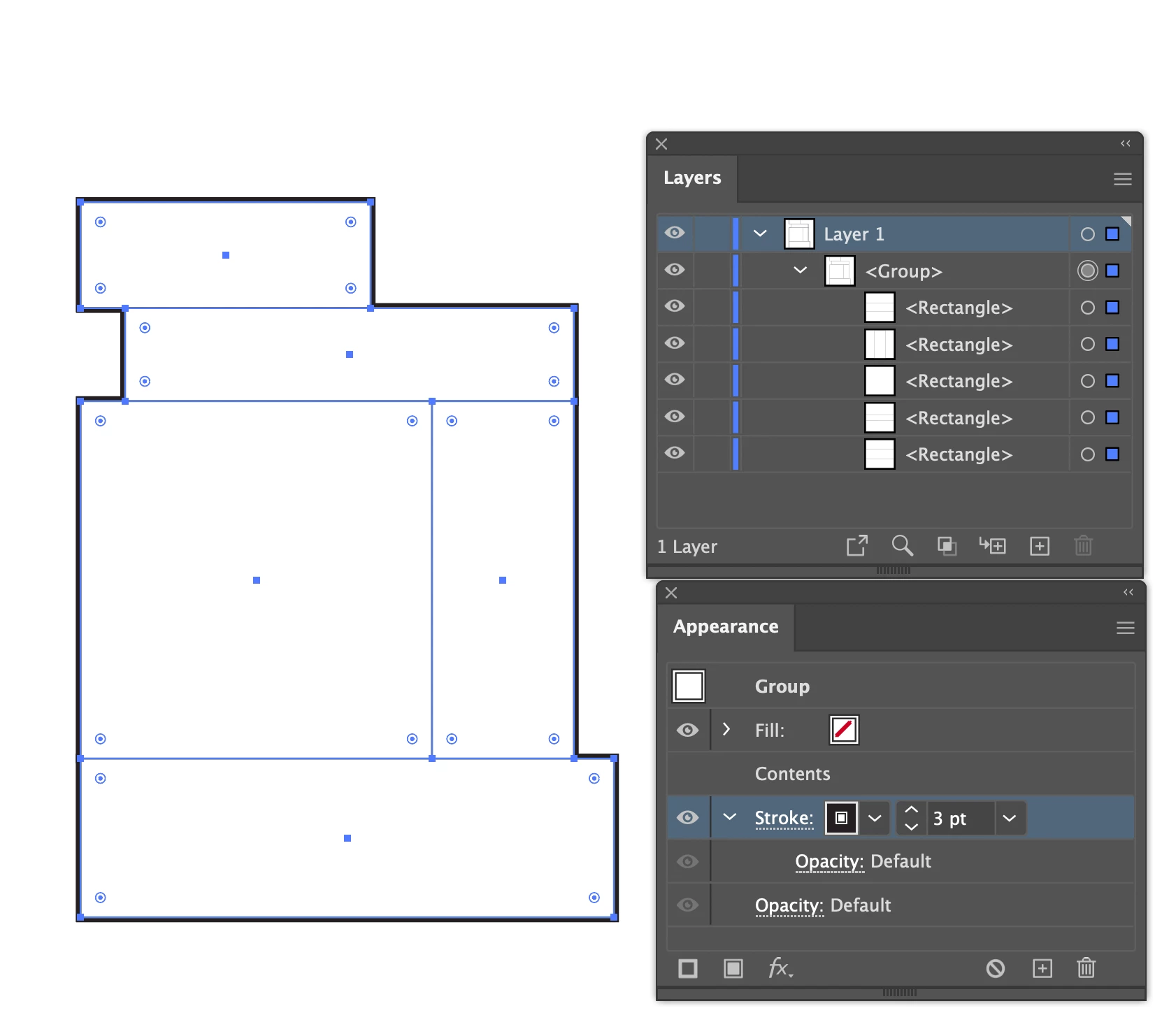
Instead of pathfinder, set all of your thin strokes on the individual buildings, and group them. Than add the thicker stroke to the group via the Appearance panel, and move it below Contents in that panel. 

2 replies

SJRiegelCorrect answer
Legend
March 15, 2023

Instead of pathfinder, set all of your thin strokes on the individual buildings, and group them. Than add the thicker stroke to the group via the Appearance panel, and move it below Contents in that panel. 

Julien_SAuthor
Participant
March 16, 2023

oh wow havent thought of that. I dont even need to group them. Im using 2 diffrent layers for outline and inner lines. I guess yours is the better organisation but im the only one using these so ill give it a try. Thanks alot.

Legend
March 16, 2023

One advantage of adding the stroke to the group is that if you make any changes to an element in the group, the outer outline move and adjusts with the change.

Kurt Gold
Community Expert
Community Expert
March 15, 2023

Can you share two sample Illustrator files (correct and incorrect)?