



Gareth_Williams
Inspiring
March 5, 2026
Answered

Pathfinder Intersect Not Working?

  • March 5, 2026
  • 2 replies
  • 101 views

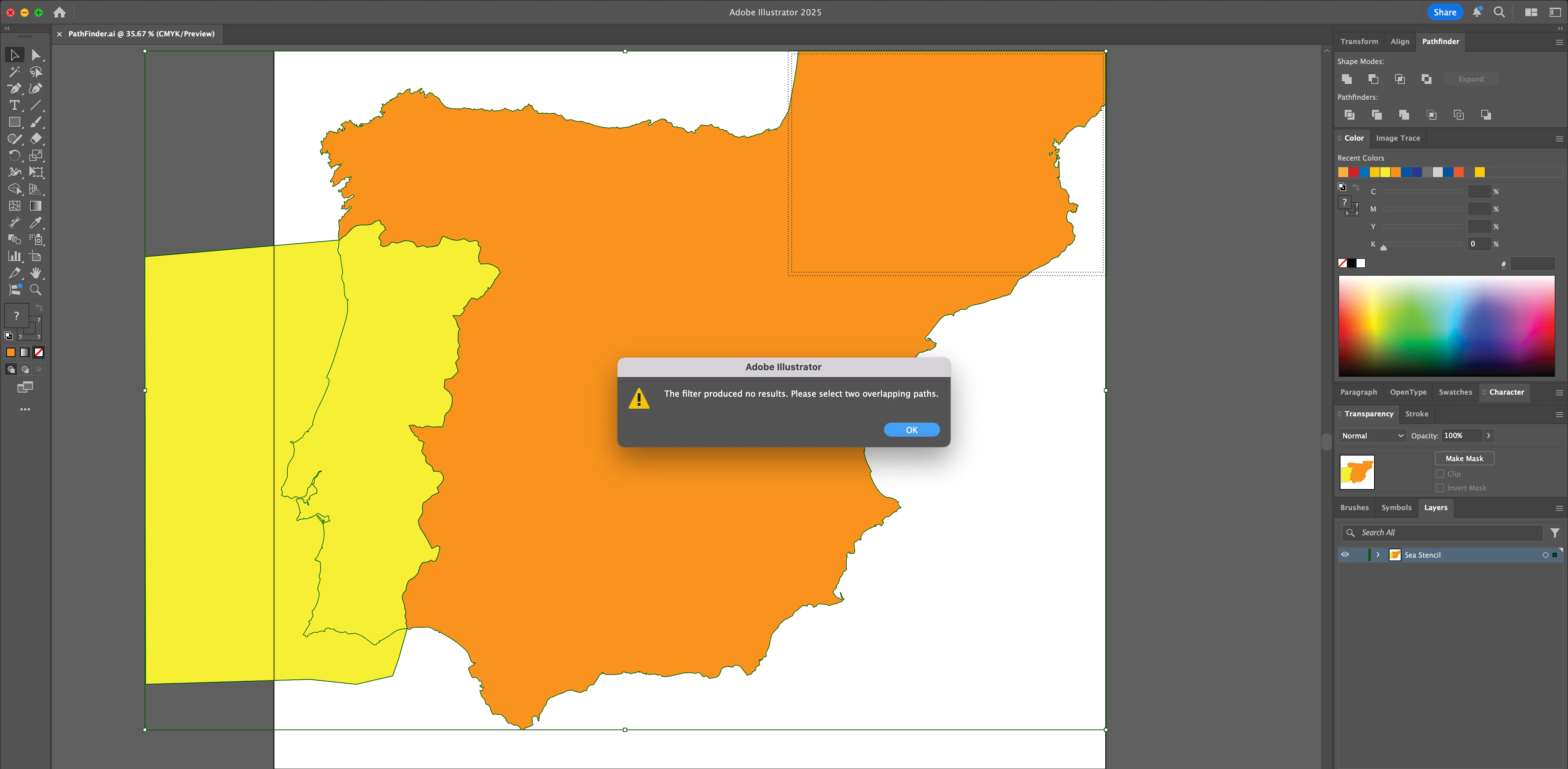
Hi, does anybody have any idea why these two shapes are judged to be NOT overlapping. This is the shape of Spain and Portugal. When you select them both and click on “Intersect” in Pathfinder I thought it should cut the shape of Portugal out of the yellow shape. However, when you click on “intersect” you get a message that says “the filter produced no results . Please select two overlapping paths” The shapes appear to overlap! What am I doing wrong?
 

    Correct answer Gareth_Williams

    Thanks Kurt. I have attached the file here. This is so random!

    2 replies

    Gareth_Williams
    Gareth_WilliamsAuthorCorrect answer
    Inspiring
    March 5, 2026

    Thanks Kurt. I have attached the file here. This is so random!

    Kurt Gold
    Community Expert
    Community Expert
    March 5, 2026

    In your sample file Spain is a group with a tiny exclave located in France.


    Go to the Layers panel, expand the Spanish group and delete the exclave.


    Then Pathfinder Intersect should work as expected.


    Gareth_Williams
    Inspiring
    March 5, 2026

    Ok, thanks! I didn’t notice that. I’ll sort that out tomorrow! Thanks again!

    Kurt Gold
    Community Expert
    Community Expert
    March 5, 2026

    Can you share this Illustrator file for inspection?