Inspiring
September 28, 2018
Answered

pathfinder moves objects. Will not place objects where they are

  • September 28, 2018
  • 2 replies
  • 1030 views

pathfinder moves objects. Will not place objects where they are. I first started having this problem with the akign tool I finaly found the align to pixel grid and that solved the problem with not being able to align objects on the center.

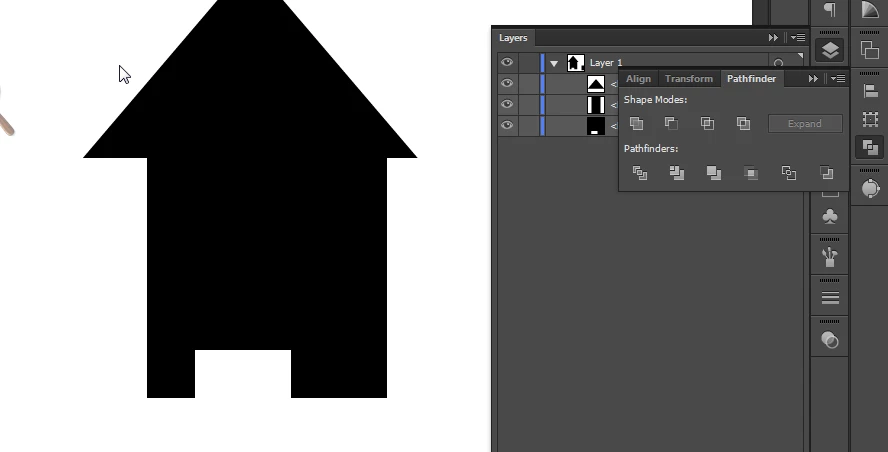
Well I thought it solved the problem until I started trying to use the pathfinder too to cut out shapes . I'm trying to create a house icon / glyph. But so far every time I try to apply any effect it moves  / rearranges the objects.

I've attached a before and after screenshot.
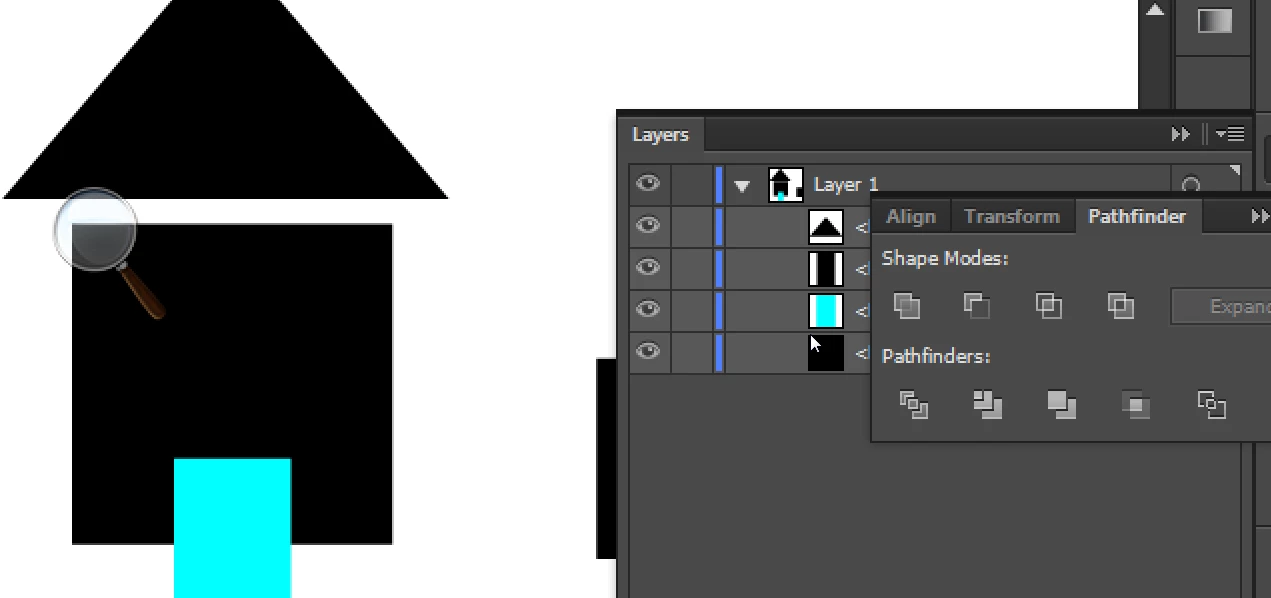
The issue seems to be mostly horizontal..

Anyone have any ideas on what I' missing?
This topic has been closed for replies.
Correct answer Ray Yorkshire

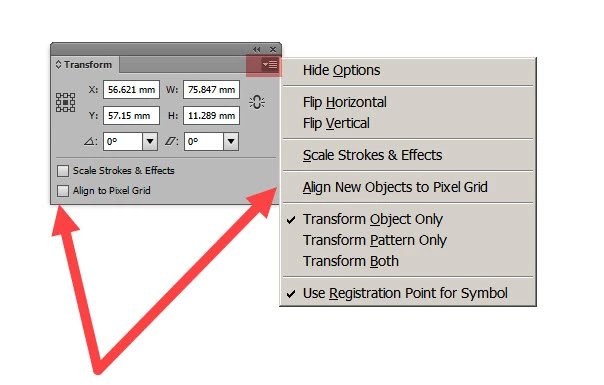
try deselecting those two

2 replies

Ray Yorkshire
Ray YorkshireCorrect answer
Participating Frequently
September 28, 2018

try deselecting those two

Inspiring
September 28, 2018

Actually as I study it more it is also moving one object vertically.

The big square is moving upwards . I thought at first the small blue square was moving horizontally but i suppose it could just be the big square moving both horizontally and vertically.

Anyone have any suggestions where I might find the solution to this issue?

Monika Gause
Community Expert
Community Expert
September 28, 2018

Looks like this is an older version.

Watch out for the Align to pixel grid setting:

Illustrator: Problems with Align to pixel grid

Inspiring
September 28, 2018

It's CS6 local install.

And yes I think I mentioned  that... unless there is an align to pixel toggle for the pathfinder