
Inspiring
August 26, 2024
Answered

Pathfinder question

  • August 26, 2024
  • 2 replies
  • 569 views

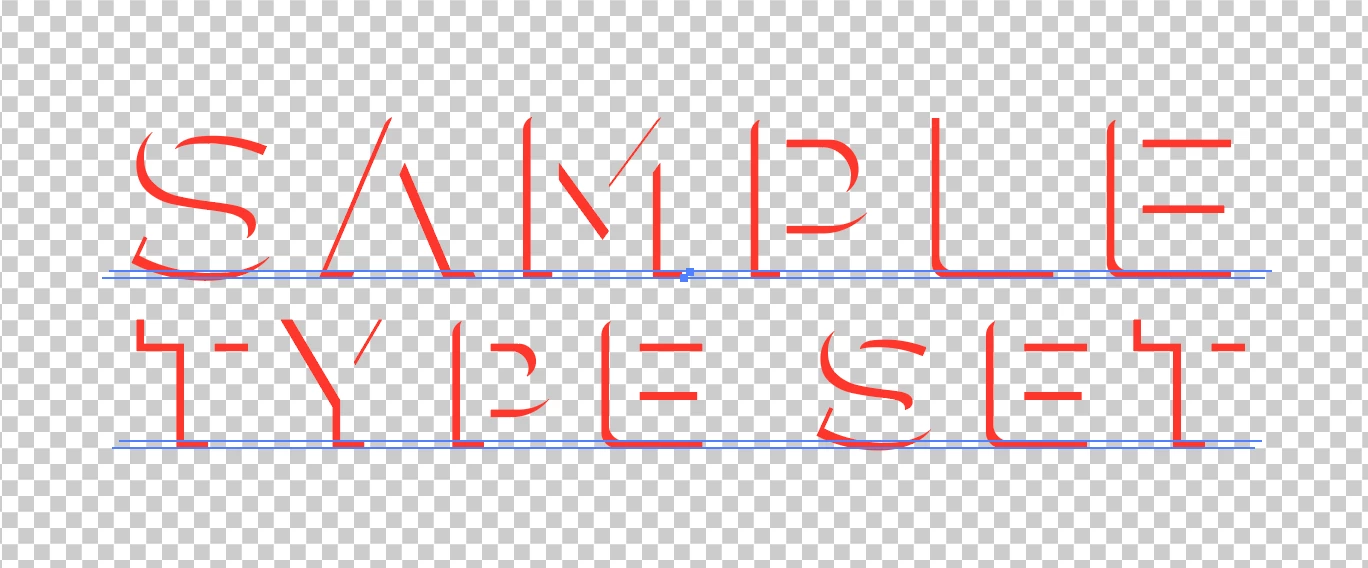
I am attempting to knock out the front of some outlined, grouped and overlaid type with the pathfinder exclude front function and only the first set of objects are modified. I'm presuming because Illy is looking for one overlay instance instead of a group. I more or less verified that by using the group selection tool for individual sets and the procedure worked. My question is: Is there a way to tell Illustrator to process all selected?


Thanks to those who know more than me,

Joe
This topic has been closed for replies.
Correct answer Scott Falkner

If the text is live you can use live Pathfinder effects to achieve what you want. The text will still be live. Hold Option or Alt as you click on the Minus Front button.


2 replies

Monika Gause
Community Expert
Community Expert
August 26, 2024

Pathfinders do not respect groups a lot.

The like compound paths or compound shapes better.


Scott Falkner
Community Expert
Scott FalknerCommunity ExpertCorrect answer
Community Expert
August 26, 2024

If the text is live you can use live Pathfinder effects to achieve what you want. The text will still be live. Hold Option or Alt as you click on the Minus Front button.


Inspiring
August 27, 2024

Scott, thanks. Works like a charm.

Joe