
Known Participant
May 22, 2022
Answered

Pathfinder Unite not uniting everything

  • May 22, 2022
  • 1 reply
  • 534 views

Hi Experts


My attempt to use Pathfinder to Unite objects is not completely uniting them.


Here is the artwork. Basically a frequency distribution with each bar
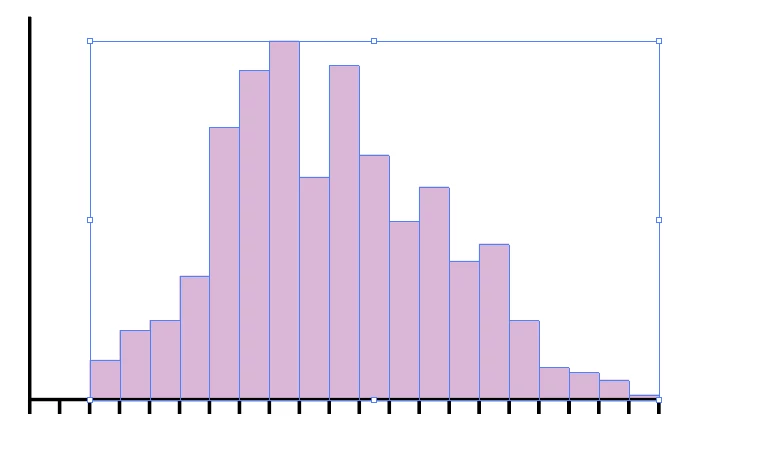


I want add a stroke to the distribution but only to the outside edge, not to the vertical lines for each bar.


So I thought that Pathfinder Unite would do that.


With all the bars selected like above I ran Pathfinder Unite and got this:
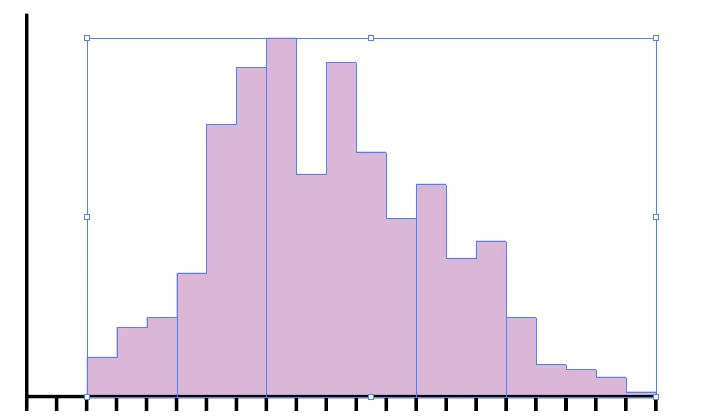


It is uniting most, but not as one single object.


Any ideas what might be causing this?


Thanks!


jballou

This topic has been closed for replies.
Correct answer Ton Frederiks

It could be that there is a tiny gap between some columns.

You could try and drag over selected objects with the Shape Builder tool (Shift M).

1 reply

Ton Frederiks
Community Expert
Ton FrederiksCommunity ExpertCorrect answer
Community Expert
May 22, 2022

It could be that there is a tiny gap between some columns.

You could try and drag over selected objects with the Shape Builder tool (Shift M).

jdballouAuthor
Known Participant
May 22, 2022

The Shape Builder tool took care of it. Many thanks for that suggestions!

Ton Frederiks
Community Expert
Community Expert
May 22, 2022

Good to hear that helped.