
Participant
December 20, 2023
Question

Paths and Bounding Boxes Shifted from Shape Error

  • December 20, 2023
  • 2 replies
  • 242 views

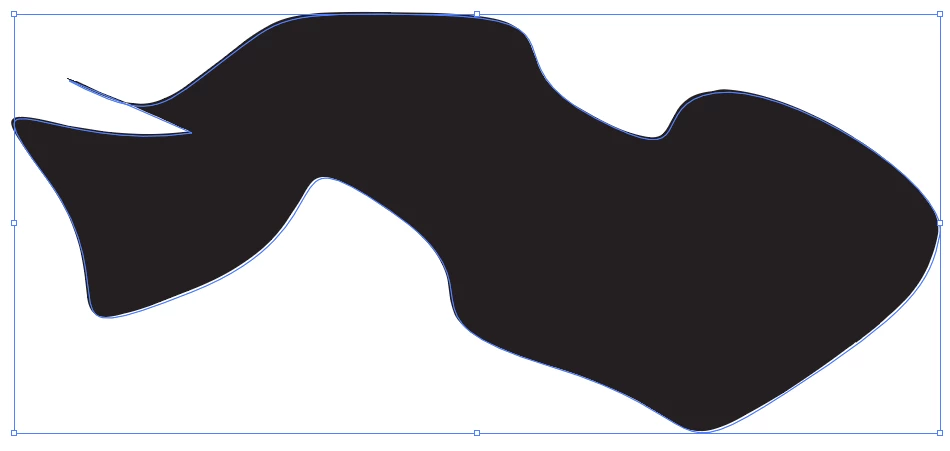
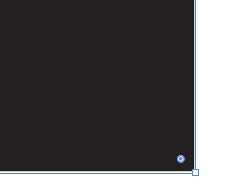
As the title states, I'm running into an issue where the path line is slightly offset from the shape. I've tried searching for answers and have updated drivers, uninstalled, deleted preference files, switching to CPU preview, and none of this has helped. Very frustrating! I'm running Illustrator 28.1 on a NVIDIA GeForce RTX 2060 Super. Examples can be seen below. Any suggestions would be much appreciated!


This topic has been closed for replies.

2 replies

Ton Frederiks
Community Expert
Community Expert
December 21, 2023

Did you try switching between GPU and CPU Preview? Ctrl E

Sam AillsAuthor
Participant
December 21, 2023

Yeah, it gets the path a bit closer, but I think it's just the pixel-ly CPU Preview making the path line look a bit wider.

Doug A Roberts
Community Expert
Community Expert
December 20, 2023

Is this in one file or all files? Is this a large-format canvas or a standard document?

Sam AillsAuthor
Participant
December 20, 2023

All files. Just a standard doc, but at max zoom. 

Kurt Gold
Community Expert
Community Expert
December 20, 2023

Can you share a sample Illustrator file?