This topic has been closed for replies.
Correct answer Monika Gause

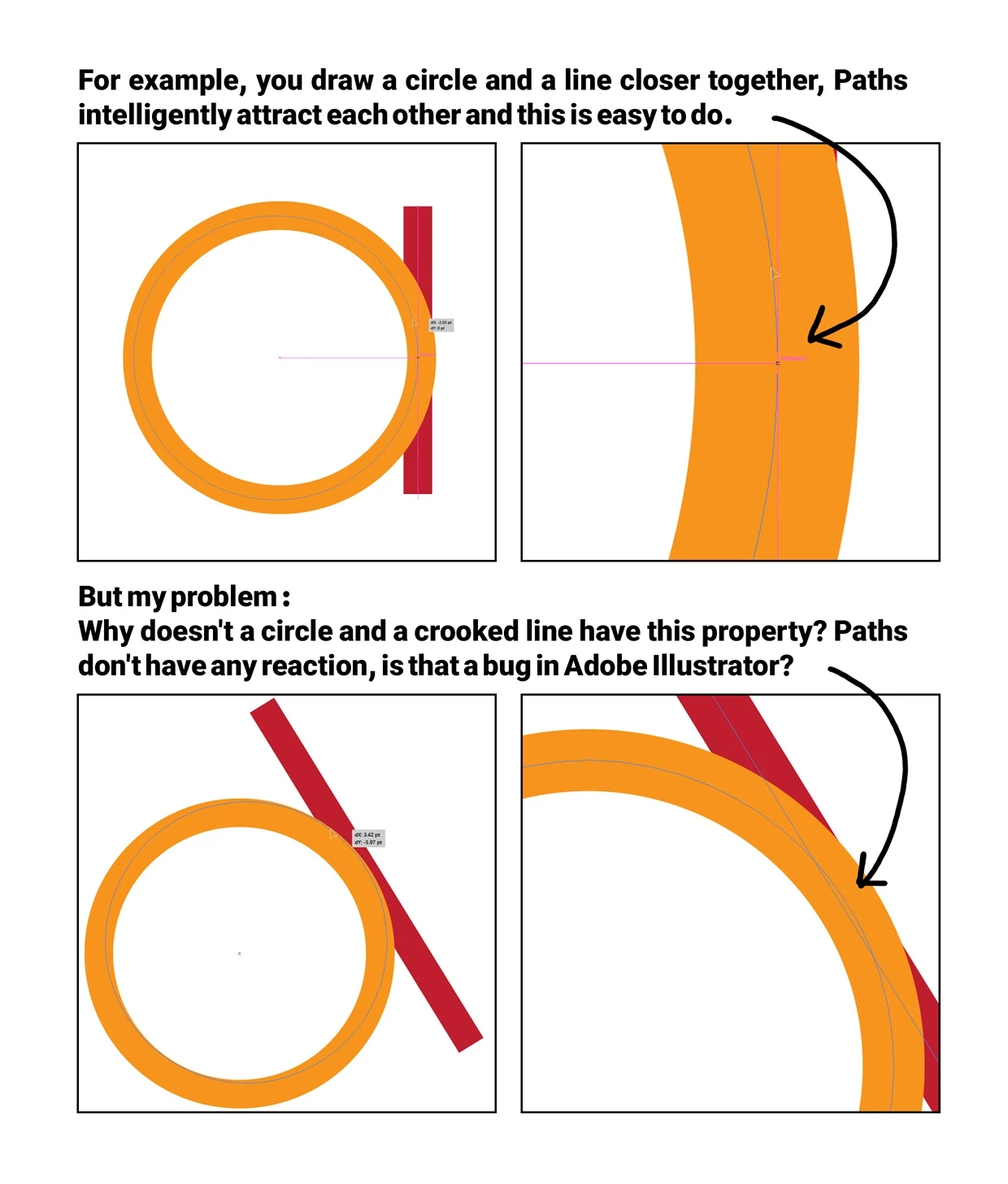
Are all options turned on in Preferences > Smart guides?

Also: do you press cmd (Ctrl on Windows) when moving the line?

2 replies

Monika Gause
Community Expert
Monika GauseCommunity ExpertCorrect answer
Community Expert
January 22, 2024

Are all options turned on in Preferences > Smart guides?

Also: do you press cmd (Ctrl on Windows) when moving the line?

Inspiring
January 23, 2024

My problem is solved, thank you very much 🙂

Community Expert
January 22, 2024

When I have Smart Guides turned on in Illustrator I can make a diagonal line snap to the edge of a circle at the point where the two paths intersect. Third party plugins, such as ColliderScribe by Astute Graphics, provide more options.