Participant
February 14, 2018
Answered

Pattern and bounding box issue

  • February 14, 2018
  • 1 reply
  • 1111 views

I have created a pattern i want to make into a pattern swatch.

I create a rectangle. Send it to back. Mark all items and drag it into the Swatches box.

Pattern swatch is created.

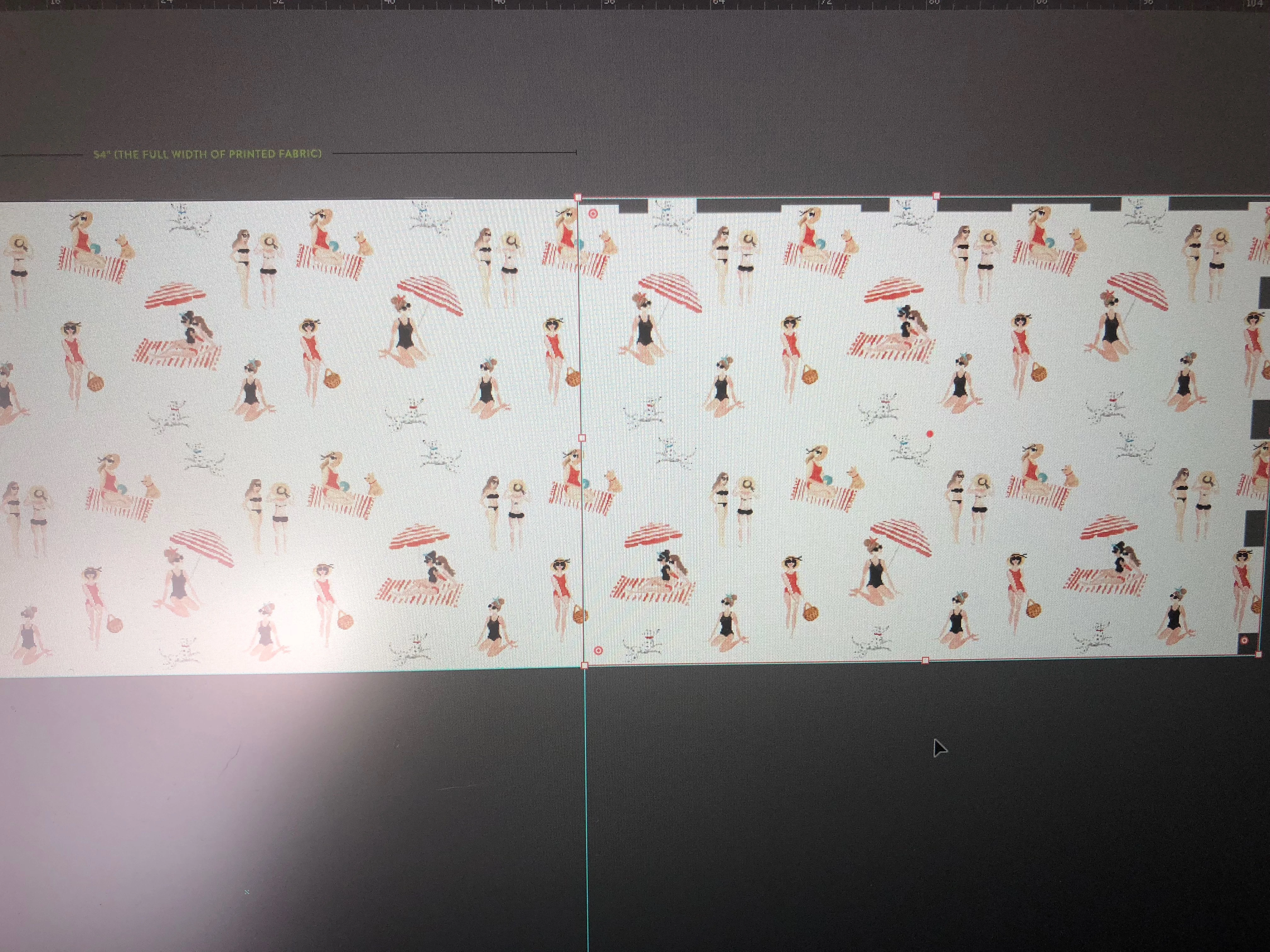
However when i use it, I see it has not created a pattern from the area inside the bounding box.

The pattern is seamless, but it looks to have been adjusted a few inches higher than my selection. And therefore it has no background in these areas. Anyone knows what i`m doing wrong?
This topic has been closed for replies.
Correct answer Ton Frederiks

That is the old way to create a pattern.

Did you give the rectangle No Fill and No Stroke?

Pattern making is easier with Object > Pattern > Make.

You can also try to adjust the pattern by double clicking in the Swatches panel.

1 reply

Ton Frederiks
Community Expert
Ton FrederiksCommunity ExpertCorrect answer
Community Expert
February 14, 2018

That is the old way to create a pattern.

Did you give the rectangle No Fill and No Stroke?

Pattern making is easier with Object > Pattern > Make.

You can also try to adjust the pattern by double clicking in the Swatches panel.

Participant
February 14, 2018

Thank you !

Object > Pattern > Make worked perfectly.

Ton Frederiks
Community Expert
Community Expert
February 14, 2018

Good to hear that worked for you.