
Participating Frequently
August 3, 2022
Answered

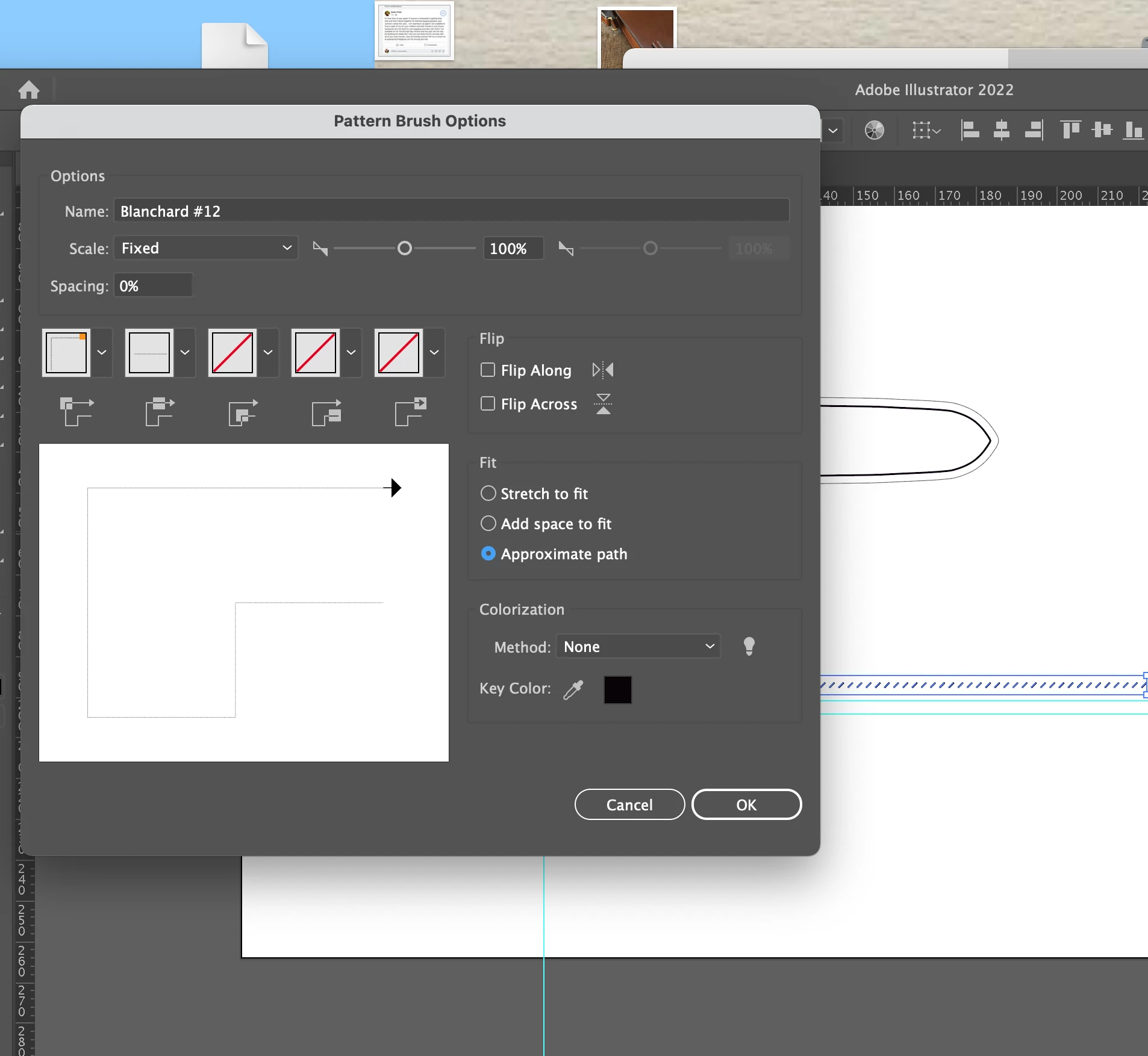
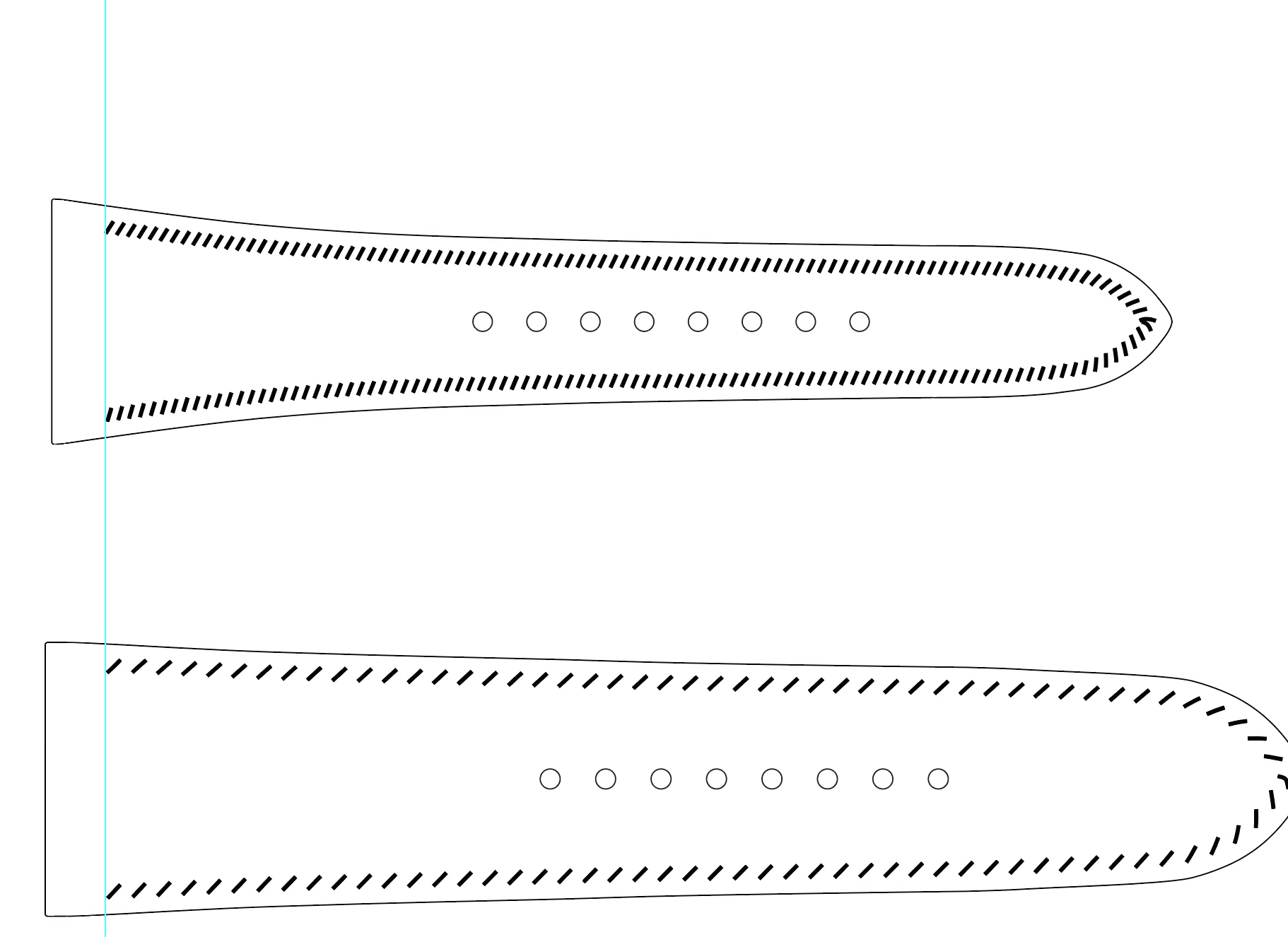
Pattern brush changing spacing when applied

  • August 3, 2022
  • 1 reply
  • 589 views

Hello, I am making a brush to line up stitching spacing. The spacing is the entire purpose of this. I carefully drew the stitch marks the appropriate length and angle and spaced them apart. After a lot of trial and error, I have one file that works, then tried to apply the same brush on another file and the spacing is completely squished. Could you look at what I'm doing and find the error of my ways??? Thank you!!!
 

This topic has been closed for replies.
Correct answer Monika Gause

Ah, yes. I think I just did. 

https://assets.adobe.com/id/urn:aaid:sc:US:2e40a3c2-d244-4697-9a6b-7c7069e55aef?view=difile


Thank you.

Your pattern is too long. Illustrator needs to compress it because it's longer than the path. With a pattern brush, you only need one repeat. Put an invisible rectangle in the background which marks the repeat.


You can also use the distance setting in the brush options.

1 reply

Kurt Gold
Community Expert
Community Expert
August 3, 2022

Can you share the Illustrator file that contains the objects in question?


Perhaps you've applied the brush to two paths with slightly different stroke weights, but I could be wrong.


Participating Frequently
August 3, 2022
Monika Gause
Community Expert
Community Expert
August 3, 2022

Can you make that file downloadable?