


Pattern Brush Question
Hello everyone,
I had a question regarding pattern brushes, and I'm hoping someone can clarify something for me.
I'm working on a custom world map with multiple projections (a flat 2d "mercartor" style which is then projected on a 3d globe).
I'm having issues figuring out what the 2d projection of the polar landmass would look like, so I made a test using a real world map, which you can see in the pic attached with this post. I drew the outline of Antarctica, and turned the outline into a pattern brush. I then used the pattern brush on a circular path to see if it would assemble to the correct shape, and it did so beautifully. The issue now, is to do this process in reverse: Take the outline of a custom landmass, make that into a brush pattern and apply it to a straight line. Anytime I've tried, it just uses the whole landmass as a repeating pattern. I also made sure that the shape is not fully closed, but I get the same end result each time. Is there any way to do this or am I wasting my time? 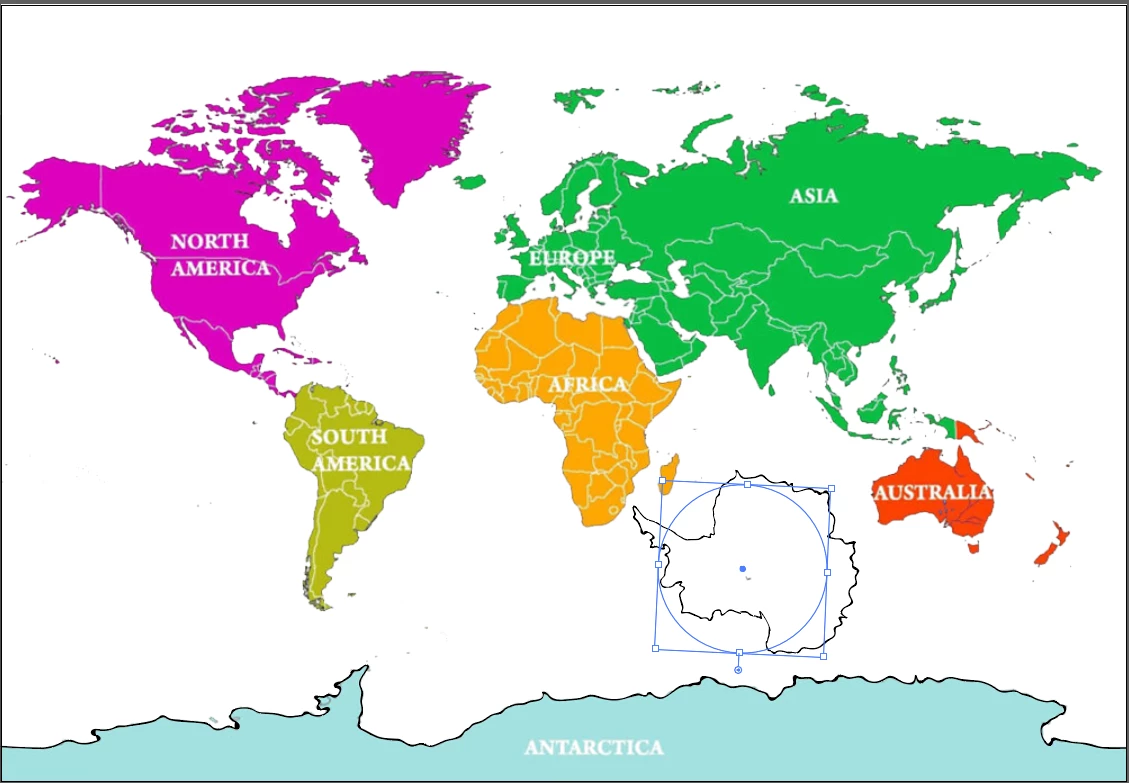
 AdChoices