Richard OE
Participant
March 10, 2026
Answered

Pattern in shape for laser cutting

  • March 10, 2026
  • 1 reply
  • 56 views

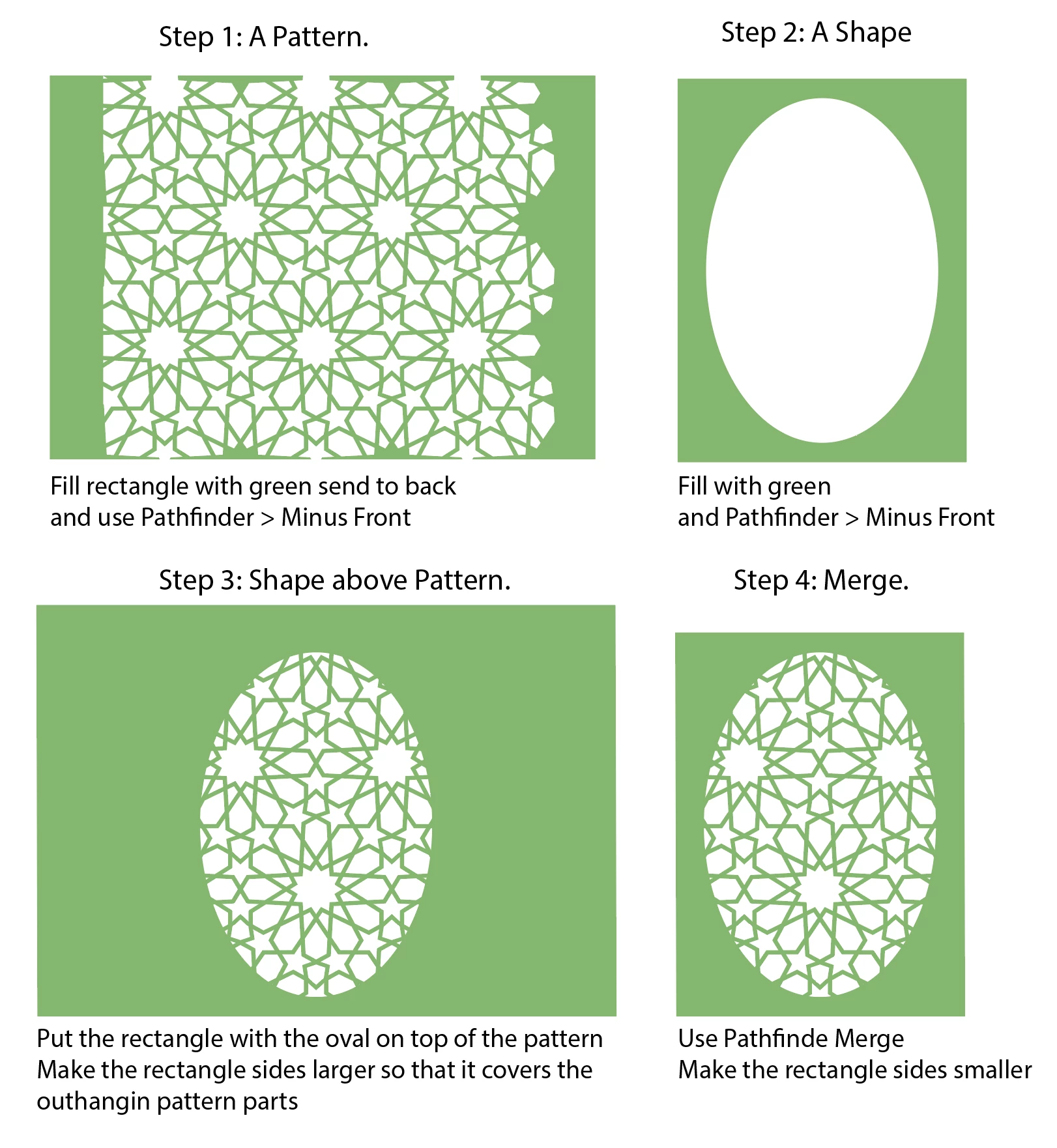
I have a pattern, i have a shape (these differ, so this is just an example) i need to put the pattern in the shape, this can be done with masking for example. I can than get rid of the excess by using outline. But in that case there is still a line around the pattern, i need that (this is difficult) only partly. 

I use the outcome for laser cutting, so it should be one shape, testing wit filling with an color makes this clear. 

I provided an example file with all steps and expected result and my issue. Is there a way to speed up this last step? this is taking lots of time with big complex patterned shapes (and is boring work :-))

Thnx in advance. 

Richard

    Correct answer Ton Frederiks

    @Richard OE You could try the Pathfinder options Minus Front and Merge


    1 reply

    Ton Frederiks
    Community Expert
    Ton FrederiksCommunity ExpertCorrect answer
    Community Expert
    March 10, 2026

    @Richard OE You could try the Pathfinder options Minus Front and Merge


    Richard OE
    Participant
    March 11, 2026

    Thanx, this seems to do the job, will need some time to adjust to this workflow since. But will save me lot of time. 

    Ton Frederiks
    Community Expert
    Community Expert
    March 11, 2026

    Good to hear that helped.

    After the last step, “make the rectangle smaller” it  could also be done by putting a correct sized rectangle on top and with both objects selected choose Pathfinder > Crop.