
Answered
Pattern overlap not overlapping correctly
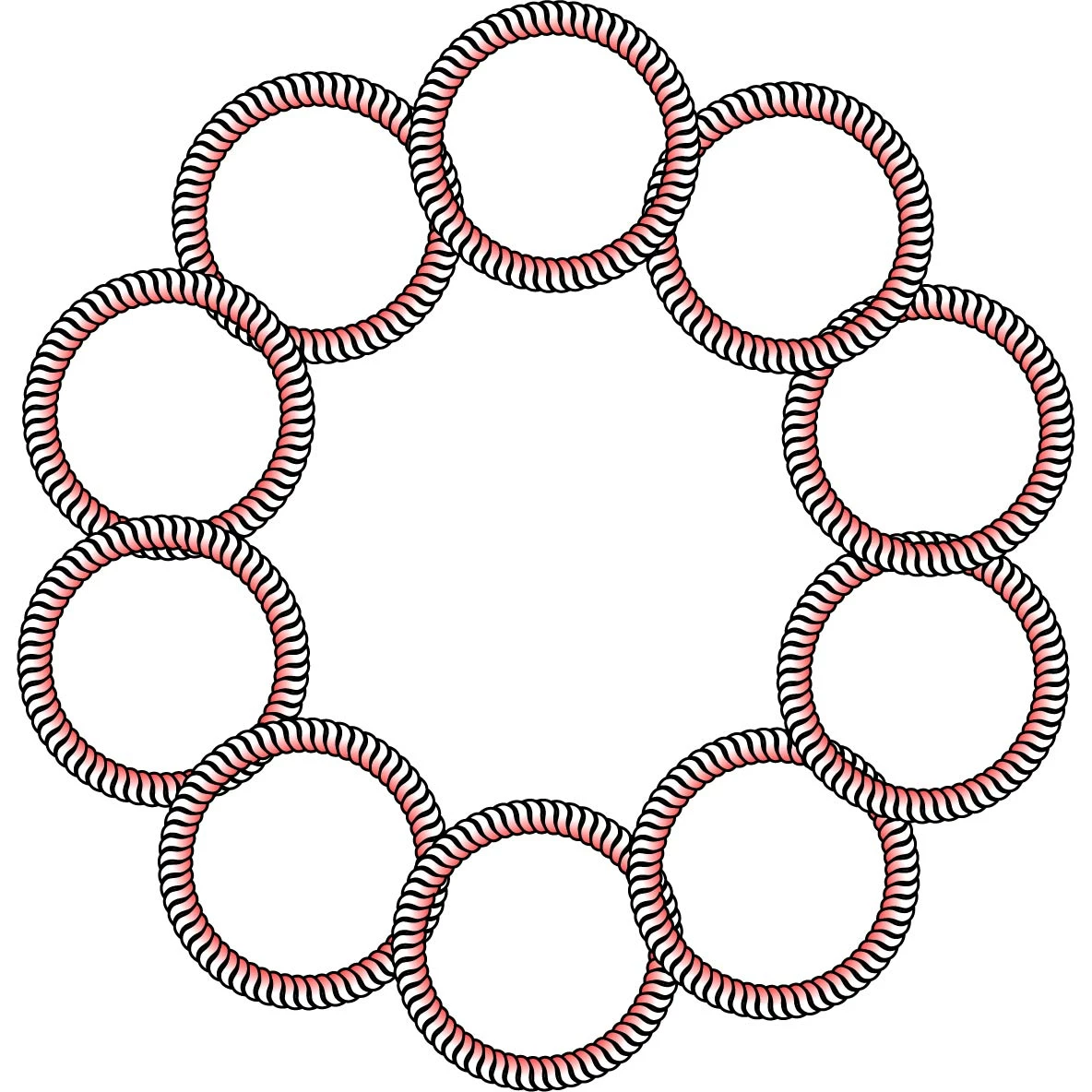
This overlapping option needs to be fixed or maybe there's a setting I can't find. I first saw it when trying to make a rope pattern and one piece of the repeated shape overlapped oddly, so I took the same pattern and did another radial repeat (below). The top circle is the origin point and the rest is the repeated radial. The left side of the circle should be under the circle on that side to look correct, right now if the radial is tightened there's a very odd and obvious component that is weirdly on top instead of a part of the radial repeated pattern. Is there a setting to fix this or does Adobe need to fix the issue?
 AdChoices