
margaretc50243365
Participating Frequently
August 28, 2021
Answered

Pattern Stroke Issue
  • August 28, 2021
  • 2 replies
  • 559 views

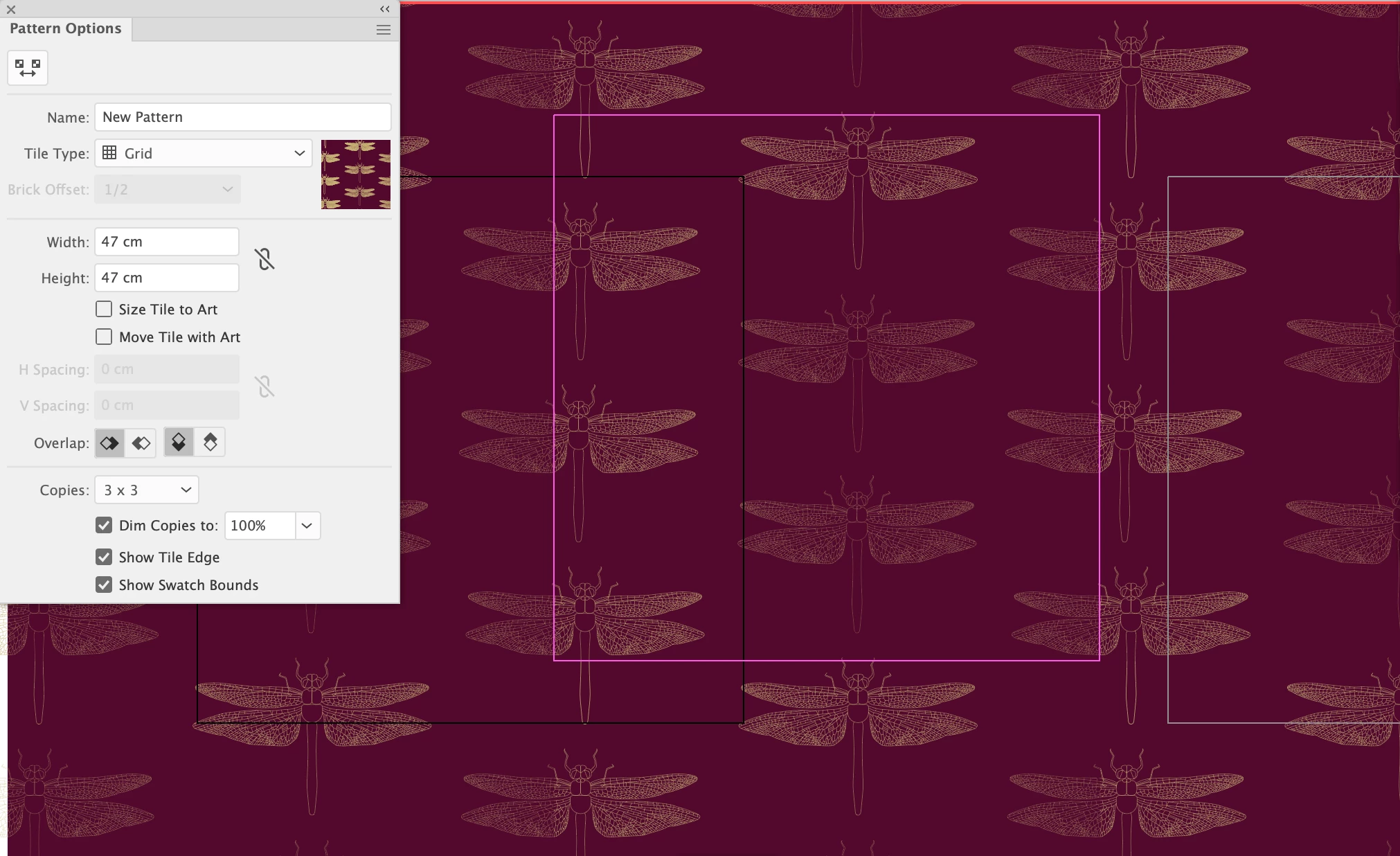
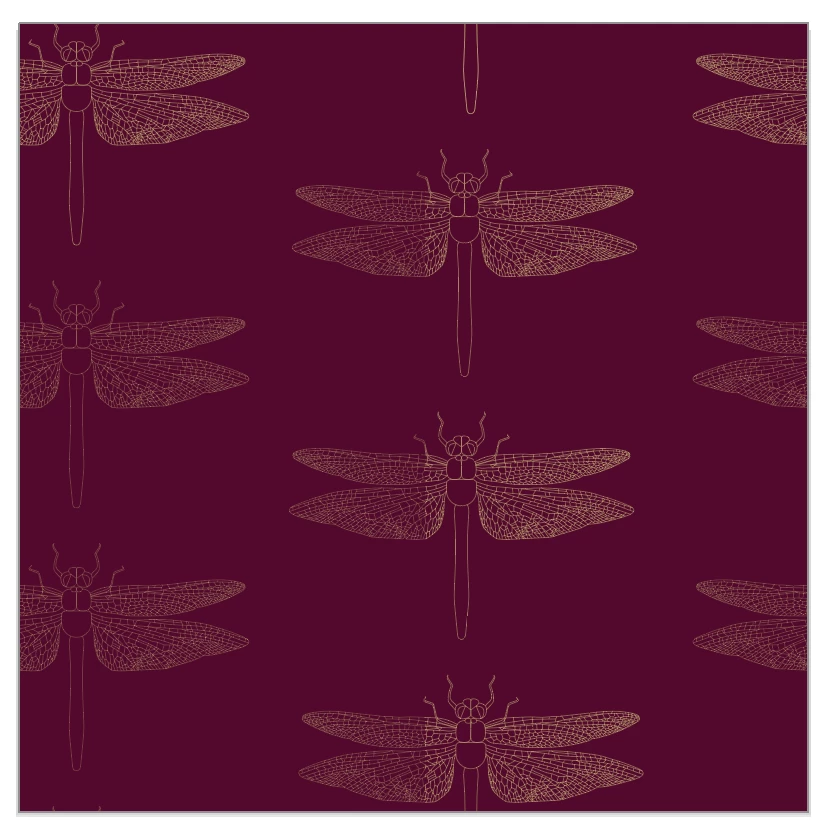
Can anyone see what I'm doing wrong here? I'm trying to create a repeat pattern but 3/4 of the stroke of the dragonfly appears to be a different stroke to the rest. I have tried everything l can think of short of redrawing it (last resort, as it'll take forever)! I am moving/copying the dragonflies from the left to the right the same distance as the artboard/background square, so l don't understand why this is happening. I've created hundreds of patterns and this has me completely confused.
This topic has been closed for replies.
Correct answer Ton Frederiks

What happens if you use a single dragonfly and choose the Brick by Column Tyle type in the Pattern editor?


2 replies

Ton Frederiks
Community Expert
Ton FrederiksCommunity ExpertCorrect answer
Community Expert
August 29, 2021

What happens if you use a single dragonfly and choose the Brick by Column Tyle type in the Pattern editor?


margaretc50243365
Participating Frequently
August 29, 2021

I'll give that a try and let you know.


Monika Gause
Community Expert
Community Expert
August 28, 2021

This is in the pattern editor, right?

Does this alo happen when you apply the pattern to an actual object?

margaretc50243365
Participating Frequently
August 28, 2021

Yes, this is the pattern editor. I only ever apply it to a square, as that is how I save my patterns. However, I imagine that a square constitutes an object?

Monika Gause
Community Expert
Community Expert
August 28, 2021

I was thinking of the dimmed copies in the pattern editor. But I just noticed yours aren't dimmed.


Please show us the base objects. Are those pixels or vector objects? And of vector objects: exactly how did you make them?