


Participant
July 10, 2025
Answered

Pattern Swatch Edit Palette stuck off screen

  • July 10, 2025
  • 2 replies
  • 459 views

Hi - i had my AI open on two screens at the office yesterday with AI on my external monitor. Before i unplugged, I moved AI back over so it would be back on my screen when I got home. Everything is fine, but I'm trying to edit a pattern swatch and the edit palette is stuck off screen. I've quit AI multiple times with no luck, changed my swatch workspace, and it's still stuck. Anyone?????
Correct answer Jodi35787148q5hm


Thank you so much for this. I was actually able to fix it by switching my workspace a few times. Some options didn't fix it, but eventually i found one that did. 

2 replies

Participating Frequently
July 11, 2025

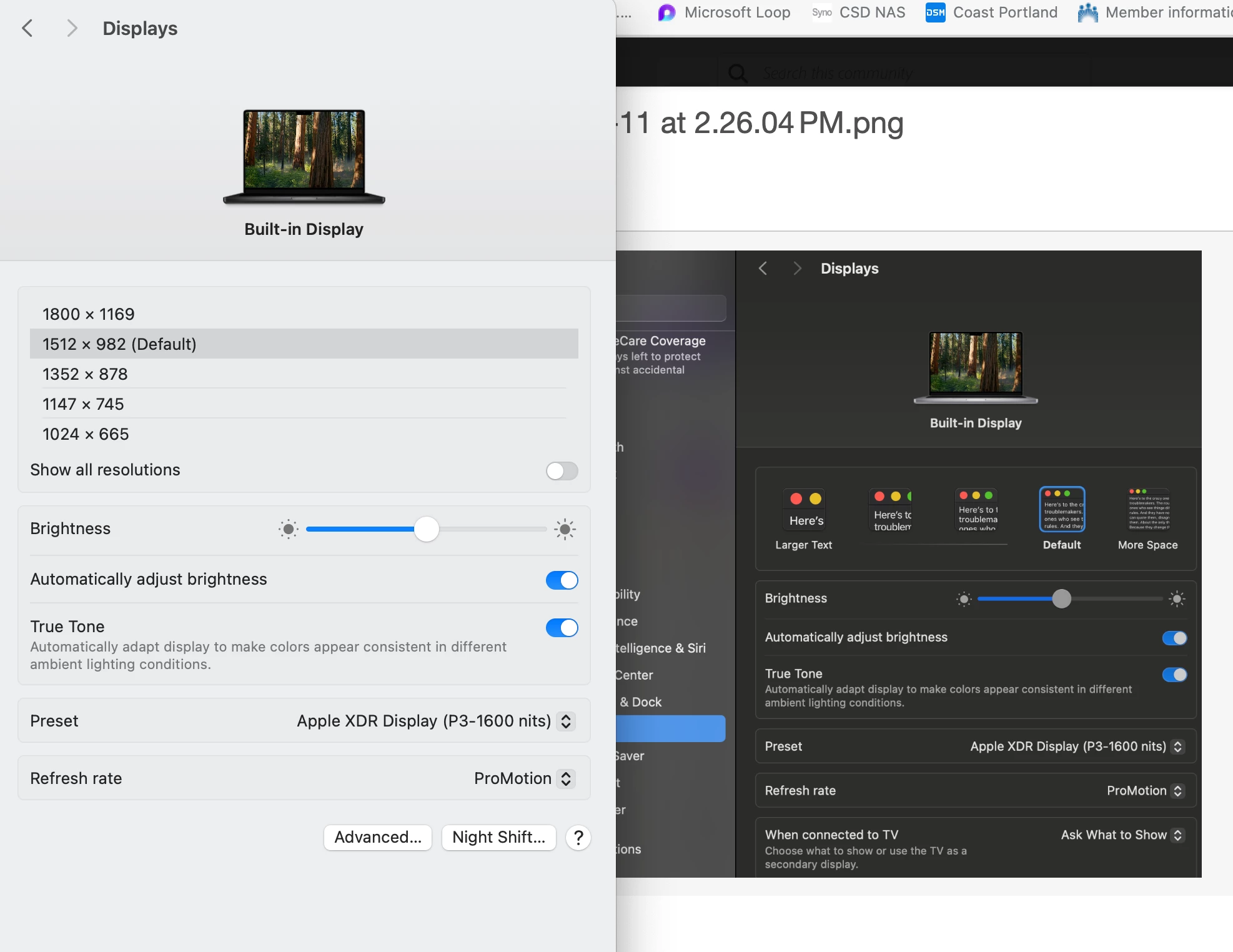
One other thing to try is, with Illustrator open, open System Settings > Displays and change the resolution setting for the screen the problem palette is on. Give it a second to switch resolutions, then change the resolution back to the correct setting. For me, this almost always gets the palettes that are stuck half off the screen back to a place they can be moved.

Participant
July 11, 2025

Thanks. The issue is I don't have the monitor at home so when I open display settings, all that shows is my laptop.

Anubhav M
Community Manager
Community Manager
July 11, 2025

Hello @Jodi35787148q5hm,

Could you try changing the UI Scaling to More Space and then relaunching Illustrator to see if it helps?

Looking forward to hearing from you.
Anubhav

Anubhav M
Community Manager
Community Manager
July 10, 2025

Hello @Jodi35787148q5hm,

I am sorry to hear about your experience. Could you try resetting your workspace or switching to one of the defaults to see if it helps with the problem?

Looking forward to hearing from you.
Anubhav