
Participant
February 21, 2021
Answered

PDF objects suddenly loose quality after cropping in Adobe Illustrator and get pixelated

  • February 21, 2021
  • 2 replies
  • 4391 views

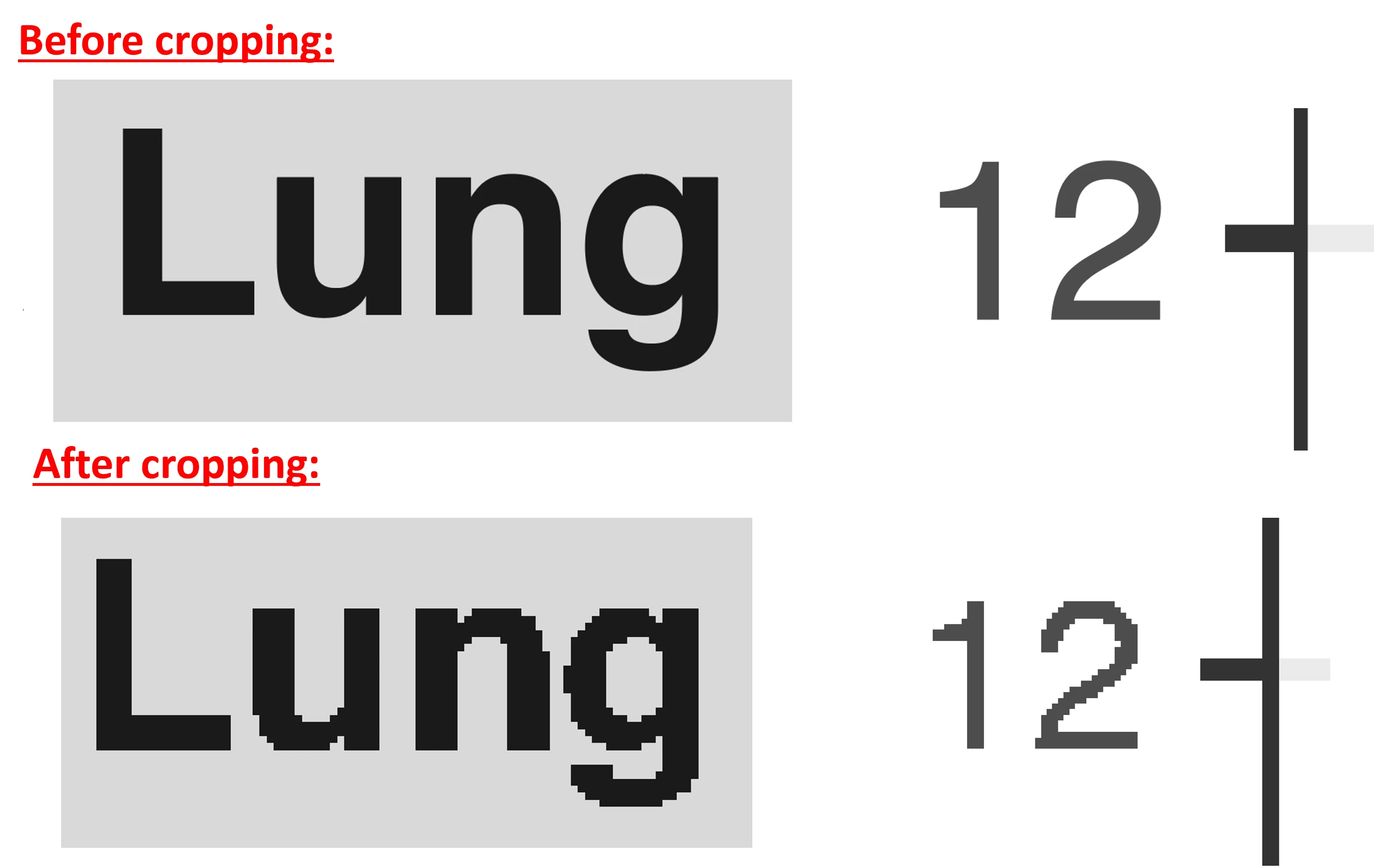
I routinely placed and cropped PDF objects within Illustrator, without any issue. From today, when I crop a placed PDF, it gets kind of pixelated after cropping (example below). This never happened before. The quality loss is also observable after exporting the project.

I already removed and re-installed Illustrator, but this didn't help.

Can you please advice how I can fix this?
 

Correct answer Ton Frederiks

You may want to use Mask Image for linked PDF files.

2 replies

Ton Frederiks
Community Expert
Ton FrederiksCommunity ExpertCorrect answer
Community Expert
February 21, 2021

You may want to use Mask Image for linked PDF files.

Monika Gause
Community Expert
Community Expert
February 21, 2021

Exactly how are you cropping it?

Participant
February 21, 2021

First I select the PDF object with the selection tool. Then I click on "Crop Image" on the Properties panel under "Quick Access". Then I select the area how to crop the image. To finish the process I click "Apply" on the Properties panel under "Quick Actions".

Monika Gause
Community Expert
Community Expert
February 21, 2021

This rasterizes the image. So it's not a surprise that you are seeing pixels.