integralm41212501
Known Participant
July 4, 2018
Answered

Pen tool doesn't release between anchors

  • July 4, 2018
  • 1 reply
  • 676 views

Hi .. help, please ...

I am new to illustrator (cc v 22.1) – using a macbook pro and a track pad

I am working in essentials classic right now as I am following a tutorial using that workspace layout

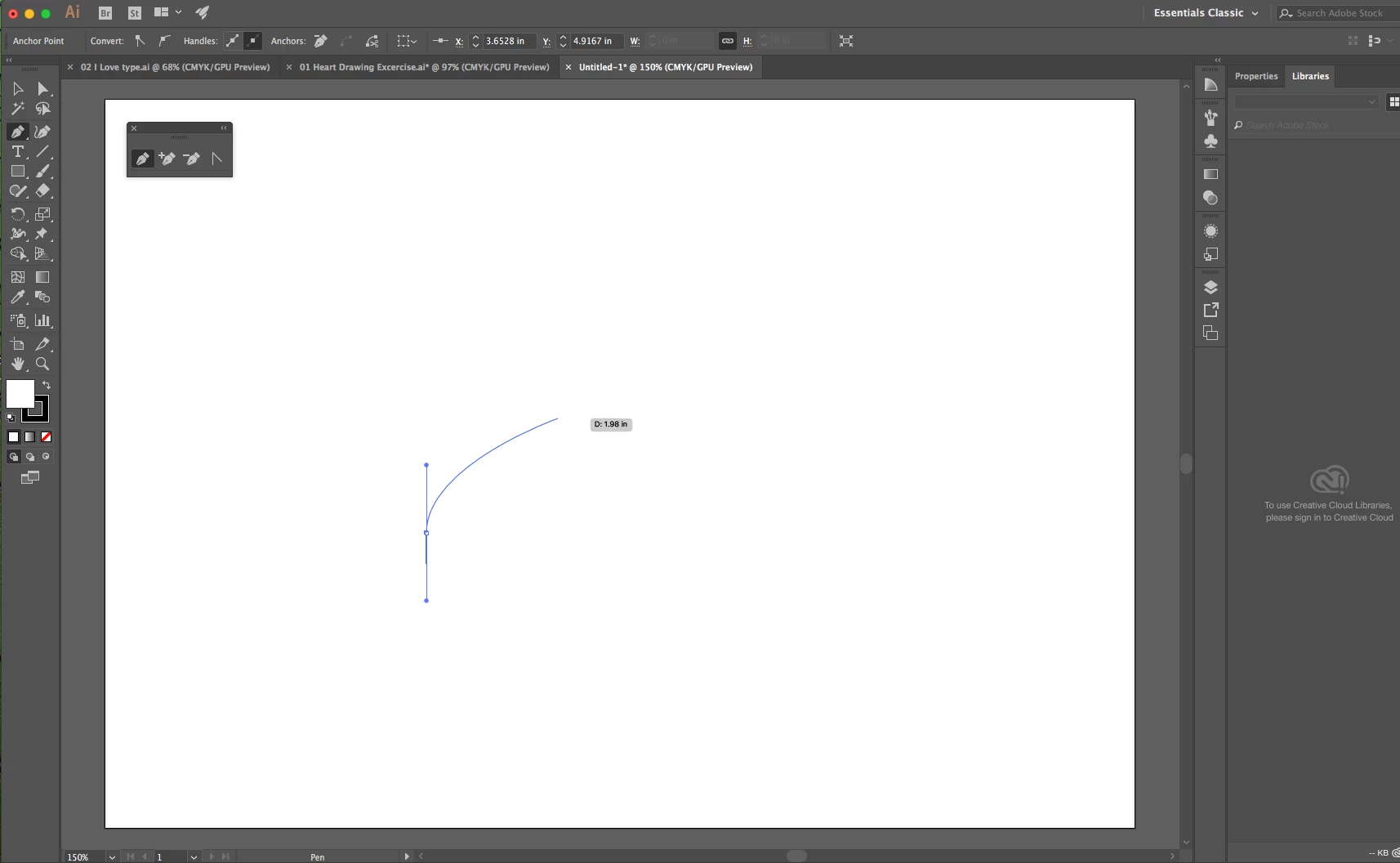
When using the pen tool, once I create the first anchor point, I can’t release the line (don’t know how). That is, the line continues to my next anchor point (before I create the next anchor).

I want to

  1. Create the first anchor then move the pointer to the next anchor point without the line showing as I move the pointer
  2. Find out how to release the pen tool (for example at the end of my drawing)

thanks!
    This topic has been closed for replies.
    Correct answer Ray Yorkshire

    It's  called the Rubber Band, basically a preview of what the future  line is going to look like, if you click or click and drag.

    Some people like it some don't.

    To release the Pen tool, ie start a new unconnected path with it -  several ways, eg

    Esc or P on the keyboard

    or change to another tool.

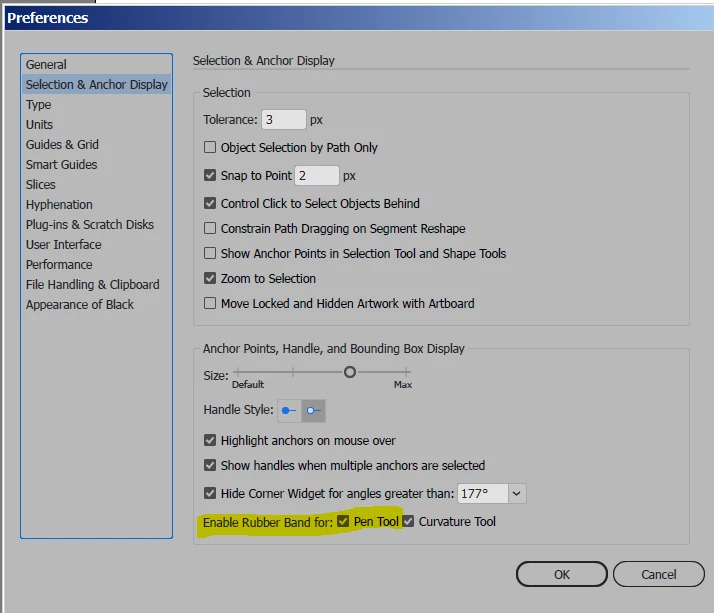
    Turn on or off rubber band

    Edit > Preferences > Selection and anchor display

    1 reply

    Ray Yorkshire
    Ray YorkshireCorrect answer
    Participating Frequently
    July 4, 2018

    It's  called the Rubber Band, basically a preview of what the future  line is going to look like, if you click or click and drag.

    Some people like it some don't.

    To release the Pen tool, ie start a new unconnected path with it -  several ways, eg

    Esc or P on the keyboard

    or change to another tool.

    Turn on or off rubber band

    Edit > Preferences > Selection and anchor display