
Pen Tool Help
Hello,
I am brand new to Illustrator (which means you will have to go step by step and be very detailed). I created this design for a corner of a page as seen below.
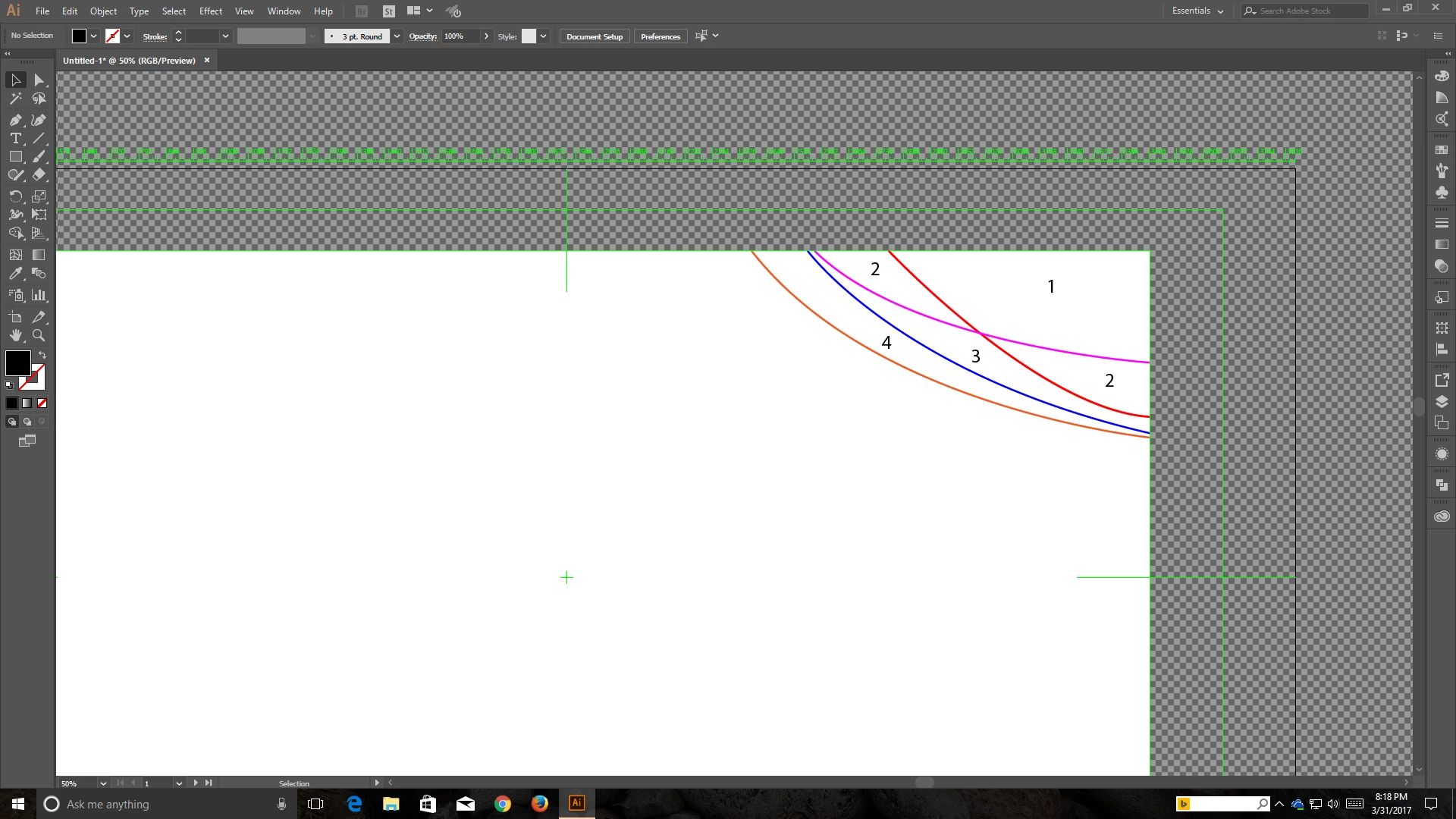
Now, I have all those lines running everywhere. Each one is a different color just to show you which line is which. I need to color each of the numbered areas a specific color, but I don't know how to fill in, say, area 1 for example, because if I use the fill tool for the red line, then it fills area 1 and the right side of area 2, which is not what I want. I don't know how to "contain" the fill to just area 1. Another example would be using fill for the orange line, which would fill in all the areas that color, not just area 4, or everything above the orange line but below the blue line.
Thanks!
 AdChoices