Participant
March 30, 2018
Question

Pen Tool Help // Pixelated Objects

  • March 30, 2018
  • 4 replies
  • 2511 views

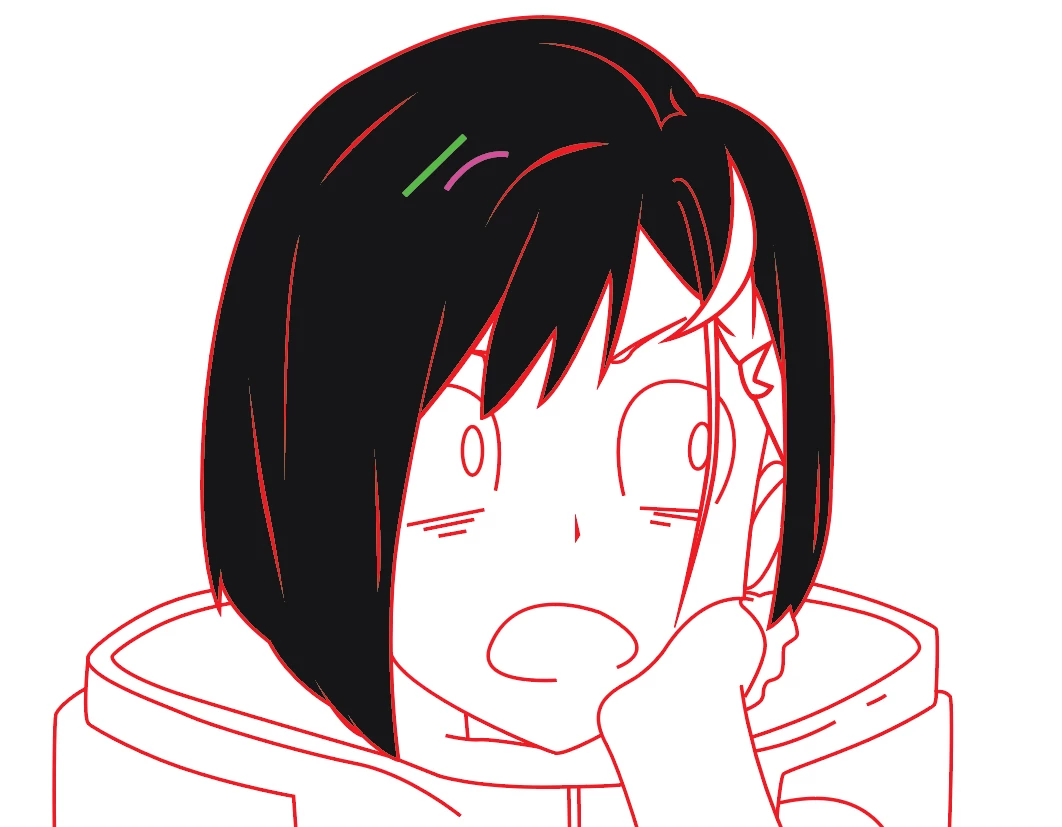
So I'm trying to vector a character with the pen tool here, and in this order:

Stroke > Stroke size 3 > Path > Outline Stroke

I get these really pixelated objects like show with a black background.

The purple and green strokes are done without outlining the stroke at 4 and 3,

but as you can see they're also pixelated.

any help would be great.
    This topic has been closed for replies.

    4 replies

    Monika Gause
    Community Expert
    Community Expert
    March 30, 2018

    You're seeing anti-aliasing issues that take place when 100% Black is rendered neighbouring color.

    The question would now be: what exactly are you going to do with this image?

    Will it be printed? Exactly how?

    Will it be exported to raster image? Exactly how?

    Michael Riordan
    Inspiring
    March 30, 2018

    I don’t think this really a problem. Your screen is made up of pixels so even though you are working in vector the screen output IS pixels. Try printing it out. Does it look okay? Or try saving as a pdf and zoom in. Does it look okay? Or just zoom in in Illustrator. If the pixels don’t get any bigger as you zoom in, you’re just seeing your screen resolution at work.

    rcraighead
    Legend
    March 30, 2018

    Do you have "Pixel Preview" turned on?

    Or do you have "Anti-Aliasing" turned off (not likely)?

    Participant
    March 30, 2018

    Pixel Preview isn't on and Anti-aliased is selected.

    Thanks though!

    Bill Silbert
    Community Expert
    Community Expert
    March 30, 2018

    Turn off GPU Performance. Click on the rocketship in Illustrator's top menu bar to access it.

    Participant
    March 30, 2018

    that didn't work, thanks though.

    I've tried, previewing in cpu as well. Nothing seems to fix this.

    If it helps, I'm on PC