


Pen tool isn't showing as colour and fill it is selected in and I can't work out why!
Hi,
apologies in advance for my illiterate use of none professional terms, I am very much a novice in the illustrator department! but I cannot seem to solve my latest issue.
In the midst of drawing a filled area with pen tool half of the drawing has sort of detatcged it self from the top half and gone rogue and appears as a torquise line, but when selected it is still the brown fill colour I had initially drawn it in and im not sure how to get it back to that? also it has sort of detatched it self as a seperate selection from one anchor point in the middle of the shape, the top half is still as I wanted it. I am hoping this screenshot will help better explain my situation;
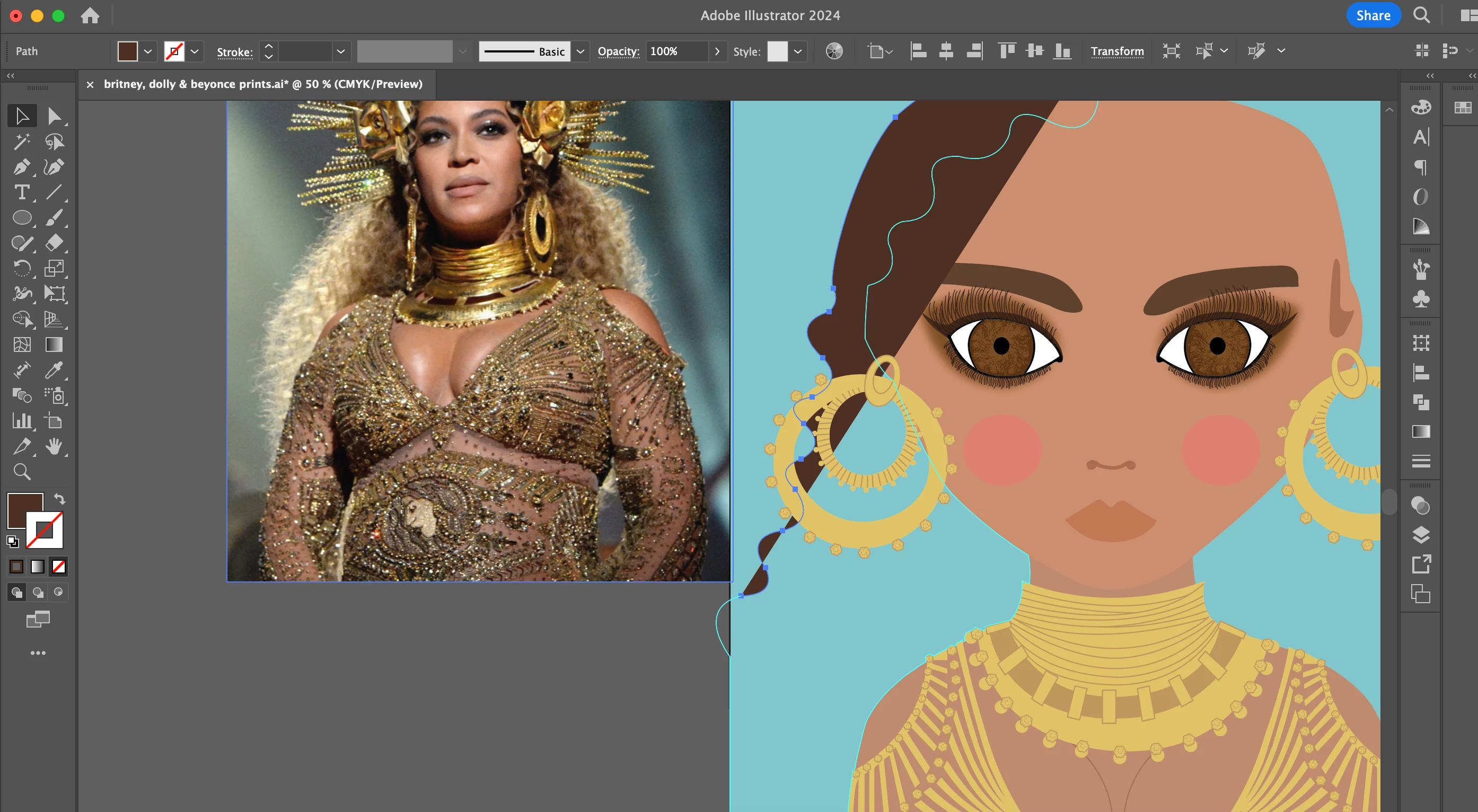
If anyone can decode this and has the patience to, i'd be very grateful ha!
Thanks, Mel.
 AdChoices