


Participant
April 10, 2020
Question

Pencil tool keeps making circles when sketching in Illustrator on Windows machine

  • April 10, 2020
  • 2 replies
  • 697 views

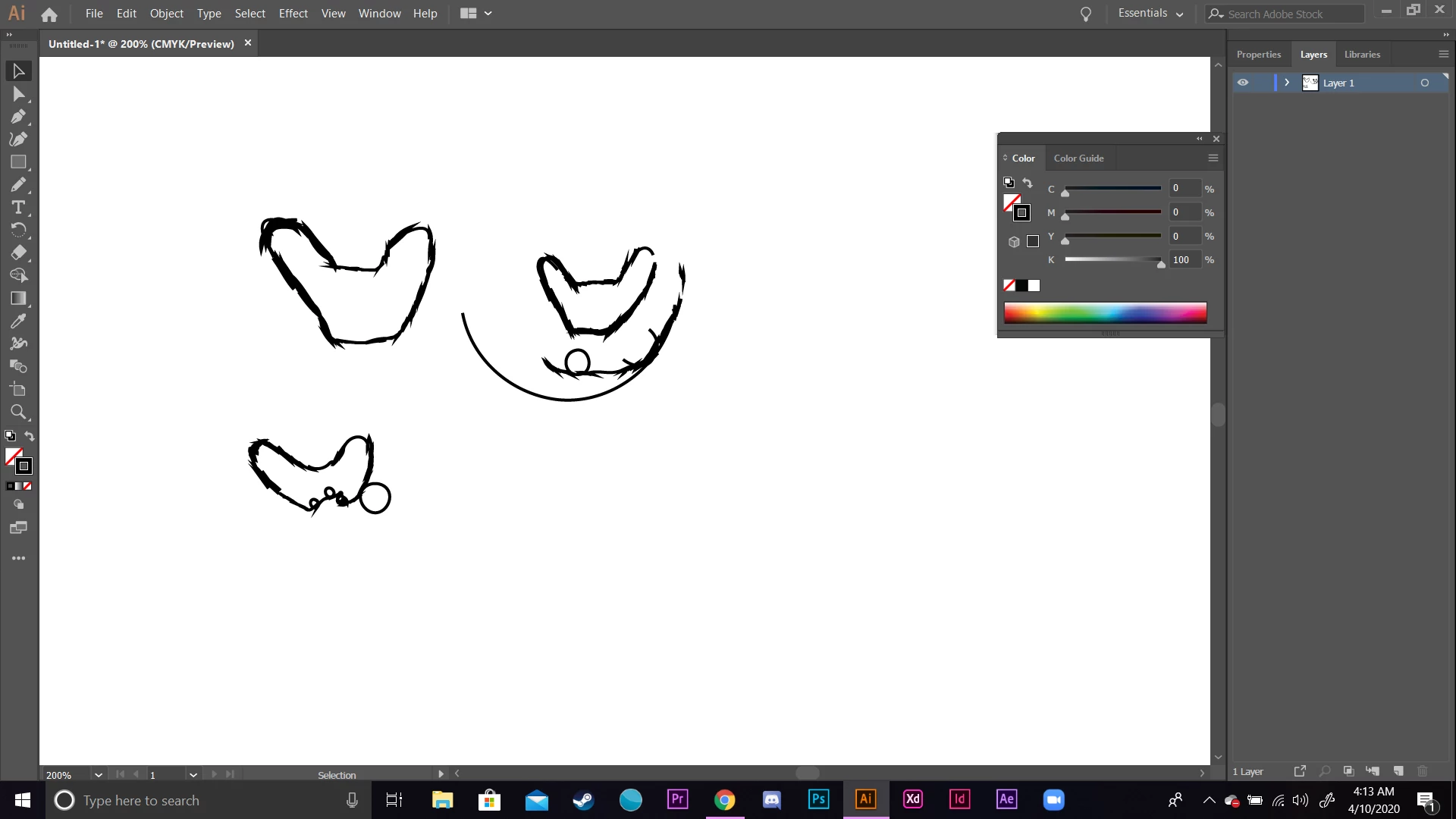
Whenever I make a sketch of anything for some reason it will automatically make circles and they will appear on my sketch. Im not sure how to disable it from doing that or what exactly is happenning. 


{Renamed by MOD}

This topic has been closed for replies.

2 replies

MJRorabaugh
Participant
September 28, 2024

This was four years ago and still no answer.  I am having the same issue on ipad with pencil in pencil mode.

Community Manager
September 30, 2024

Hello @10669721,

I am sorry to hear about your experience. Would you mind sharing more details, like the OS/Illustrator version, your device make/model, and a screen recording of your workflow and the problem (https://adobe.ly/4dmMI9D), so we can better assist you?

Looking forward to hearing from you.


Thanks,

Anubhav

Srishti Bali
Community Manager
Community Manager
April 20, 2020

Hi there,


Sorry to hear about this. If I am not wrong you are talking about these small round circles?


That definitely shouldn't be happening. Can you select these circles by using Selection tool? Will it be possible for you to share this file with us?


Regards,

Srishti

Participant
December 12, 2022

Hi, I am having the same problem. Unfortunately nobody ever reacted here. I usually use the Blob Brush Tool and it really happens a lot! When it happens it is important to see it quickly because the circles become part of the lines you just sketched and can't be deleted individually. It's really weird and also pretty funny because it's so weird.

Monika Gause
Community Expert
Community Expert
December 12, 2022

Which input device are you using on which system? There seem to be issues with Windows Ink.