



jean_pierre_4179
Participant
June 1, 2026
Question

Performance issues in Illustrator 30.5 on macOS

  • June 1, 2026
  • 3 replies
  • 144 views

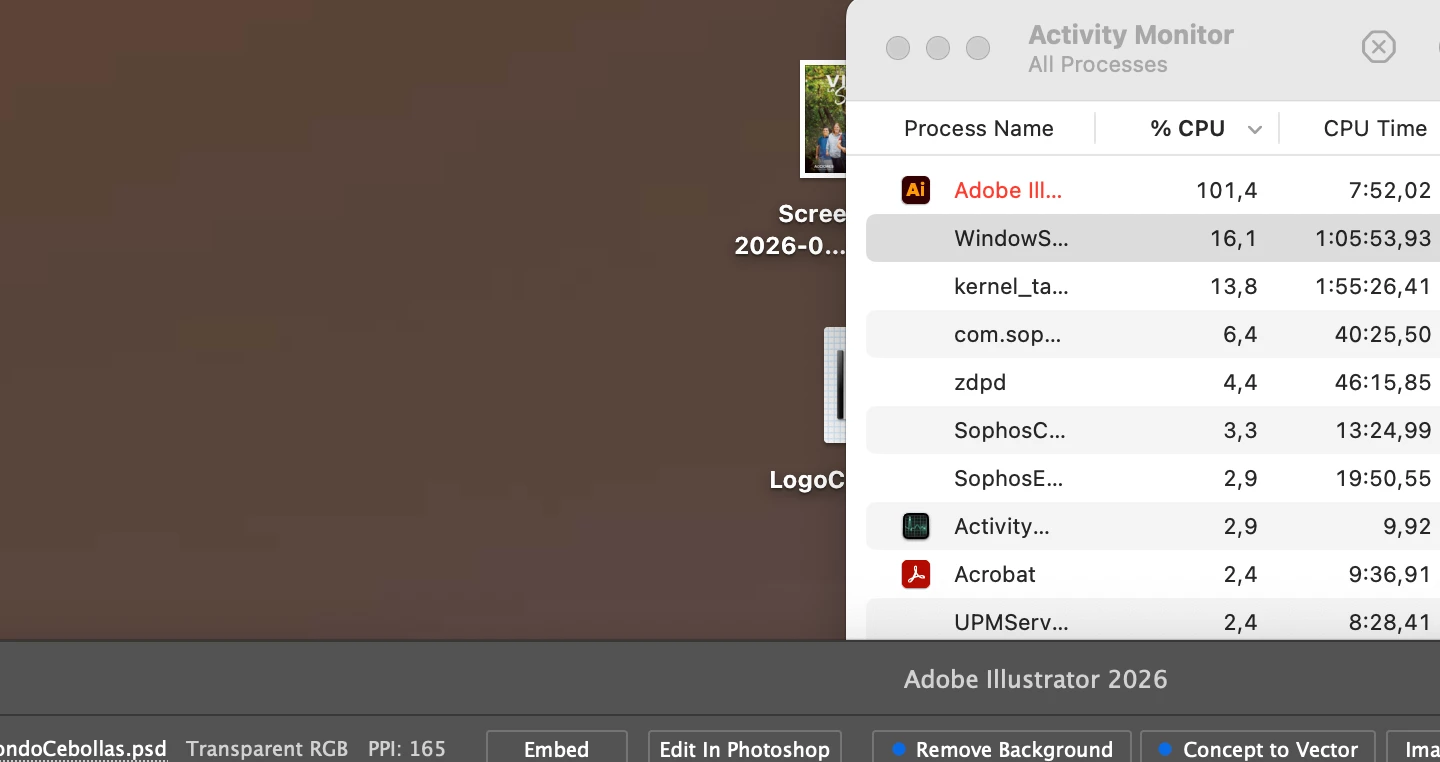
Hello, I have a serious lag when move things in the new illustrator version 30.5. It doesn’t matter if it’s something light or heavy it has a lot of lag. I have a Macbook Pro with M2 Pro. Sequoia 15.7. CPU goes up to 105%.

All ready reset my preferences and uninstall old versions. 

I appreciate your suggestions. 

Thanks. 
 

    3 replies

    Mike_Gondek10189183
    Community Expert
    Community Expert
    June 4, 2026

    The “converting dragged items to eps format” you shared in your last post is very helpful thankyou. Should save us much troublsehooting. Are you just moving items onto the same Illustrator document, or are you moving to another document or your desktop or other. Does this hapen with everything fomr verctor shaes to placed images?

    1. Go to Edit > Preferences > C?ipboard Handling (Windows) or Illustrator > Settings > Clipboard Handling (macOS).
    2. Check the box for AICB (Adobe Illustrator Clipboard).Ensure Copy As is set to PDF (or AICB) rather than preserving archaic formats.
    3. Uncheck "Append 'Converted' Upon Opening Legacy Files" if the issue involves older Illustrator files carrying over these translation dialogues.


    If  the clipboard does not solve this, are you using any screen sharing app as that is also a known cause of this. System Preferences >> Sharing>> File Sharing OFF

    Anubhav M
    Community Manager
    Community Manager
    June 3, 2026

    Hi ​@jean_pierre_4179 
     

    Sorry to hear about the issue. Hopefully, Mike's earlier suggestions resolved it. If they did, please mark the helpful reply as the correct answer so other users facing the same problem can find the fix.

    If the issue is still occurring, here are two diagnostic tests that help isolate the cause:

    1. Run Illustrator under a different administrator account.
      This helps determine whether the problem is tied to your current user profile: https://support.apple.com/guide/mac-help/add-a-user-or-group-mchl3e281fc9/mac 
      Once created, log in to that account and launch Illustrator.
       
    2. Boot your PC into Safe Mode and launch Illustrator Safe Mode disables third-party software and drivers, which rules out system-level conflicts: 
      https://support.apple.com/guide/mac-help/start-up-your-mac-in-safe-mode-mh21245/mac


    Please share what you observe in each scenario - whether Illustrator behaves normally, partially better, or the same. That'll help us take this further. If this thread helps you reach a fix, kindly mark the helpful reply as the correct answer.

    Anubhav

    jean_pierre_4179
    Participant
    June 3, 2026

    Hello! Thanks for the answer.

    It works great in safe mode, but in regular mode it show the attached messages when move whatever thing. Do you know how to fix this?