


Known Participant
December 15, 2025
Answered

Personalised (Custom) Workspace Missing

  • December 15, 2025
  • 2 replies
  • 351 views

Hello Community!

I've got my own, personalised workspace set which now seems to be gone. A couple of days ago I opened a file and Illustrator just on it's own defaulted to Essentials Classic as the workspace.

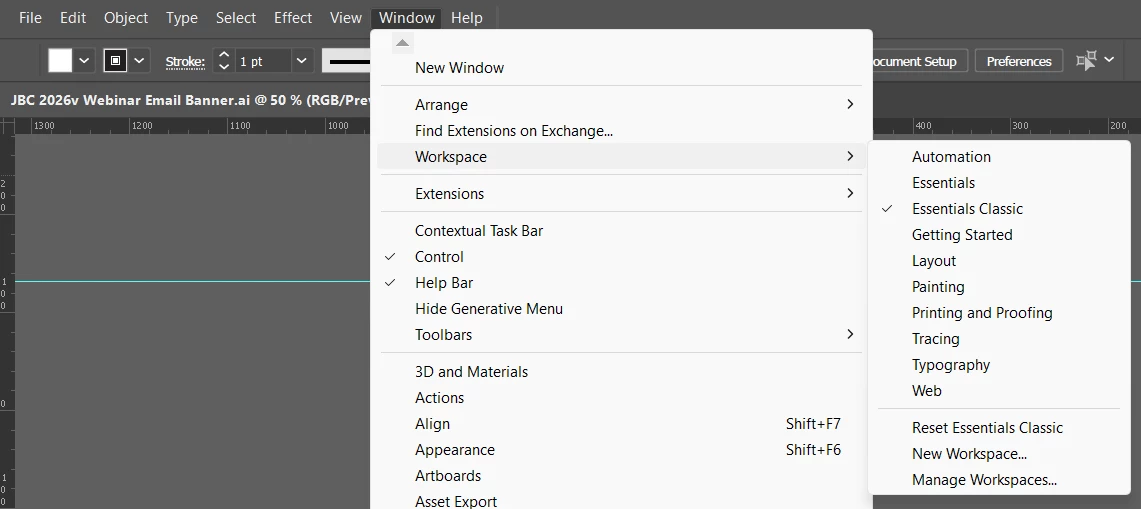
I went into 'Window> Workspace' to reset to my personalised one, and found it missing from the dropdown (I'm inluding a screenshot below, which shows that there's now only Illu's dfefault workspaces avaliable, no custom ones showing).

If anyone knows why this might be and if tehre's a way to restore my custom workspace, rather than having to re-set all over again, I'd be grateful if you could share your wisdom! ❤️

 

869771iC60D6C280466A108.png


Correct answer Ton Frederiks

You may be able to find them in an older Preferences folder and copy them to the new one:

You can find modified workspaces on Windows in AppData\Roaming\Adobe\ or on Mac ~/Library/Preferences/Adobe Illustrator <version> Settings

2 replies

Ares Hovhannesyan
Community Expert
Community Expert
December 15, 2025

Anyway, reinstall Ai after reseting preferences.

Ton Frederiks
Community Expert
Ton FrederiksCommunity ExpertCorrect answer
Community Expert
December 15, 2025

You may be able to find them in an older Preferences folder and copy them to the new one:

You can find modified workspaces on Windows in AppData\Roaming\Adobe\ or on Mac ~/Library/Preferences/Adobe Illustrator <version> Settings

MargoM.Author
Known Participant
December 18, 2025

Thank you Ton - you're a genius! I would have never known to do this myself and it worked!
You've saved my day (or, rather, my custom workspace :D)  - thanks a mill! ❤️

Ton Frederiks
Community Expert
Community Expert
December 19, 2025

Good to hear that helped, Margo.