MahaB82A_
May 10, 2024
Question

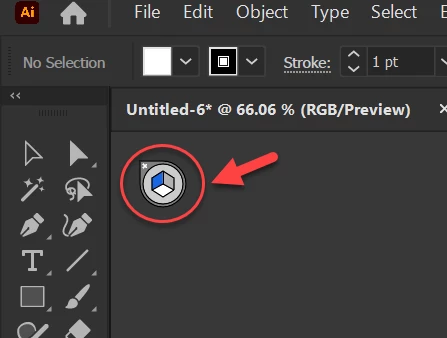
Perspective Icon

  • May 10, 2024
  • 2 replies
  • 383 views

This Perspective Icon seems small to me. Is there anyway to increase the size of it?


This topic has been closed for replies.

2 replies

Monika Gause
Community Expert
Community Expert
May 10, 2024

If your issue is clicking on the 4 parts of it: the shorts cuts are

1 (blue pane), 2 (green pane), 3 (orange pane), 4 (no perspective)

And you can press them while already moving the object.

Doug A Roberts
Community Expert
Community Expert
May 10, 2024

No, unfortunately it is what it is. It is affected by UI scaling (in Preferences > User Interface), but I doubt you want everything else to scale just for the sake of this widget.

MahaB82A_
MahaB82A_Author
May 10, 2024

Is it possible to position the radio button in between extreme points ?

What is the purpose of Section X ?  


Doug A Roberts
Community Expert
Community Expert
May 10, 2024

I'd imagine this depends on your monitor resolution. It has 5 points on my 4K screen:

'Scroll buttons' is the position of the arrows that move the document scrollbars up and down, i.e.
