
Answered
Photo colours look inverted(neon) when reopening a closed file?
Straight to the point... when I open an illustrator file I have recently made, any photo that was placed in the file suddenly appears with a type of inverted colour effect, i.e. the colours all look neon or as if they are glow-in-the-dark colours.
I have raked through my colour settings and cannot figure any of it out.
I will replace the image with its original file, no issue. Save file. Close file. Reopen. It's converted back to the neon colours. WHY??
In the image below you will see what I am talking about. Teh image on the left should just be a sky blue sweatshirt, no background, no surround, just the clothes.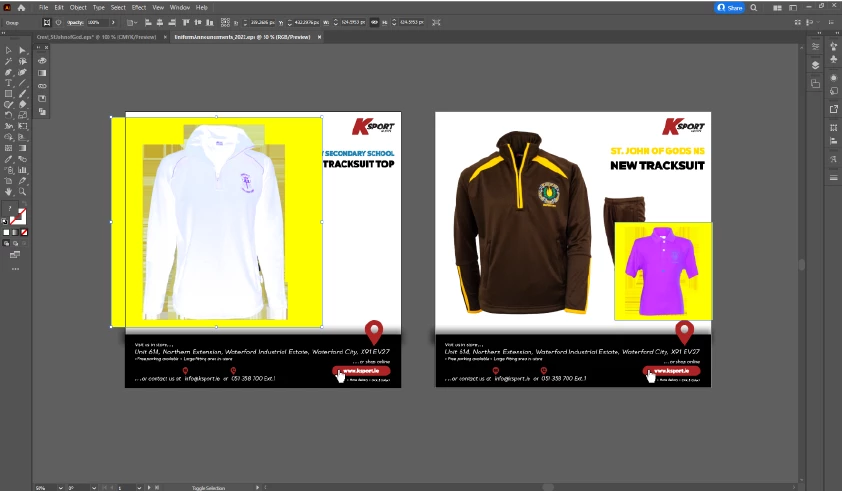
All images placed in illustrator are .pngs.
Any and all help is much appreciated.


 AdChoices