Participant
May 13, 2023
Question

Pixelated shadow 3D illustration

  • May 13, 2023
  • 2 replies
  • 1067 views

Hello Adobe Support,

I'm facing issues when applying shadow effect on 3D objects in Adobe Illustrator 2023.

I've set resolution to 300ppi in Document raster effects setting, however no improvements.

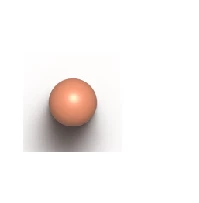
After shadow effect was applied, bad looking square apprears around the pixelated shadow, as you can see in the picture below (have used the white background to make sure that square is visible). Picture is Zoomed in around 66%, but the square is visible even after zoomed out.

Everything was working perfectly fine, this issue appreared only 2 days ago, and Illustrator keeps crashing.


Any suggestions are more than welcomed. 

Thank you.

Jana
This topic has been closed for replies.

2 replies

Anshul_Saini
Community Manager
Community Manager
May 23, 2023

Hi @J.CH,


Thanks for reaching out. I would like to know if Monika's suggestion helped resolve with pixelation? If not, would you mind trying the following, as shown in the screenshot below:


Kindly update the discussion if you still need assistance with it. We'd be happy to help.


Thanks,
Anshul Saini

Monika Gause
Community Expert
Community Expert
May 13, 2023

How is raytracing set up?

And can you please tell us about your graphic card?

J.CHAuthor
Participant
May 13, 2023

Hi, Ray Tracing setting are in the picture below.

I have Intel(R) UHD Graphics (Family)


Thanks


Monika Gause
Community Expert
Community Expert
May 13, 2023

I would first try a higher quality. Yours is low currently.