dazze.studio
Participant
April 1, 2017
Question

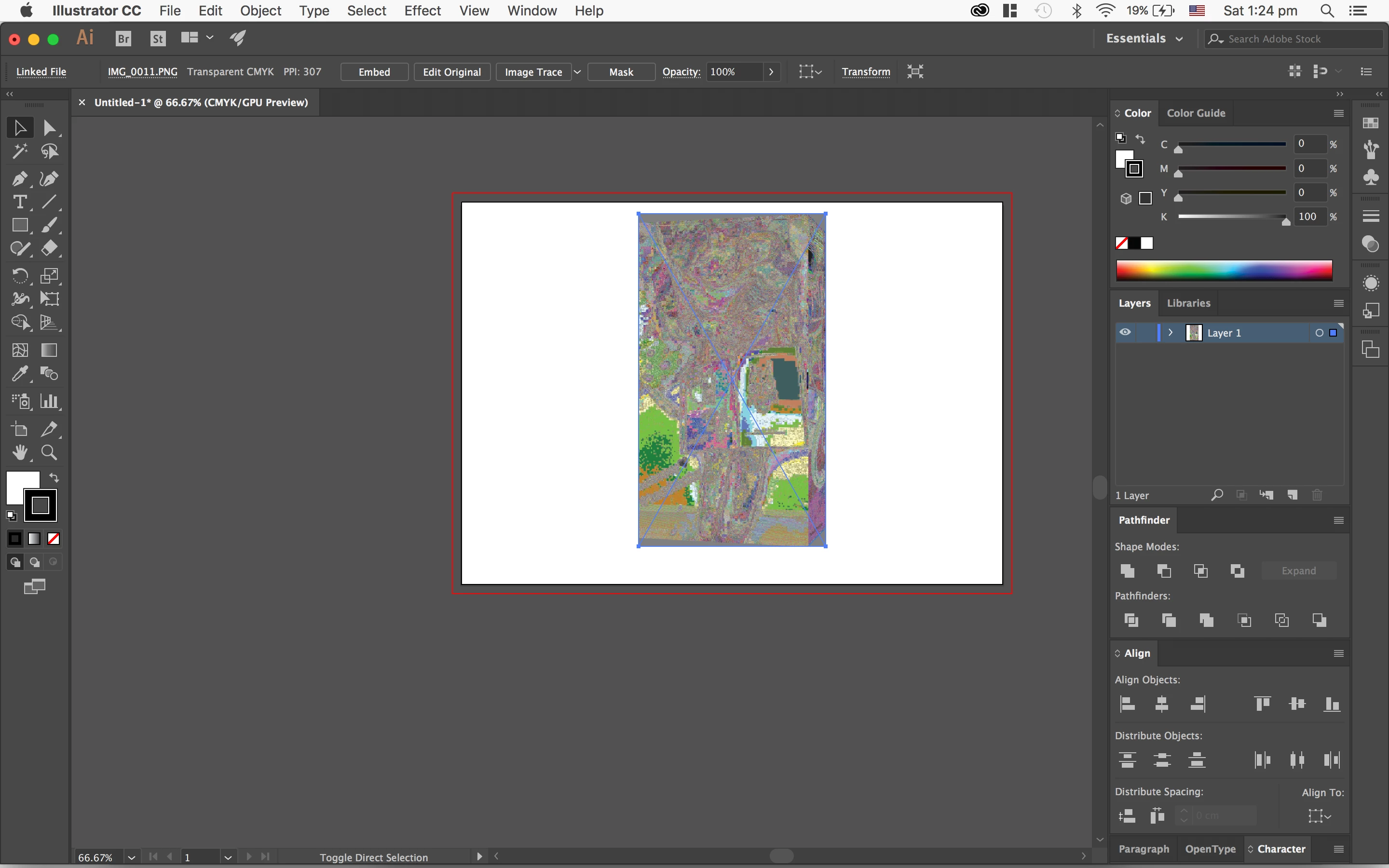
Placed image/photo in Illustrator appears distorted, pixelated and jagged

  • April 1, 2017
  • 6 replies
  • 4663 views

When I drag an image (saved from the internet) and place it my illustrator file it goes completely distorted mostly happens with the images i screenshoted on my phone and specifically PNG images. For example: I am drawing a woman and having trouble with hands, i find a photo online save it and drag it to my file to use as a reference and it goes all jagged and distorted and pixelated. PLEASE HELP
    This topic has been closed for replies.

    6 replies

    Participant
    October 14, 2021

    Check your image bits on photoshop. Depends on your computer, it has to be 8, 16 or 32 bits. Change it in Image/mode/ and choose the right one

    katiea82876850
    Participant
    July 31, 2020

    How do I re-create this effect? If I want to make an image placed in illus look like this (rainbow, pixelated, distorted)? 


    thanks

    Larry G. Schneider
    Community Expert
    Community Expert
    July 31, 2020

    Take it into Photoshop and change it to 16 bit before saving. Then reopen in AI.

    harrisleason
    Participant
    July 26, 2020

    I'm having the same issue has anyone worked out why this happens?

    Monika Gause
    Community Expert
    Community Expert
    July 26, 2020

    This is a photo you took with an iPhone?

    Can you open it in Photoshop and then use "Save for Web" or any other workflow to turn it into an 8-bit/channel image?

    Monika Gause
    Community Expert
    Community Expert
    April 2, 2017

    Which system is this?

    What happens when you first open that images in Photoshop, save it from there as a JPEG with sRGB color profile and then place it in Illustrator.

    mgmhunt
    Participating Frequently
    April 2, 2017

    File type is transparent CMYK according to link info, which is a bit weird.  Can you do a Save As Image, from browser, rather than drag an image.  And open in Photoshop, check colour space, bit depth etc.  Maybe some issue for color profiles?  what are your Colour Settings doing?

    Larry G. Schneider
    Community Expert
    Community Expert
    April 1, 2017

    What happens if you don't drag the file to Place it but instead use File>Place from the File menu?

    dazze.studio
    Participant
    April 2, 2017

    same exact result. no matter how i place it (drag it, open with, or place)