Participant
March 24, 2017
Answered

Placed images not appearing

  • March 24, 2017
  • 2 replies
  • 16687 views

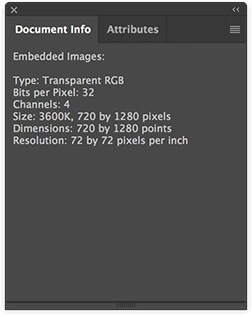
If I try to use the Place feature in Illustrator CC 2017 the image never appears. If I go to the Links panel it shows that the image has been placed but it's not visible anywhere in the document.

I tried uninstalling the program and re-installing and I'm still experiencing the same problem.

Thanks for the help.
    This topic has been closed for replies.
    Correct answer Ton Frederiks

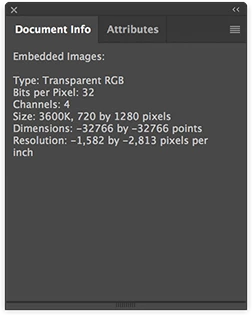
    Looks like the file is corrupted.

    I resaved it in Photoshop and it displays fine.

    2 replies

    Participant
    March 24, 2017

    Oh I see. The image was part of a sprite animation that was exported from After Effects as a PNG sequence. Maybe something went wrong in that process.

    Thanks for your help.

    Ton Frederiks
    Community Expert
    Community Expert
    March 24, 2017

    I have had that experience (and have seen others complain about it) as well.

    PNG's from After Effects are sometimes behaving strange.

    Please report it as an After Effects bug:

    Feature Request/Bug Report Form

    Ton Frederiks
    Community Expert
    Community Expert
    March 24, 2017

    What is the content of your image?

    Could it be that you are placing a white image?

    In that case, turn on View > Show Transparency Grid.

    anthrodi
    Participant
    March 24, 2017

    It's a .PNG that has transparency but there is still content that isn't displaying for whatever reason.

    For reference this is the image I'm trying to place: here

    Ton Frederiks
    Community Expert
    Ton FrederiksCommunity ExpertCorrect answer
    Community Expert
    March 24, 2017

    Looks like the file is corrupted.

    I resaved it in Photoshop and it displays fine.