Participant
December 5, 2016
Question

Placed images resizing on their own in AI CC 2017

  • December 5, 2016
  • 2 replies
  • 1632 views

Wondering if anyone else has had this experience.

I am using Adobe illustrator CC 2017 on an iMac (Retina 5K, 27-inch, Late 2015), running Sierra 10.12.1. Whenever I open a client file with placed images in it, Illustrator automatically resizes the placed images to a random percentage. If I delete the image and re-place it, I then get a tall, vertical box with my image taking up just a fraction of the height of the box, justified to the bottom. The remainder of the image box is blank.

This happens no matter what image I place, no matter what its physical size, resolution, color mode, etc.

Screen shot included for reference. ANY help is appreciated.
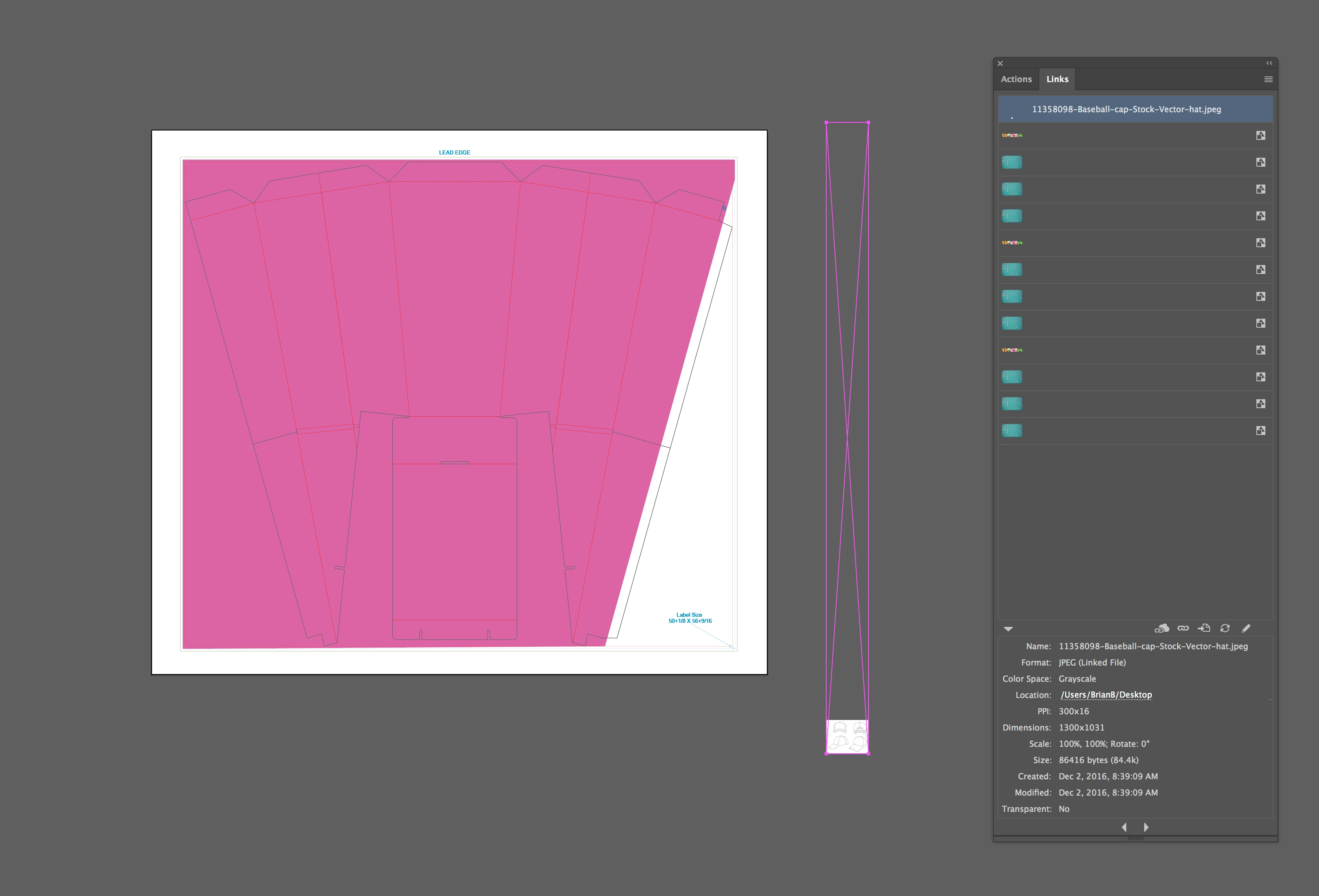
This topic has been closed for replies.

2 replies

Mike_Gondek10189183
Community Expert
Community Expert
December 5, 2016

More thorough Reset your preferences.

Quit Illustrator

Finder >> Shift Command G

~/Library/Preferences/Adobe Illustrator 21 Settings/en_US*/Adobe Illustrator Prefs

rename Adobe Illustrator 21 to Adobe Illustrator 21 old

Reset your other preferences

Quit Illustrator

Finder >> Shift Command G

~/Library/Application Support/Adobe/Adobe Illustrator 21/

rename Adobe Illustrator 21 to Adobe Illustrator 21 old

Participant
December 6, 2016

Still happening, unfortunately. I've renamed the folders twice now and it still is importing files as a stretched vertical box.

Monika Gause
Community Expert
Community Expert
December 5, 2016

What kind of files are those? AI files?

Do you or the clients use any third party plugins?

Participant
December 5, 2016

They are AI files, except for the placed image. It is a JPEG. No, no plug-ins were used.