
Known Participant
December 17, 2022
Question

Placement distorts original vector graphics

  • December 17, 2022
  • 6 replies
  • 510 views

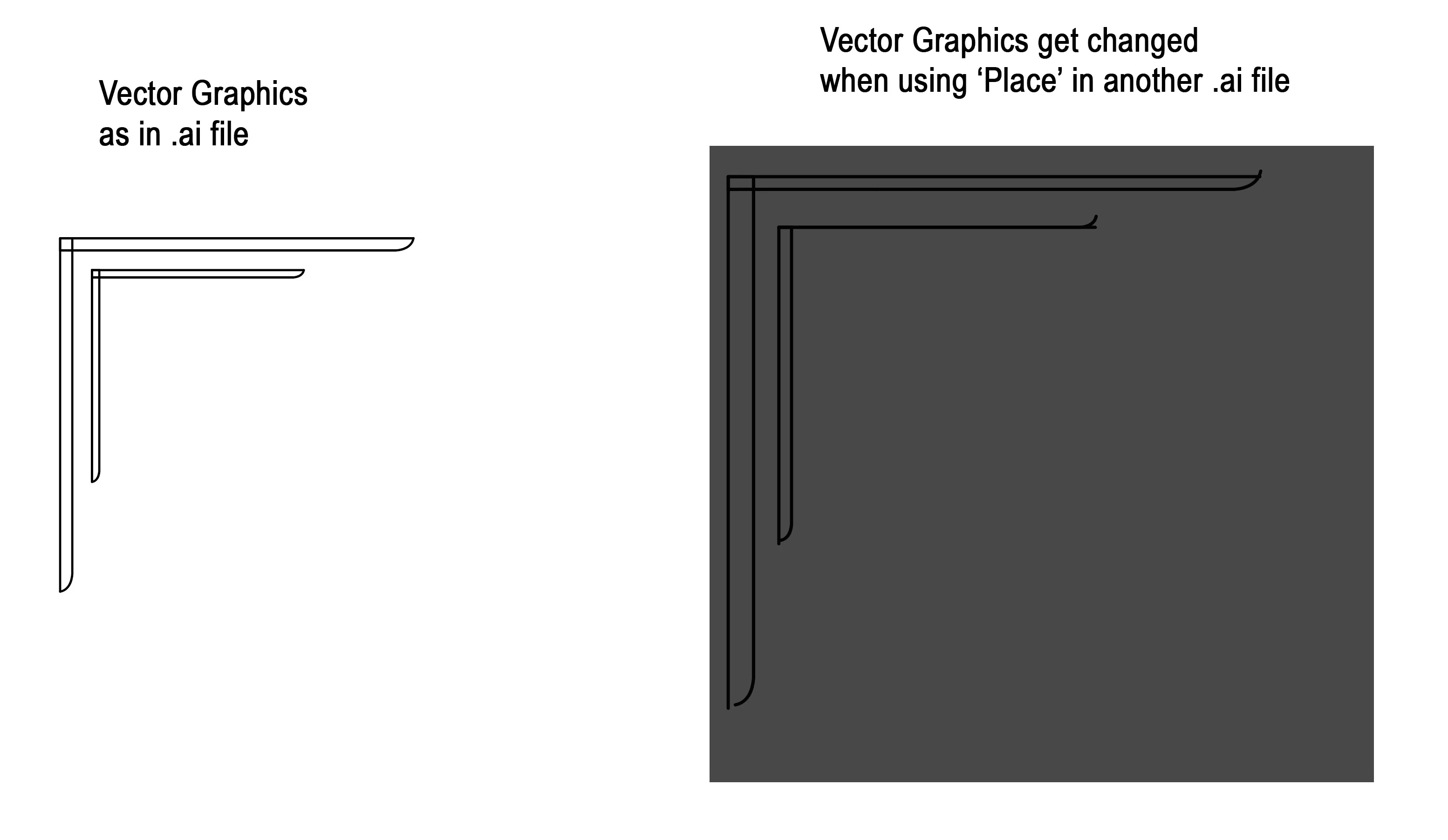
Hi, I was wondering why when I use 'Place' to 'import' a files vector graphic, that illustrator distorts those graphics to be something other than the original.
The image I've uploaded shows the desired graphics as is in an .ai file.(graphics on left)
But when I use Place to import those graphics into a second .ai file(graphics on right), they(the vector shapes) get changed.
I'm using an .ai to .ai example but I first noticed this happening when I was trying to import('Place') using a .pdf file. I also tried Place with a .svg file, also the same with a .dwg file.
I all cases 'Place' distorts the vector graphics.(and not always in the same way from supported file type to file type).
This topic is closed to new replies. Start a new post to keep the conversation going.

6 replies

Larry G. Schneider
Community Expert
Community Expert
December 17, 2022

Any reason you don't join the paths into closed shapes? 

jaiyAuthor
Known Participant
December 17, 2022

The original vector graphics were created in Houdini, imported into Rhino, then exported(Placed) in ai.

Ton Frederiks
Community Expert
Community Expert
December 17, 2022

Do you have View > Snap to Pixel active?

jaiyAuthor
Known Participant
December 17, 2022

Thank you Ton - That is what the issue was. Now solved.
It was just odd because I had just finished importing about 8 different layers and did not have the same issue,

yet at the same time did not, at least knowingly turn on snap to pixel.

Ton Frederiks
Community Expert
Community Expert
December 17, 2022

Good to hear that helped.

jaiyAuthor
Known Participant
December 17, 2022

Error in last sentence, should read - "....In all cases...."