Participant
October 23, 2018
Answered

placing image from photoshop to illustrator changes color value

  • October 23, 2018
  • 1 reply
  • 463 views

Hi, i've been working on an RGB posters, and i need to place images from photoshop to illustrator, every time i do it i don't have any issues but after i downloaded the new illustrator 2019 maybe some of the sitting changed.

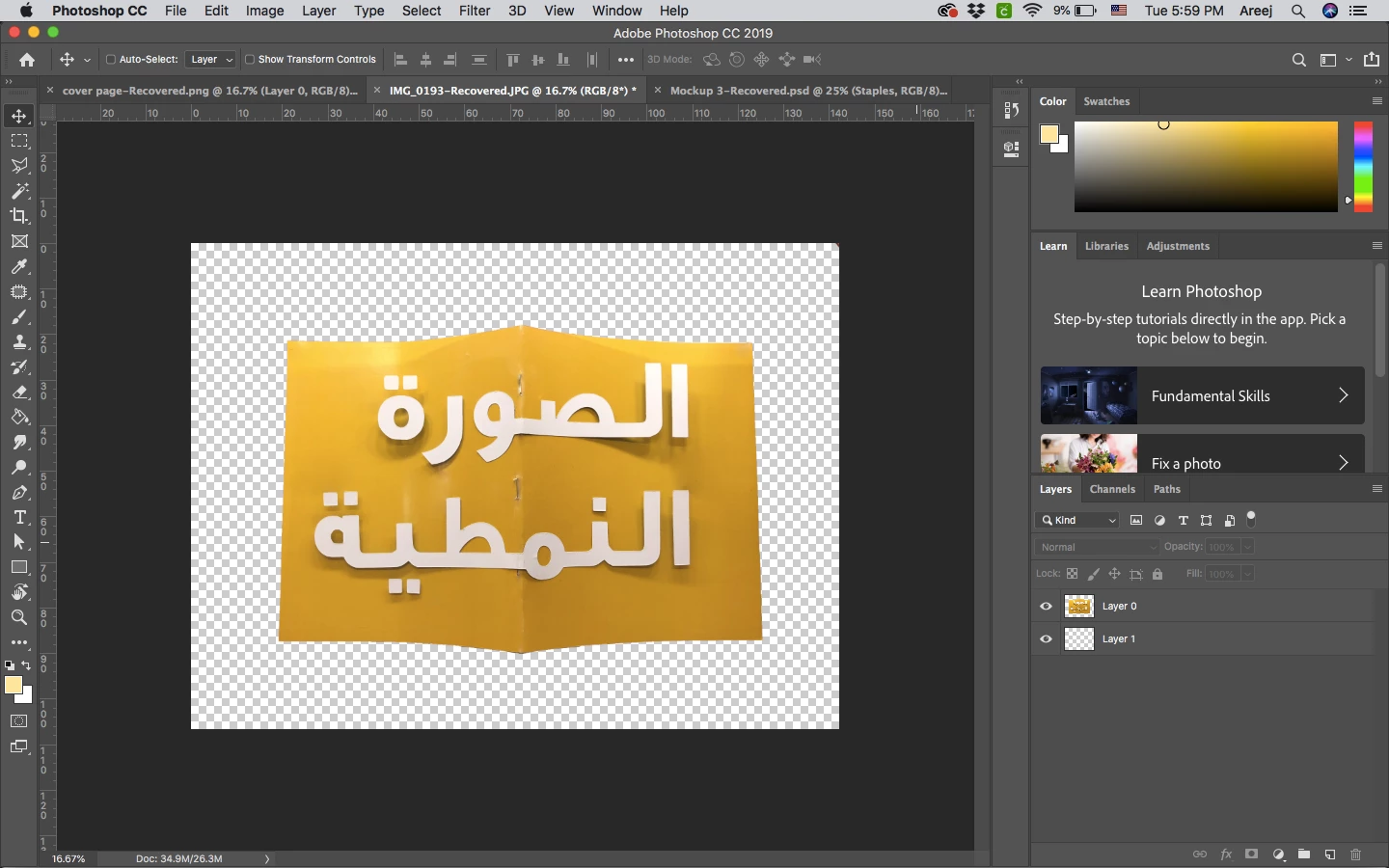
here is the photo i saved from photoshop. - i tried placing it with PNG. and Photoshop decument.
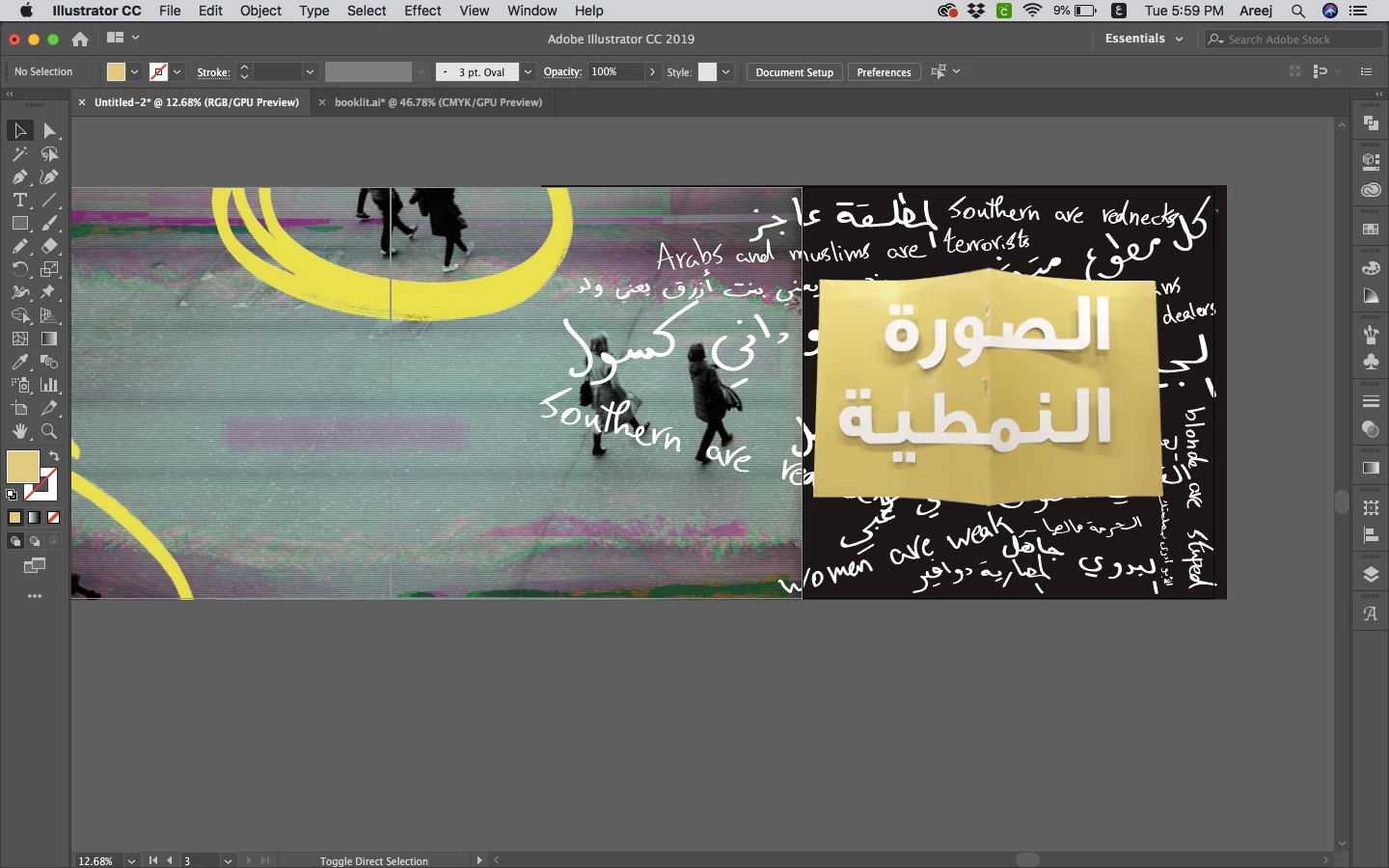
and here is how its placed in illustrator.
please help me, thank you.

This topic has been closed for replies.
Correct answer cinziamarotta

Hi,

you should have the same color settings in Photoshop and in Illustrator: EDIT > COLOR SETTINGS and choose the same settings.

Assign that color profile to the image in Photoshop.

1 reply

cinziamarotta
cinziamarottaCorrect answer
Participating Frequently
October 23, 2018

Hi,

you should have the same color settings in Photoshop and in Illustrator: EDIT > COLOR SETTINGS and choose the same settings.

Assign that color profile to the image in Photoshop.