MDCN
Participant
February 10, 2021
Answered

Please help

  • February 10, 2021
  • 3 replies
  • 260 views

Hi people,

I´m TRYING to work with AI, but these days is getting highly annoying, updates and extra features are becoming user unfriendly and I need to waste time doing google research a lot of times.

I´m using the "DIVIDE" tool and, until yesterday, it was working fine. Now I´m getting this "extra corners" when I process shapes: 
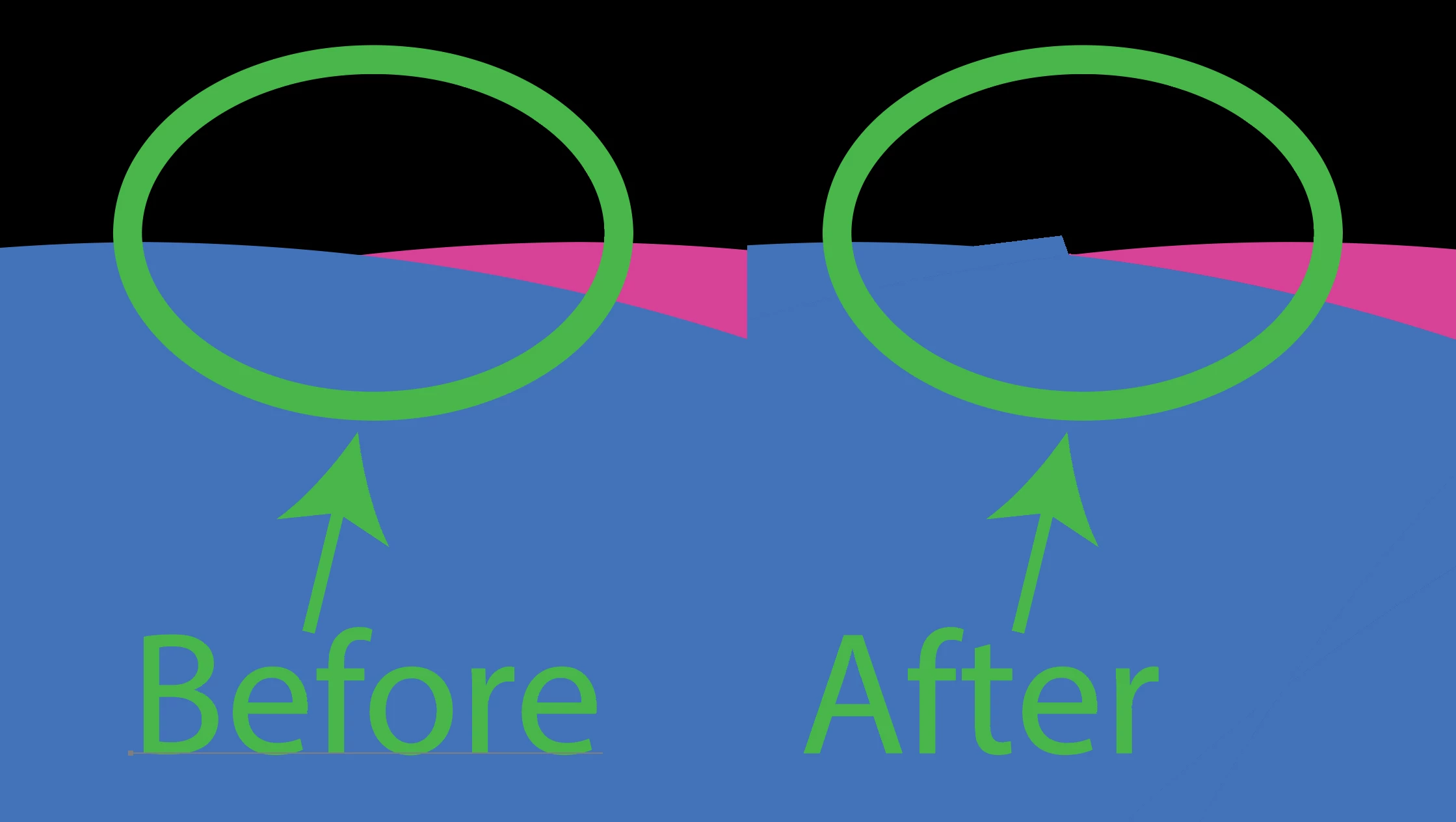
Can anybody help with instructions to deactivate that feature? I cannot find a solution anywhere.

Sorry for bothering and thanks for your help.

This topic has been closed for replies.
Correct answer Ton Frederiks

You can also try to increase the precision in the Pathfinder panel options.

3 replies

Ton Frederiks
Community Expert
Ton FrederiksCommunity ExpertCorrect answer
Community Expert
February 10, 2021

You can also try to increase the precision in the Pathfinder panel options.

sishamIAGD
Community Expert
Community Expert
February 10, 2021

Can you show us a selected outline view? It would be good to see if there are any random anchors hiding in there before you divide.

MDCN
MDCNAuthor
Participant
February 10, 2021

Hi people,

I´m TRYING to work with AI, but these days is getting highly annoying, updates and extra features are becoming user unfriendly and I need to waste time doing google research a lot of times.

I´m using the "DIVIDE" tool and, until yesterday, it was working fine. Now I´m getting this "extra corners" when I process shapes: 

Can anybody help with instructions to deactivate that feature? I cannot find a solution anywhere.

Sorry for bothering and thanks for your help.

Monika Gause
Community Expert
Community Expert
February 10, 2021

You have to create clean paths.


Sowithout seeing your actual file (before the pathfinder), this will be difficult to point out.