
Inspiring
January 30, 2023
Question

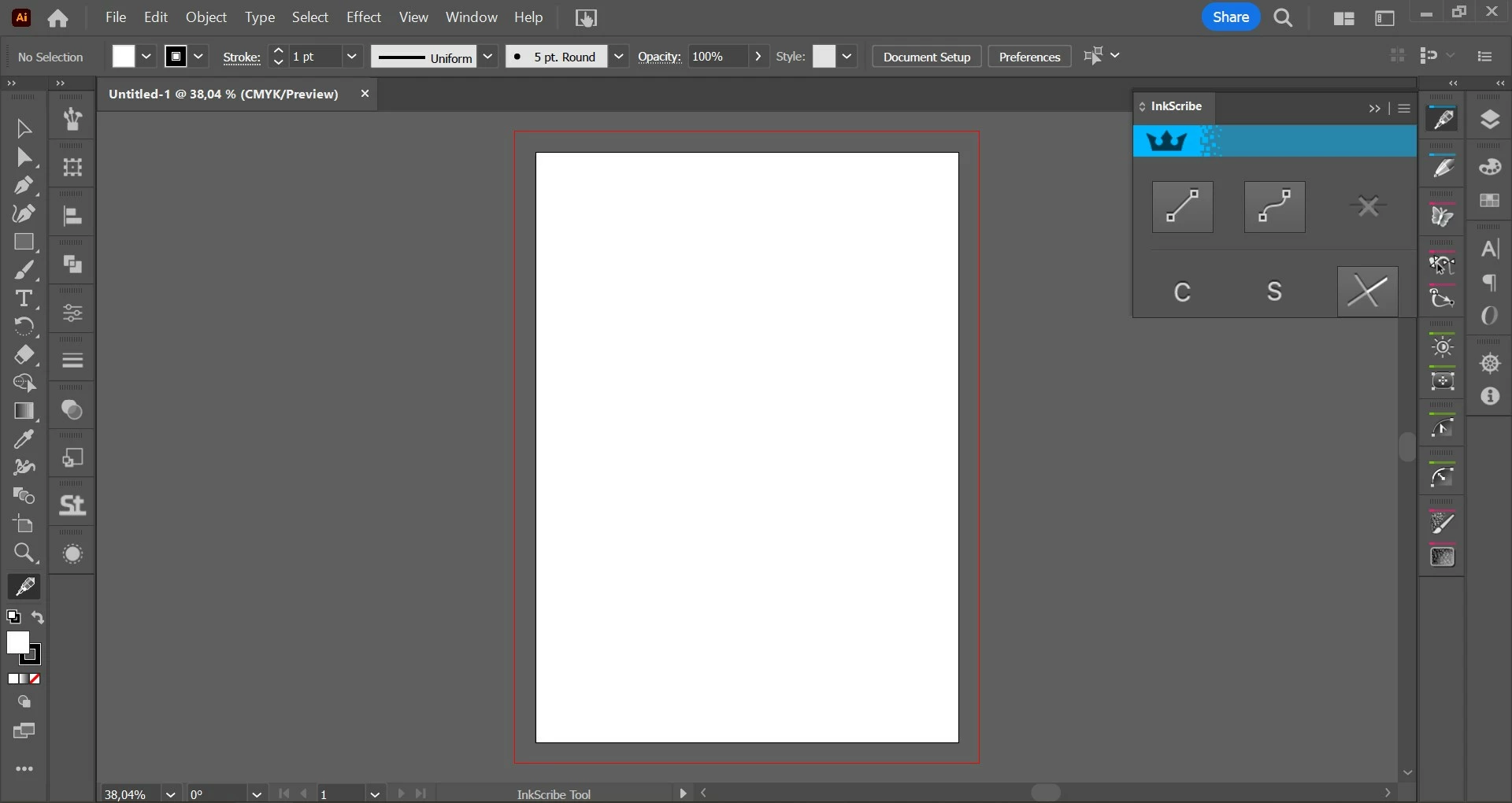
Plug-in interfaces appears too big on graphic tablet
  • January 30, 2023
  • 3 replies
  • 674 views


Hello,

I am using Illustrator v27.2 and Huion Kamvas 13 graphic tablet. When I am working on a Huion graphic tablet, plugins interfaces looks so big and much of options are not showing as you see in a picture I attached. 

How can I solve this problem?

Thanks.

This topic has been closed for replies.

3 replies

Anubhav M
Community Manager
Community Manager
February 1, 2023

Hello @cemc18303069,


Sorry to hear about this experience. Would you mind trying to reset the Display Resolution to the default and Scaling to 100% (https://support.microsoft.com/en-us/windows/view-display-settings-in-windows-37f0e05e-98a9-474c-317a-e85422daa8bb), and then relaunching Illustrator to check if it helps?


Looking forward to your response.


Thanks,

Anubhav

Inspiring
February 1, 2023

Hello,

Thank you so much for your interest. I scaled down resolution to %100 and relaunched AI but nothing changed on graphic tablet.

Anubhav M
Community Manager
Community Manager
February 6, 2023

Hello @cemc18303069,


Thanks for confirming that. Would you also mind checking if User Interface scaling under Illustrator preferences is set to small? Also, kindly post a screenshot of your Windows Display resolution and scaling so we can check this further.


Looking forward to your response.

Regards.

Mohammad.Harb
Community Expert
Community Expert
January 31, 2023

Are you using the most recent version of both Graphic tablet and Astute inkscribe plugin ?

Inspiring
January 31, 2023

I am using recent version of Graphic Tablet driver and Astute Graphics 3.5.2. I think this is latest version. 

Community Expert
January 31, 2023

Hi,

does this problem only occur with the graphic tablet? If you use the mouse instead you do not encounter any problems, right?

Inspiring
January 31, 2023

Hi,

Yes, only occurs with graphic tablet.

Thank you.