


maryg94034410
Participating Frequently
January 9, 2025
Answered

Plugin issues on launch of Illustrator

  • January 9, 2025
  • 2 replies
  • 3358 views

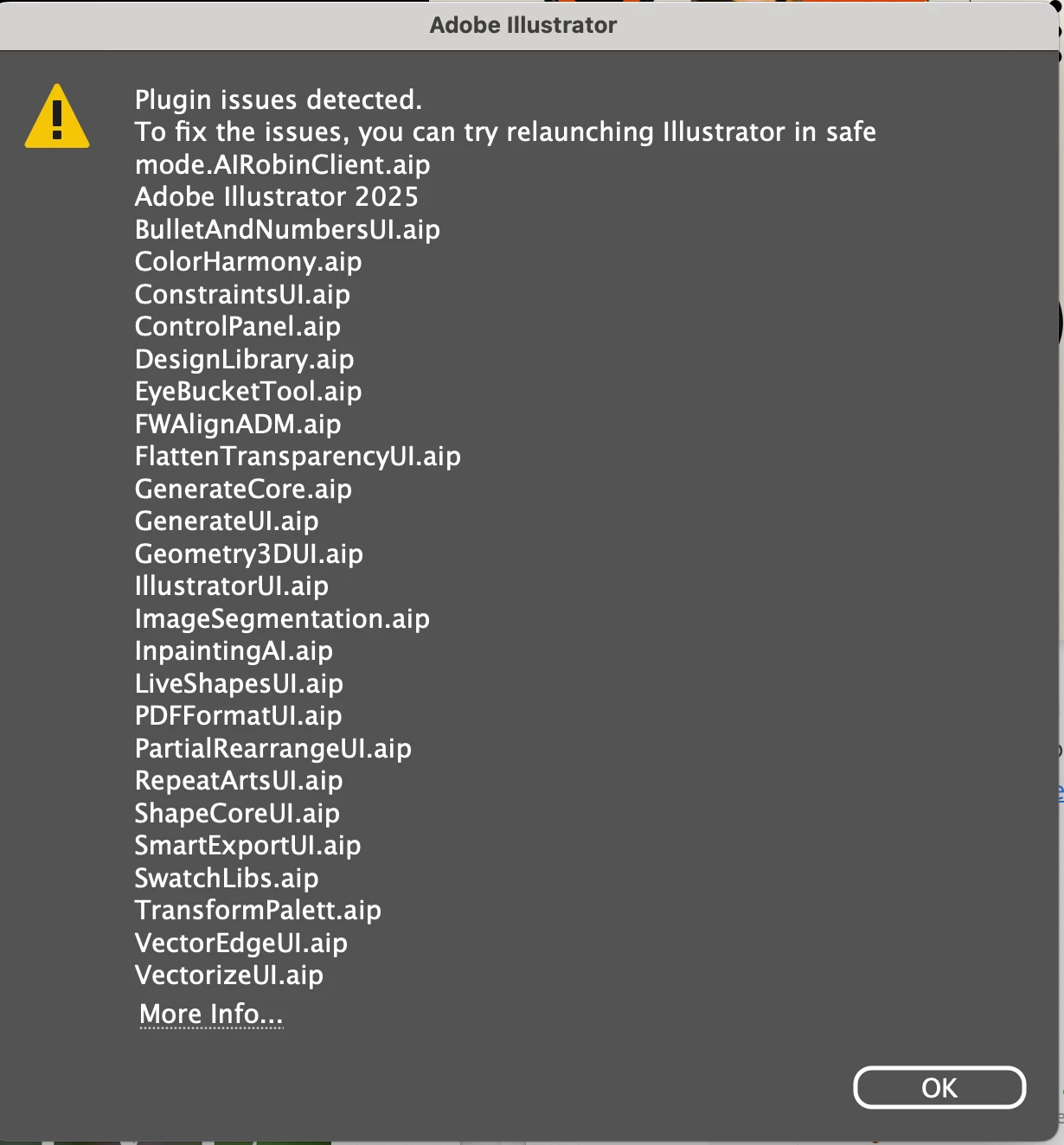
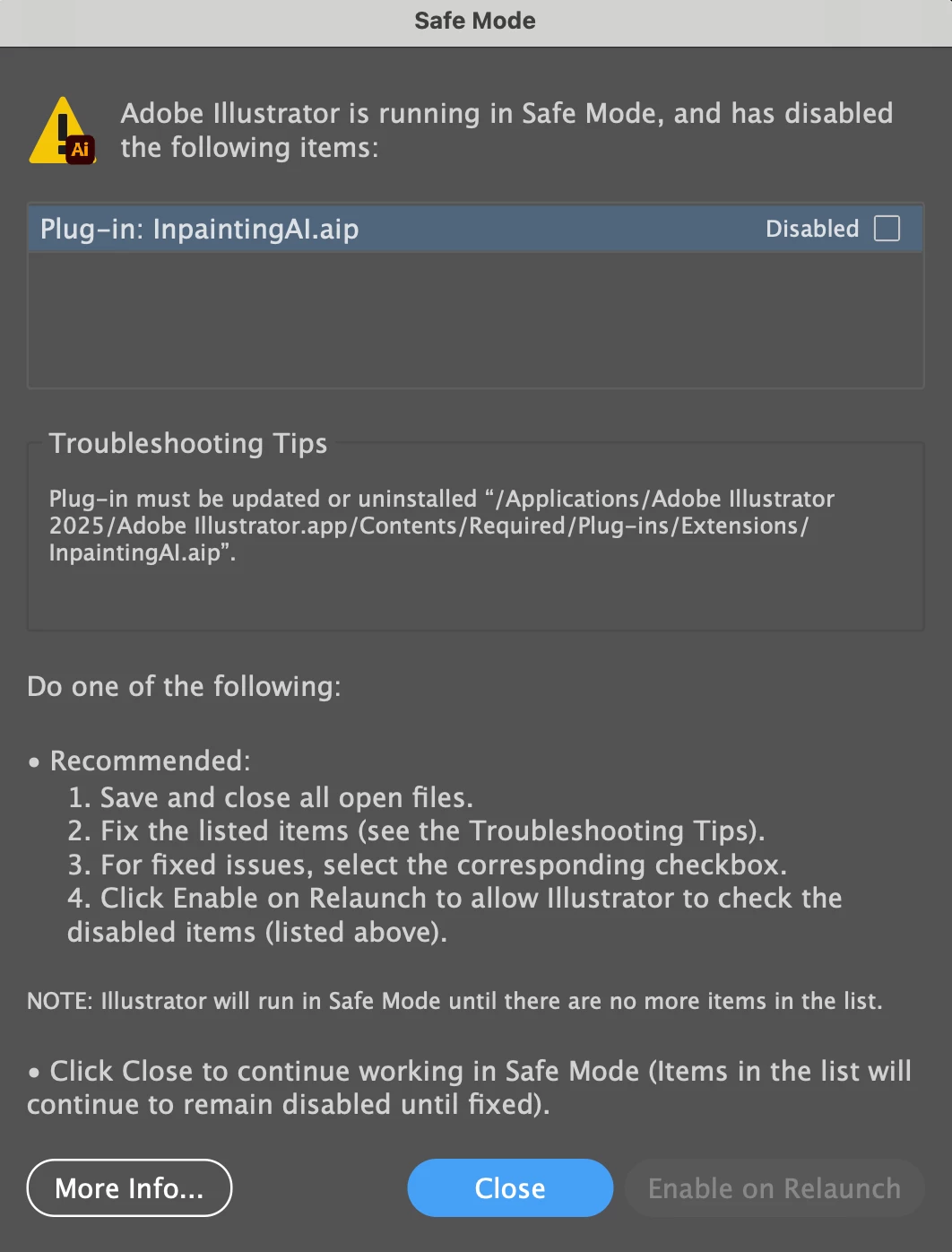
I've updated Illustrator to 2025 and I'm getting a plug-in error. I first get an error message saying plugin issues detected and it lists 24 plugins. Then I get another error message saying it's running in safe mode and has disabled InpaintingAI.aip. Illustrator fails to launch even in safe mode. Can anyone help?
Correct answer Bobby Henderson
I tried restarting Illustrator pressing the keyboard shortcut then uninstalling, reinstalling then the keyboard shortcut again. Still no joy.

The problem sounds stubborn enough that it might require using the Creative Cloud Cleaner tool to completely remove Illustrator and any remaining support files and then re-install the application.

https://helpx.adobe.com/creative-cloud/kb/cc-cleaner-tool-installation-problems.html

2 replies

Participant
September 24, 2025

For me. It whas the Logitec mouse plugin that caused the prolem. "LogiOptionAi2020".

1: Close Adobe Illustrator.

2: Go to: C:\Program Files\Adobe\Adobe Illustrator 2025\Plug-ins

3: Remove: LogiOptionAi2020.aip

4: Relaunch Adobe Illustrator.

HARSHIKA_VERMA
Community Manager
Community Manager
September 24, 2025

Thank you for sharing the solution that has worked for you. It might help future customers experiencing a similar issue resolve it.


Thanks,

Harshika

Community Manager
January 9, 2025

Hello @maryg94034410,

I'm sorry to learn about the trouble you're having with Illustrator. Could you please try the recommendations provided in this help article (https://adobe.ly/4083TXW) and let us know if it helps?

I look forward to hearing from you.

Anubhav

maryg94034410
Participating Frequently
January 9, 2025
Hello Anubhav,

I don’t think I have any external plugins.
Where do I find the preferences file?
Community Expert
January 10, 2025

The plugins listed in the dialog box images you posted are stock plugins that are included with Adobe Illustrator. The Illustrator Preferences file is somewhat hidden. But it is easy to reset. You can do that by restarting Illustrator while pressing this keyboard shortcut: Option+Command+Shift (Mac OSX) or Ctrl+Alt+Shift (Windows).


If resetting Preferences doesn't fix the problem it may be necessary to uninstall and then reinstall Adobe Illustrator.