April 10, 2018
Answered

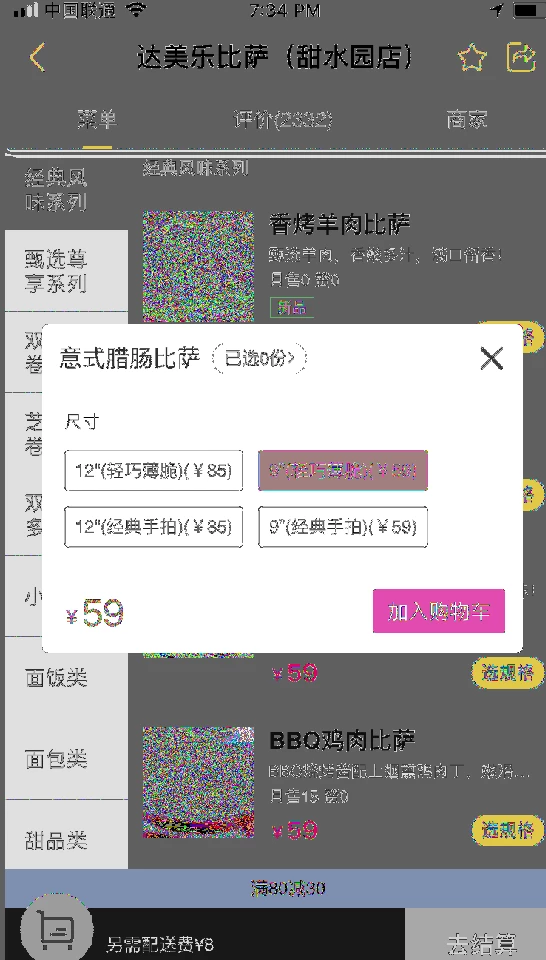
png files get distorted after drag n drop
  • April 10, 2018
  • 2 replies
  • 843 views

Illustrator 22.1

Mac 10.13.3

    This topic has been closed for replies.
    Correct answer Monika Gause

    That's not distorted, but rather discolored.

    Looks like Illustrator has trouble interpreting this specific PNG. The PNG definition allows a gazillion of options and some applications can only interpret half of them.

    Try an open in Photoshop and then save from there. Probably as a different file format.

    ALso you can try if it's a GPU issue: try View > Preview on CPU.

    2 replies

    Srishti_Bali
    Legend
    April 11, 2018

    Hi DudeGuy,

    I would like to know if the steps suggested above worked for you, or the issue still persists.

    Kindly update the discussion if you need further assistance with it.

    Thanks,

    Srishti

    April 12, 2018

    I was able to open them in affinity designer, then copy it over to illustator from there (i dont own photoshop). It seems this happens only with screenshots taken with my iphone8

    Doug A Roberts
    Community Expert
    Community Expert
    April 12, 2018

    then it's probably because they're using 16-bit colour channels, which illustrator doesn't support.

    Monika Gause
    Community Expert
    Monika GauseCommunity ExpertCorrect answer
    Community Expert
    April 10, 2018

    That's not distorted, but rather discolored.

    Looks like Illustrator has trouble interpreting this specific PNG. The PNG definition allows a gazillion of options and some applications can only interpret half of them.

    Try an open in Photoshop and then save from there. Probably as a different file format.

    ALso you can try if it's a GPU issue: try View > Preview on CPU.