Participant
May 26, 2025
Answered

PNG in Illustrator doesn't have transparent background

  • May 26, 2025
  • 1 reply
  • 218 views

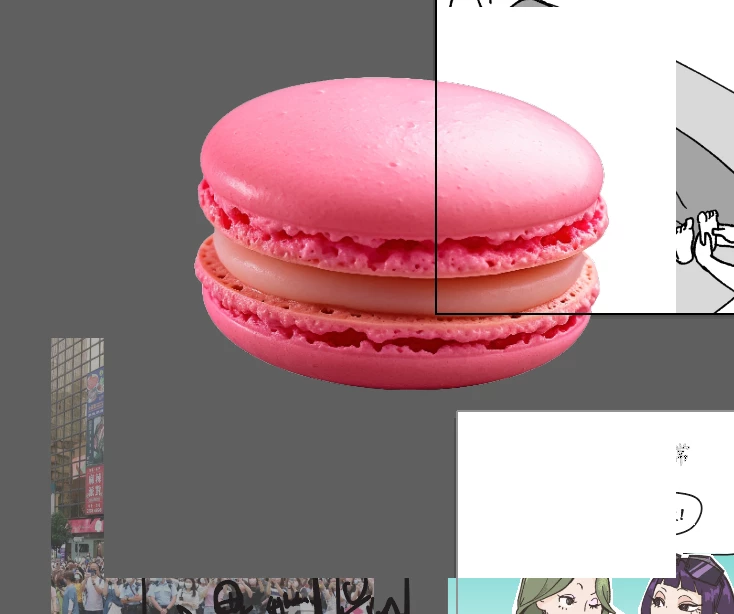
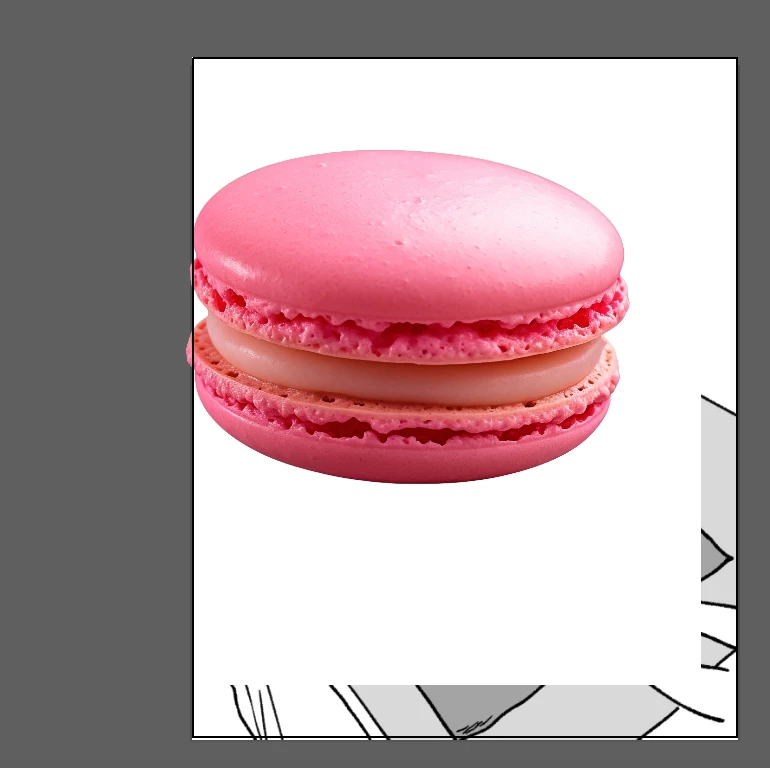
Does anyone know why png picture doesn't have transparent background? I have tried to switch from GPU to CPU preview, it doesn't work. I have open transparent grid but still the behind image is blocked.


Correct answer WAN MAN30231734ecl2

Preview mode is normal, I haven't turn on knockout group, but I find out if I turn on the opacity & mask define knockout shape,  the problem solved.

1 reply

Monika Gause
Community Expert
Community Expert
May 26, 2025

Are you perhaps in Overprint preview mode?

Could it be that you have Knockout group turned on for the image or the layer? That is a setting in the advanced options of the Transparency panel.

WAN MAN30231734ecl2AuthorCorrect answer
Participant
May 26, 2025

Preview mode is normal, I haven't turn on knockout group, but I find out if I turn on the opacity & mask define knockout shape,  the problem solved.