
Inspiring
October 20, 2019
Question

points seem to snap next other points

  • October 20, 2019
  • 1 reply
  • 584 views

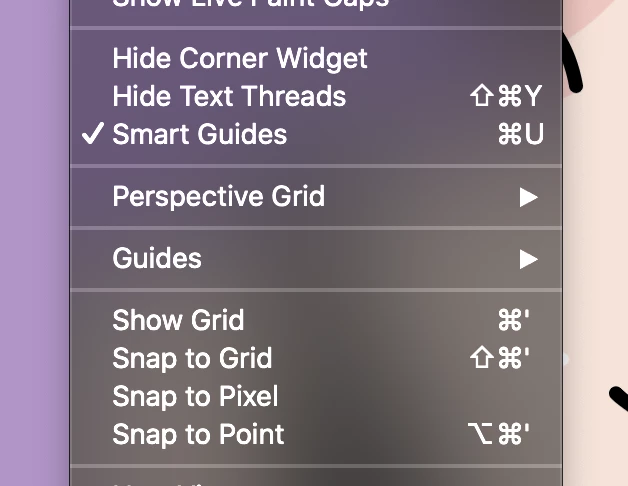
Im have an odd issue. I have smart guides on but it seems like often when I drag points they snap next to but not on other points. I've made sure that align to pixel grid isn't on and besides smart guides I have all other snap to options off. Does anyone know what might be happening? I can only fix the issue if I zoom in real close. I am using the most recent update of illustrator on a macbook pro runnin Catalina. Here is a screen shot of my view menu.
    This topic has been closed for replies.

    1 reply

    Inspiring
    October 20, 2019

    Hi,

    Have you checked the snapping tolerance setting in Preferences > Smart Guides? (You need to be within that tolerance value for snap to take place.)

    Just a thought.

    COGordonWAuthor
    Inspiring
    October 20, 2019

    Im not sure. How do these setting look?

    Inspiring
    October 21, 2019

    Hi

    You might want to give yourself more tolerance (maybe 6); also you will want to enable Snap to Point with the same setting. Snap to Point tells Illustrator how many pixels away you need to be before before an object snaps to an anchor.