Known Participant
May 20, 2024
Question

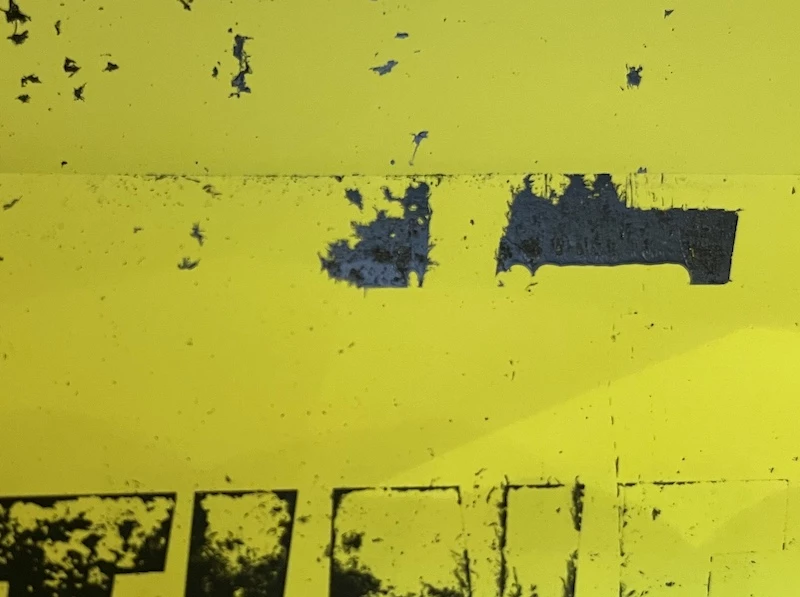
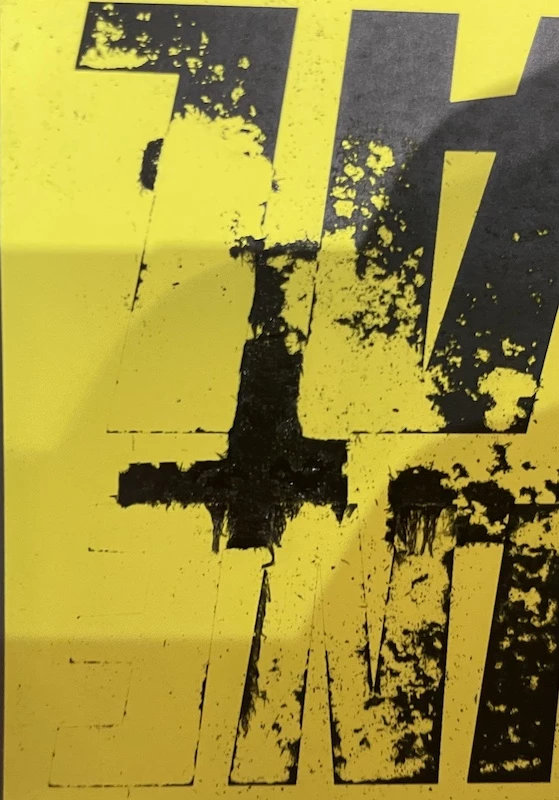
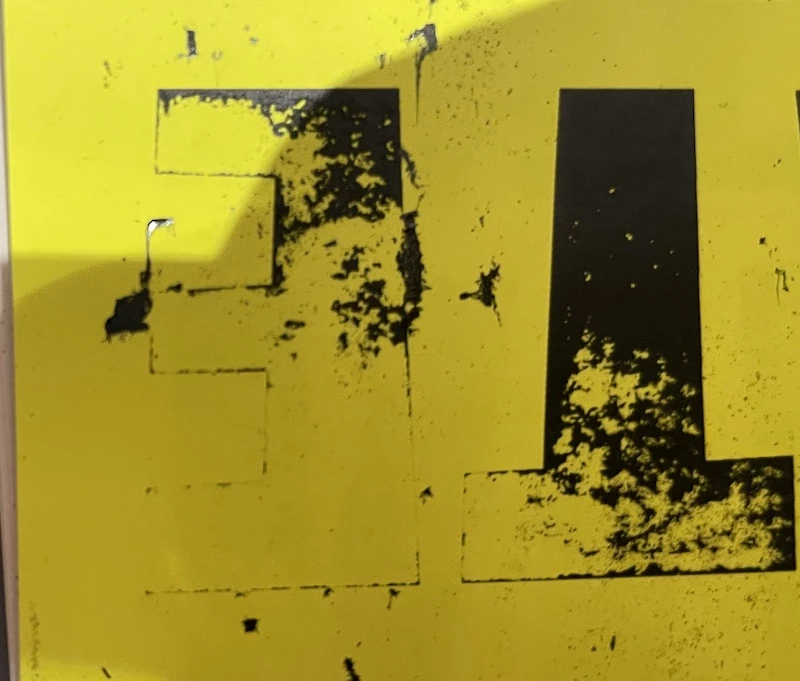
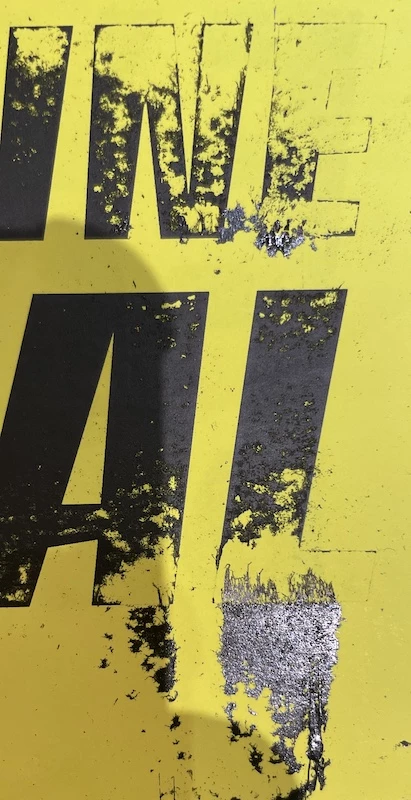
Poor Print Quality

  • May 20, 2024
  • 1 reply
  • 367 views

Hello

I am trying to print vector converted lettering on matte yellow fluorescent adhesive paper using a laser printer, but the output is of poor quality. The file was saved via Illustrator at 300 dpi, in PDF with Acrobat 7 (PDF 1.6) compatibility. There was no resampling or compression, and no compression of text and line drawings.

In your opinion is this a problem with the file ( the shapes are too big and the black is too black) or the laser printer?

Thank you
This topic has been closed for replies.

1 reply

Monika Gause
Community Expert
Community Expert
May 20, 2024

So the toner rubs off after printing?


That is because the material is not certified for the printer. And if the worst comes to the worst, then you have ruined the printer with this.

Known Participant
May 20, 2024

Okay, this type of paper is not supported by the Canon and Ricoh printers on which I printed. I tried with a smaller visual and a less deep black and the result was less catastrophic. Hence my remark about the less deep black and smaller visual.

Monika Gause
Community Expert
Community Expert
May 20, 2024

The question is whether the paper is supported in laser printing at all? 


Is that a black and white or a color printer?