Known Participant
July 2, 2026
Answered

pop up rotation générative

  • July 2, 2026
  • 6 replies
  • 72 views

Bonjour, 
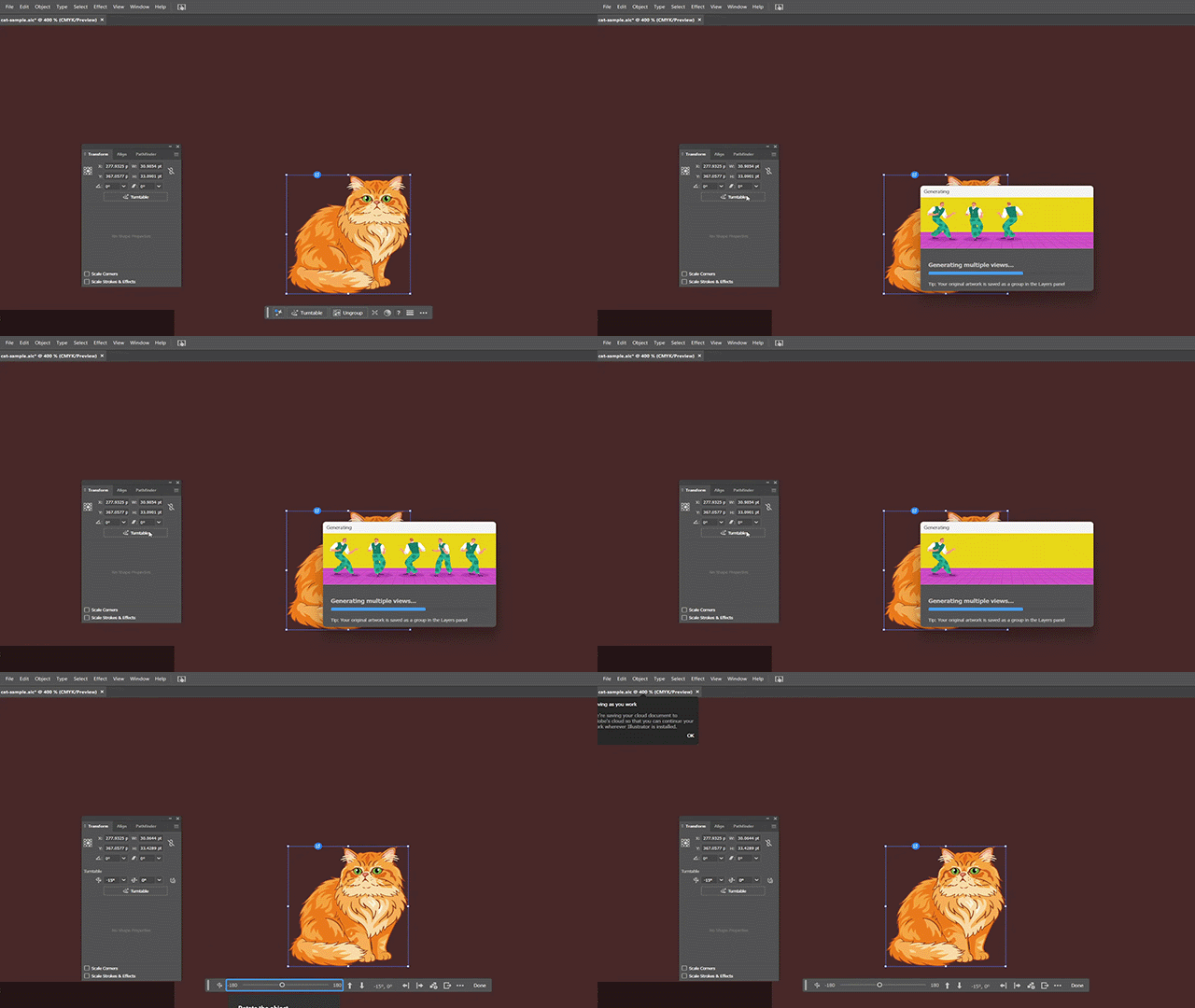
Sauriez-vous comment désactiver la fenêtre qui s’ouvre à chaque survol de “rotation générative”, c’est vraiment indisposant
Merci pour votre aide

    Correct answer Anubhav M

    Hi @Caroline29044485qp7d 

    Please try going through the option for using Turntable and check if it reappears thereafter.


    Anubhav

    6 replies

    Known Participant
    July 22, 2026

    Hi Anubhav,
     

    Yessss, it works!

    So all I had to do was use it once for the pop-up to disappear every time I hovered over the window.

    A thousand thanks

    Anubhav M
    Community Manager
    Community Manager
    July 2, 2026

    Hello ​@Caroline29044485qp7d 


    I’m sorry to hear about your experience. Would you mind trying to reset Illustrator's preferences as described in this article (https://helpx.adobe.com/illustrator/kb/troubleshoot-preference-issues.html) and checking if it helps?


    Disclaimer: Please note that renaming preferences folders will remove all the custom settings, and Illustrator will launch with default settings. You can also save a backup of the folders in case you want to. The location is mentioned above.


    Looking forward to hearing from you.
    Anubhav

    Known Participant
    July 7, 2026

    Bonjour Anubhav,
    J'ai réinitialisé les paramètres comme préconisé mais j’ai toujours le pop up qui se met lorsque je survole la rotation générative
    Peut on la supprimer du panneau transformation ?

    Anubhav M
    Community Manager
    Community Manager
    July 16, 2026

    Hi @Caroline29044485qp7d,


    Thanks for confirming. To clarify the expected behavior: the prompt to try Turntable should only appear the first time you use the feature - it shouldn't reappear on subsequent uses.

    If you're seeing it come up repeatedly, please share:

    1. Your exact OS and Illustrator versions
    2. A brief screen recording of the behavior


    With those, we'll check it with the team. If the behavior matches what's expected (one-time prompt), kindly mark the reply as the correct answer so others with the same question can find it.


    Anubhav

    Known Participant
    July 2, 2026

    oui j’ai déjà fermé et réouvert illustrator, même souci

    Known Participant
    July 2, 2026

    Merci encore Tina, j’ai fait la manip, maintenant les deux cases sont décochées.
    J’ai fermé puis réouvert Illustrator mais le problème persiste

    Tina_Irvine
    Community Expert
    Community Expert
    July 2, 2026

    You may have to restart Illustrator. Please give that a try and let us know if it’s still happening.

    Known Participant
    July 2, 2026

    Hello Tina
    Merci pour la réponse
    En fait, je ne peux en décocher qu’une, l’autre est grisée...

    Tina_Irvine
    Community Expert
    Community Expert
    July 2, 2026

    Hi ​@Caroline29044485qp7d,

    “Show Tool Tips” is the master one. You’ll have to turn that one on, and then disable “Show Rich Tool Tips” first :)

    Tina_Irvine
    Community Expert
    Community Expert
    July 2, 2026

    Hi ​@Caroline29044485qp7d

    Under Illustrator > Settings > General, try unchecking one or both of the Tool Tips boxes.